

Ultimate Guide on How to Edit Audio Files Effectively on Windows
Discover the comprehensive guide on how to edit audio files on Windows. Use great tools to effectively create professional-level audio results.
Discover the comprehensive guide on how to edit audio files on Windows. Use great tools to effectively create professional-level audio results.
This category is dedicated to exploring the top video editing software options that can assist you in crafting captivating and extraordinary videos. We will provide valuable insights to enhance your user experience while using social platforms and assist in crafting engaging videos to share with your friends. Here, you can learn tricks for creating picture-in-picture (PiP) videos, adding bubble texts to a video, as well as convert landscape video to portrait.
Learn how to make a behind-the-scenes video in four steps: planning the narrative, recording footage, capturing key shots, and editing the final video.
Discover six of the best Reddit video makers, including MiniTool MovieMaker, Microsoft Clipchamp, CapCut, OpenShot, Kapwing, and Ezgif.
Discover six of the best quote video makers on Windows, including MiniTool MovieMaker, Microsoft Clipchamp, CapCut, VEED, Canva, and Placeit.
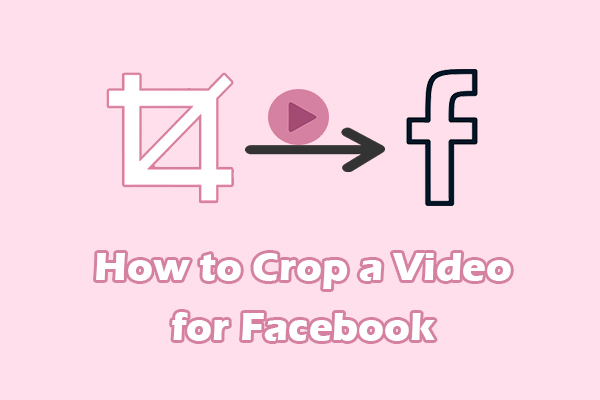
Learn how to crop a video for Facebook using MiniTool MovieMaker. Easily get the perfect dimension for the target video on Facebook.

Here are six Pinterest video editors for you: MiniTool MovieMaker, Microsoft Clipchamp, CapCut, Filmora, VEED, and Typito.
MiniTool MovieMaker 8.6 is available. This version emphasizes a localized user experience, enhanced creative tools, and a faster editing workflow.
Create a memorable Valentine’s Day video with 6 Valentine’s Day video makers, including MiniTool MovieMaker, Clipchamp, CapCut, VEED, Kapwing, and Animaker.
Elevate your GIFs by adding personalized captions with the 5 easy-to-use GIF caption makers, including MiniTool MovieMaker, GIFGIFs, Ezgif, Clideo, and Canva.
Easily enhance your footage using the best video effects editor – MiniTool MovieMaker, and learn about common video effect types in editing.
![How to Reverse MP3 Files Easily [2 Methods]](https://images.minitool.com/moviemaker.minitool.com/images/uploads/2026/03/reverse-mp3-thumbnail.jpg)
Learn how to reverse MP3 audio using MiniTool MovieMaker, Audacity, and Online MP3 Cutter. Find step-by-step instructions for creating innovative soundscapes and effects.