

Want to create engaging Reddit videos? This post introduces six of the best Reddit video makers for Windows, including MiniTool MovieMaker (the best free video editor for beginners), Clipchamp, CapCut, OpenShot, Kapwing, and Ezgif.
In recent years, I’ve noticed that video content on Reddit has become increasingly popular, as more users prefer short, engaging clips that are easy to watch and share. Whether it’s funny moments, informative clips, or creative edits, well-made videos are more likely to attract attention and gain engagement.
That’s where a reliable Reddit video maker comes in. With the right tool, I can quickly edit and enhance videos, making them more engaging and suitable for sharing on Reddit. In the following sections, I’ll introduce six of the best Reddit video makers.
6 Best Reddit Video Makers at a Glance
- MiniTool MovieMaker
- Clipchamp
- CapCut
- OpenShot
- Kapwing
- Ezgif
Here is a concise comparison table of these Reddit video maker tools.
| Tool | Platform | Pricing | Watermark | Reddit Specs Support | Key Features | Target Users |
| MiniTool MovieMaker | Windows | Free + Paid | No | Yes | Full control, 4k export, multi-track timeline | Free, desktop fine-tuning |
| Clipchamp | Win/Web | Free + Paid | No | Yes | System integration | Windows 11 users |
| CapCut | Cross-platform | Free + Pro | No | Yes | Rich templates & effects | Social media creators |
| OpenShot | Cross-platform | Free | No | Yes | Open-source, unlimited layers | Open-source enthusiasts |
| Kapwing | Web | Free + Paid | Yes, the free plan | Yes | Online collaboration | Quick online editing |
| Ezgif | Web | Free | No | Yes | GIF creation & conversion | GIF & lightweight editing |
1. MiniTool MovieMaker
MiniTool MovieMaker is a beginner-friendly video editing tool designed for Windows users. When I want to create or edit videos for Reddit, it offers a simple workflow with all the essential features I need. It has a clean layout and is completely free of ads, bundles, or watermarks. Whether I’m creating a Reddit video from scratch or enhancing existing footage, it can effectively meet my needs.
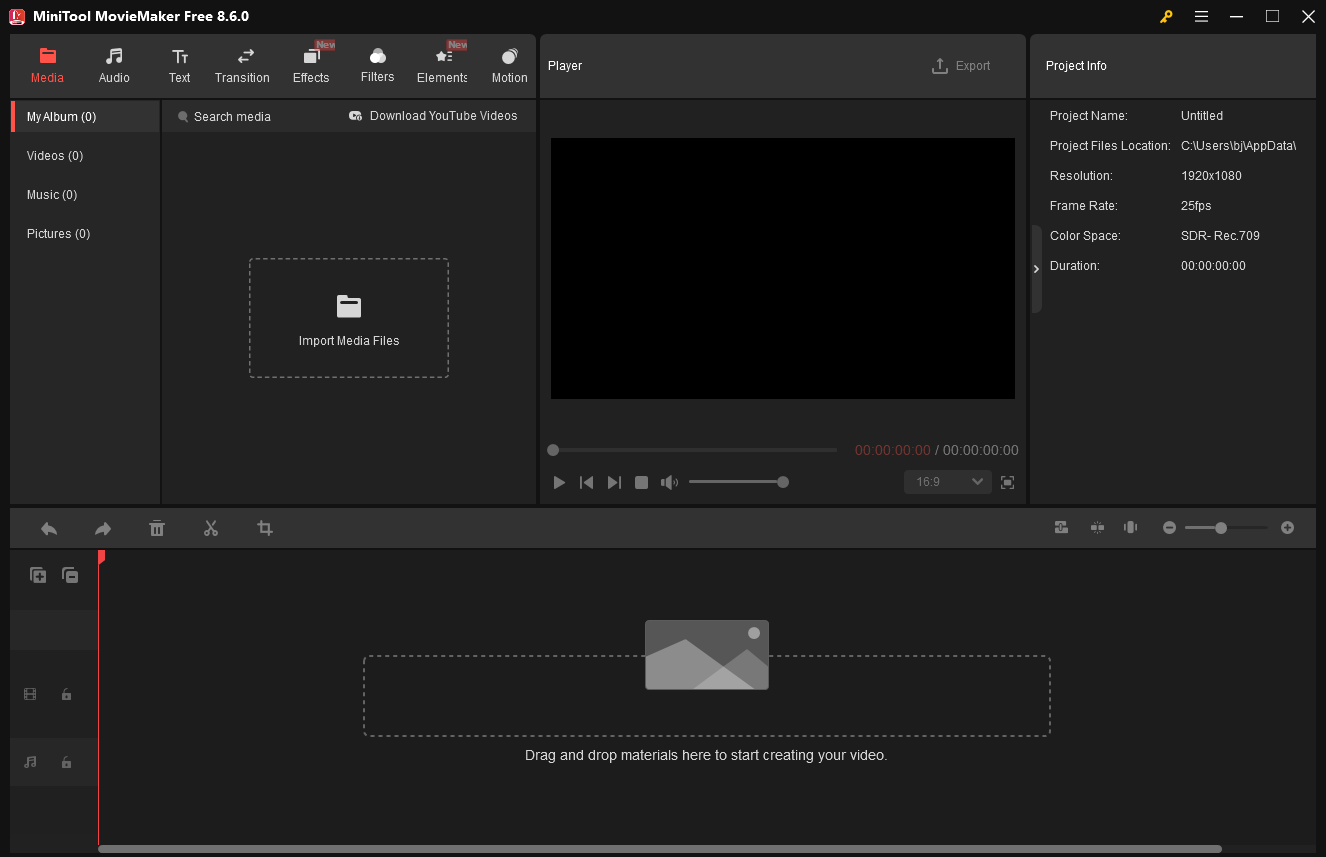
Here are some key features I’ve summarized that make MiniTool MovieMaker a great Reddit video maker.
User-Friendly Interface
The application features a clean and straightforward interface. When I use it, all the tools and options are clearly organized, making it easy to navigate. It also provides a helpful walkthrough guide for beginners, allowing me to get started quickly without a steep learning curve.
Comprehensive Editing Tools
With this tool, I can trim unwanted parts, split clips, and adjust the video’s aspect ratio to make the content more polished. In addition to basic editing, it also supports picture-in-picture effects, video collages, and smooth 4K video editing.
Moreover, it offers a rich library of built-in resources to enhance Reddit videos. I can add transitions to connect clips, apply filters to adjust the visual style, use stickers for more creativity, insert text to improve accessibility, and add music to create the right atmosphere.
Diverse Output Options
When exporting the final video, the software supports common formats compatible with Reddit, such as MP4, MOV, and GIF. It also provides customizable export settings, including resolution, frame rate, encoder, and bitrate. In addition, I can export videos in up to 4K resolution without a watermark.
This video editor is only available on Windows, which is a little inconvenient for users on other platforms. Overall, I think the program is an ideal option for beginners who want to create and edit Reddit videos easily on Windows.
MovieMaker by MiniTool is an inexpensive, easy-to-use video editing program. It includes a fair number of effects and gives you easy ways to join your clips, add transitions, and overlay objects and text.https://www.pcmag.com/reviews/minitool-moviemaker
2. Microsoft Clipchamp
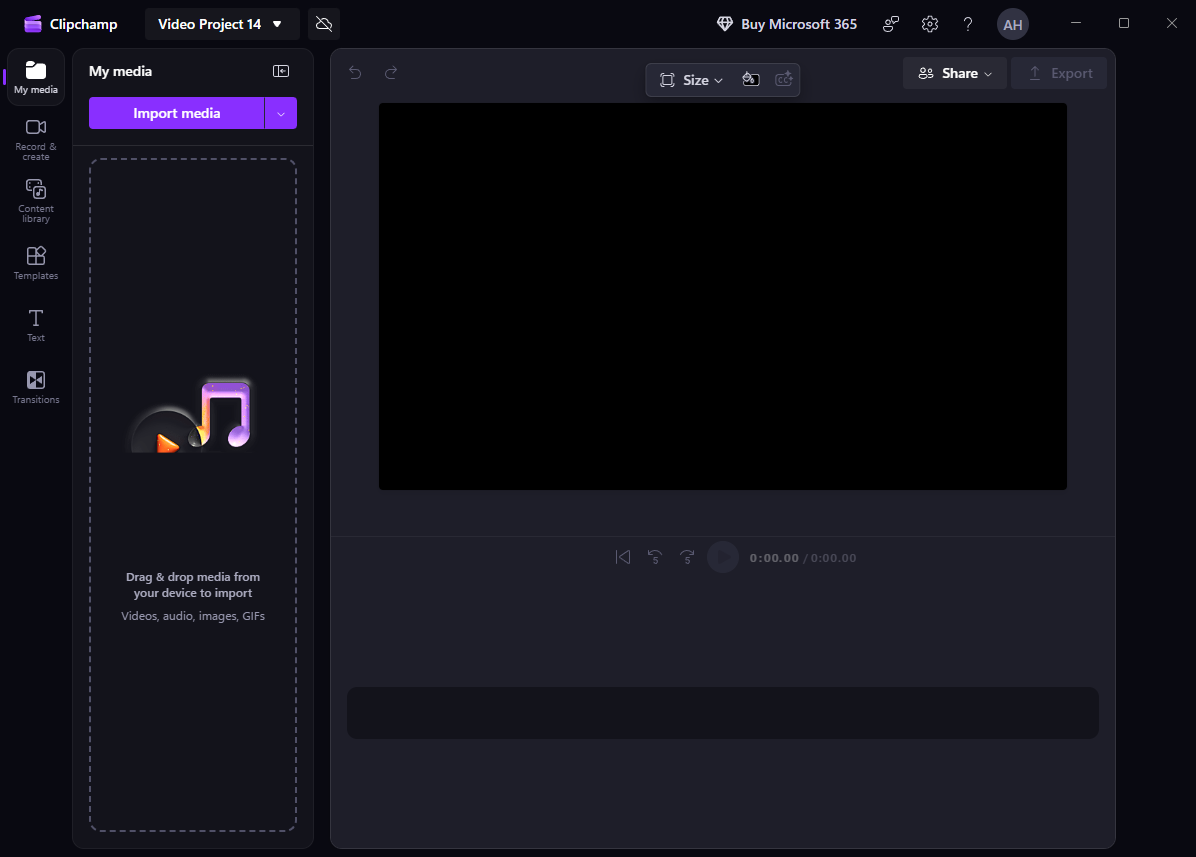
Microsoft Clipchamp is a convenient and easy-to-use Reddit video maker that is suitable for casual users. When I just need to remove unwanted parts, add simple effects, or make quick edits, it provides a fast and efficient solution. Below are some standout features that make Clipchamp a solid choice to try.
Easy Accessibility
Microsoft Clipchamp comes pre-installed on Windows 11. Even if I’m using Windows 10, I can easily download it from the Microsoft Store. In addition, it also offers a web-based version, allowing me to edit videos across different devices with flexibility.
Ready-made Templates
Clipchamp includes a wide range of ready-made video templates. Although there are no templates specifically designed for Reddit, I can still choose similar styles or templates designed for other platforms. These templates help me get started quickly and improve my editing efficiency.
Versatile Editing Tools
Clipchamp offers a variety of editing features, allowing me to trim, split, crop, and adjust video speed with ease. It also includes advanced functions such as text-to-speech, which can be useful when creating voiceovers for Reddit-style videos.
In addition, it provides a rich library of filters, transitions, and effects, helping me enhance the overall look and feel of my videos.
However, Microsoft Clipchamp only supports exporting videos in 720p and 1080p in its free version. To export videos in 4K resolution, I need to upgrade to the premium plan.
Clipchamp targets marketers who want to make quick hits on social media using meme-like, template-based designs. But it's fine for basic clip joining, splitting, and trimming, too. You can even add some panache to your productions via some eye-catching effects.https://www.pcmag.com/reviews/clipchamp
3. CapCut
CapCut is one of the most popular video editing tools for creating short videos. Developed by ByteDance, the company behind TikTok, it offers trendy templates and eye-catching effects that help make videos more engaging. Here’s why CapCut works well as a Reddit video maker.
Ready-to-Use Video Templates
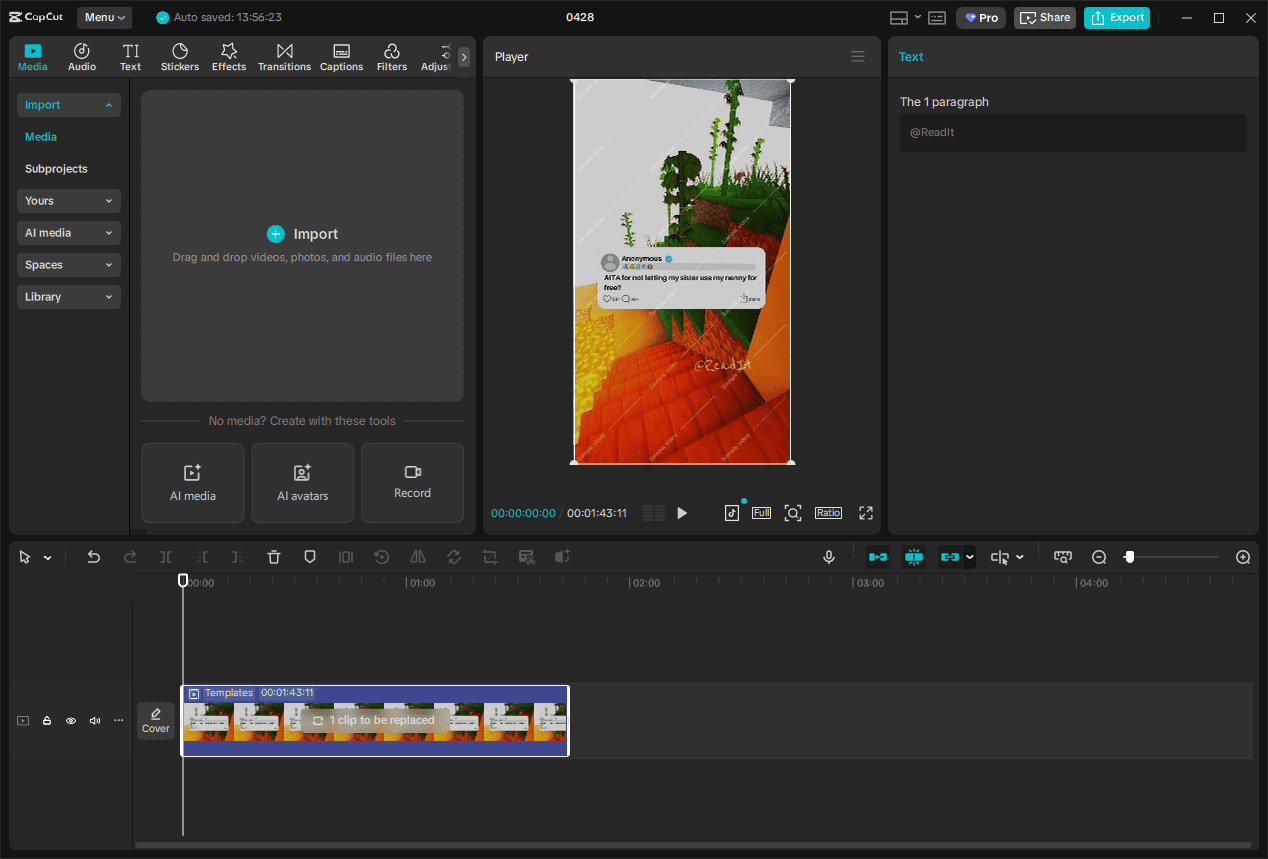
When I use CapCut to create a Reddit video, I can search for relevant keywords in the template library and find plenty of ready-made Reddit video templates. After selecting a suitable template, I can simply import my own clips or images to replace the original content. This greatly speeds up the editing process and helps me create more engaging videos with minimal effort.
Powerful Features
CapCut provides a vast range of editing tools, from basic functions like cutting videos and adjusting video properties to more advanced features such as keyframe animation. In addition, it integrates AI-powered tools into the editing workflow. With features like text-to-video and auto caption, I can make my Reddit videos more accessible and engaging.
Customizable Settings
CapCut offers flexible export options. I can customize settings such as resolution, frame rate, bitrate, codec, and format based on my needs. It also makes sharing more convenient by allowing me to export videos optimized for platforms like TikTok and YouTube.
While CapCut offers many powerful tools for free, some advanced features and premium assets require a paid subscription.
CapCut even boasts that its desktop collaboration tools, where multiple team members can work on the same project online, make it useful for businesses.https://www.pcmag.com/reviews/capcut
4. OpenShot Video Editor
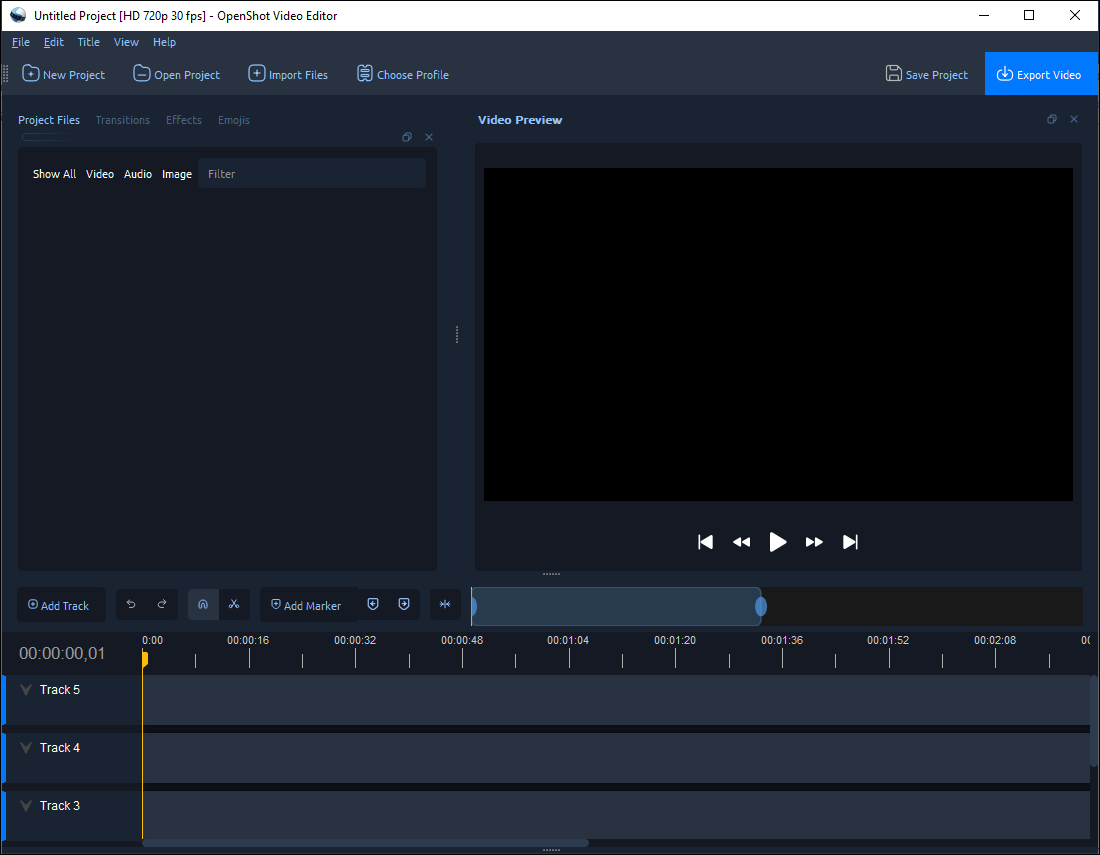
OpenShot Video Editor is a free and open-source video editing tool that works on Windows, macOS, and Linux. When I want a simple yet flexible solution to edit Reddit videos without any cost or watermark, OpenShot is a reliable option.
Cross-Platform Support
One of the biggest advantages of OpenShot is its cross-platform compatibility. I can use it on different operating systems, which makes it convenient if I switch between devices. This flexibility is especially helpful compared to tools that are limited to a single platform.
Simple Yet Flexible Editing Tools
OpenShot provides essential editing features such as trimming, splitting, resizing, and rotating video clips. It also supports unlimited layers, allowing me to overlay videos, images, and text for more creative control.
In addition, I can add transitions, apply basic effects, and insert titles to make my Reddit videos more engaging. While it may not be as feature-rich as some advanced editors, it covers most everyday editing needs.
No Watermark and Free to Use
As an open-source tool, OpenShot is completely free to use without any ads or watermarks. This makes it a great choice when I want to export clean videos without worrying about branding or extra costs.
However, OpenShot may feel less smooth when handling large or high-resolution files. Some advanced editing features are also limited compared to more professional video editing software.
If the complex jigsaw of timelines, boxes and windows of other video editing software puts you off, OpenShot will feel like a breath of fresh air for you - its layout is simple and easy to view.https://www.creativebloq.com/reviews/openshot
5. Kapwing
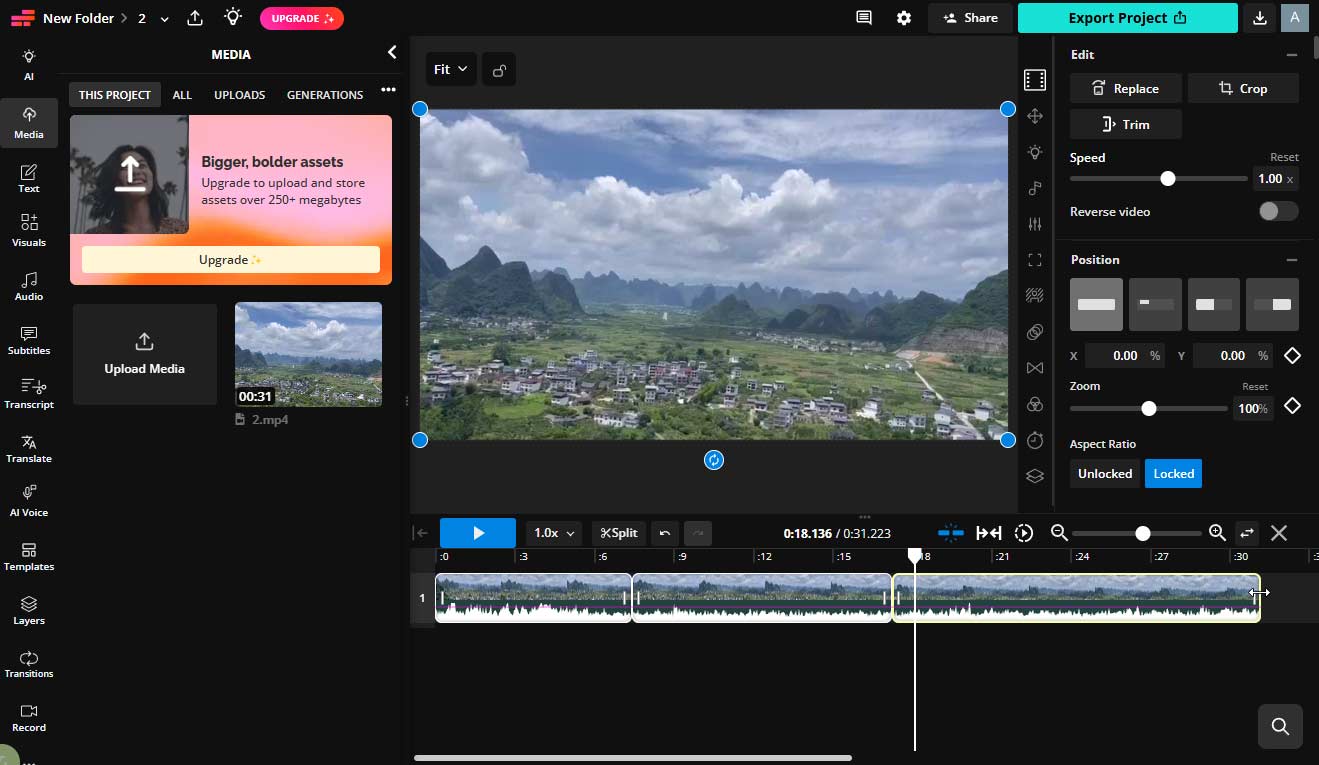
Kapwing is a web-based video editing platform that allows me to create and edit Reddit videos directly in the browser. Without needing to download any software, I can quickly start editing, which makes it a convenient option for users who prefer online tools. Below are some key features that make Kapwing a great online Reddit video maker.
Online Editing and Accessibility
Since Kapwing runs entirely online, I can access it from any device with a browser. This flexibility allows me to work on Reddit videos anytime without worrying about system compatibility or installation.
Subtitle and Text Tools
Kapwing stands out for its powerful subtitle and text editing features. I can easily add subtitles to my videos, customize fonts and styles, and adjust timing to match the content. This is especially useful for Reddit videos, as many viewers watch without sound.
In addition, it offers auto-subtitle generation, which helps me save time when creating captioned videos.
Collaboration and Templates
Kapwing supports real-time collaboration, allowing me to share projects and edit videos with others. It also provides a variety of templates, making it easier to create videos quickly. These features are helpful when I want to streamline the editing process or work as part of a team.
However, the free version of Kapwing includes export limitations and adds a watermark to the final video. To unlock full features and remove the watermark, I need to upgrade to a paid plan.
Kapwing packs a good mix of both AI-powered and traditional video editing features.https://www.techradar.com/computing/creative-software/kapwing-ai-video-editor-review
6. Ezgif
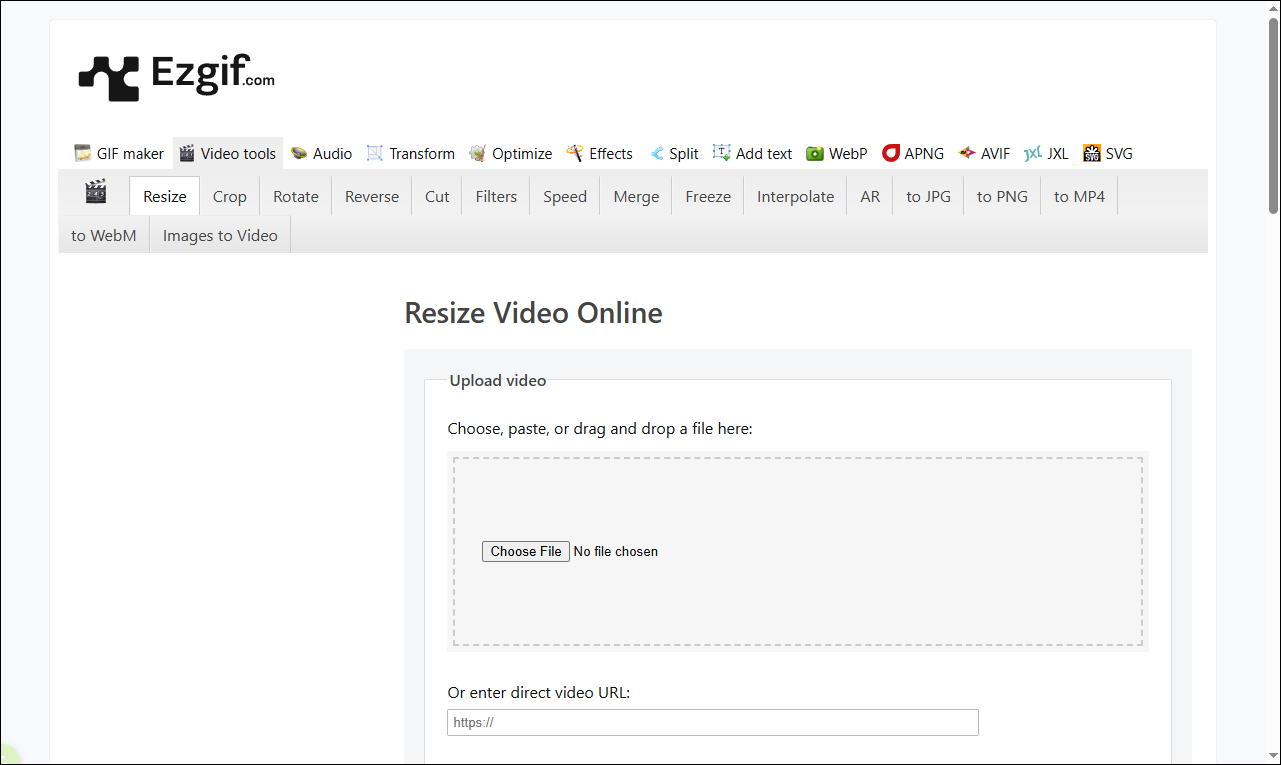
Ezgif is another online Reddit video maker designed for editing GIFs and basic video files. When I need to quickly create or edit short Reddit videos or GIFs without installing software, Ezgif provides a fast and straightforward solution. Below are some key features that make it worth trying.
Online and Easy to Use
Since Ezgif runs entirely in the browser, I can use it on any device without downloading or installing anything. The interface is simple and task-oriented, allowing me to upload a file and start editing immediately.
GIF and Basic Video Editing
Ezgif focuses on lightweight editing features. I can trim video clips, resize files, crop unwanted areas, and convert videos into GIFs. This is especially useful for Reddit, where short clips and GIFs are commonly used to share quick and engaging content.
In addition, it supports format conversion, allowing me to convert videos between formats like MP4, AVI, and GIF with ease.
Quick Processing and Optimization
Ezgif also provides tools to optimize file size, adjust frame rate, and compress videos or GIFs. These features help me make sure my content meets Reddit’s upload requirements and loads smoothly.
However, Ezgif mainly focuses on basic editing and GIF creation, so it does not offer advanced features like multi-track editing or complex effects. It may also be less suitable for creating long or highly polished videos.

How to Make a Reddit Video
Fast Track Steps:
- Install a Reddit video maker.
- Open the application and add media files.
- Adjust the video length.
- Enhance the video with music.
- Save and export the video.
1: Download and Install
First, make sure the Reddit video maker is downloaded and installed on the computer.
MiniTool MovieMakerClick to Download100%Clean & Safe
2: Import the Media
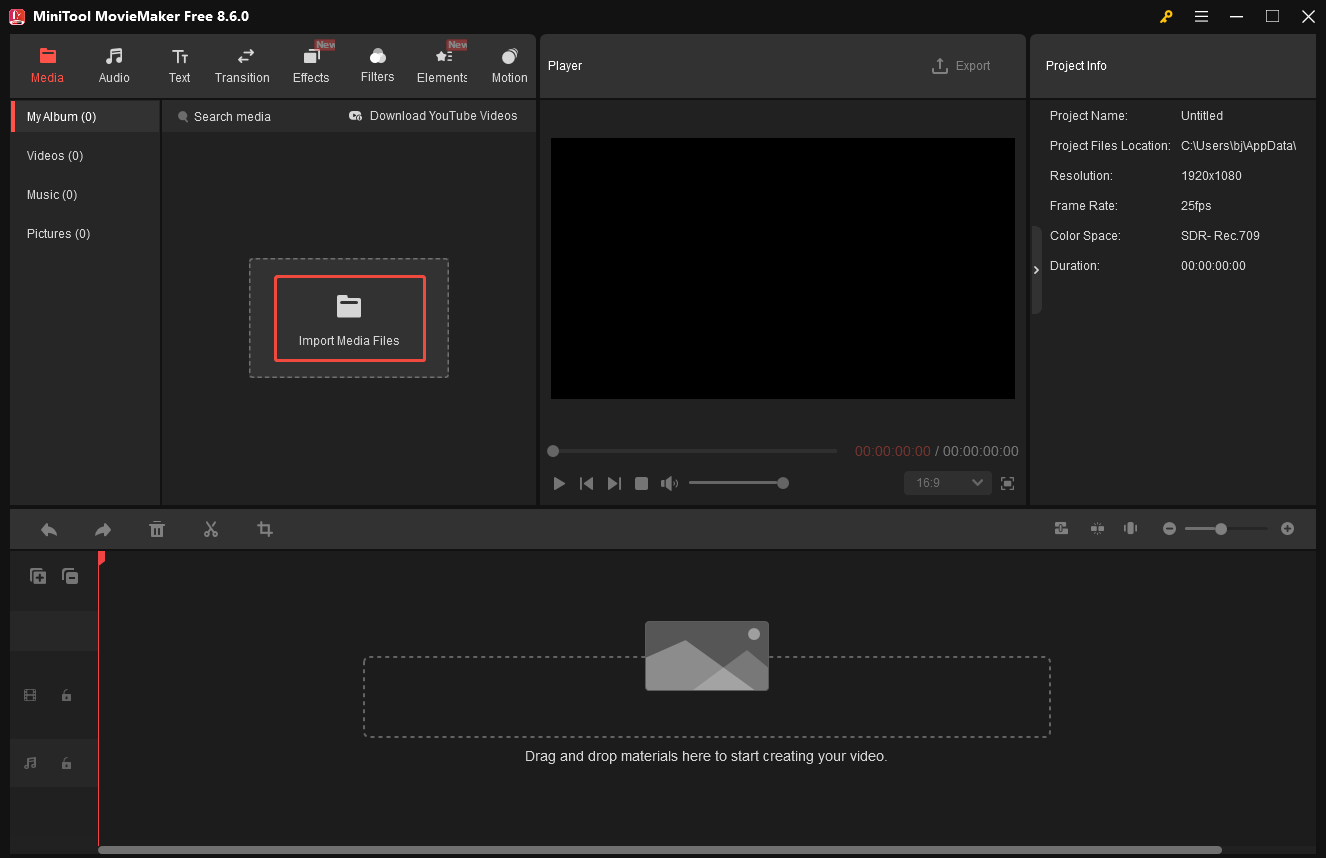
Launch the video editor and click New Project to enter the main editing interface. Then, click Import Media Files to upload the video clips or images from the computer.
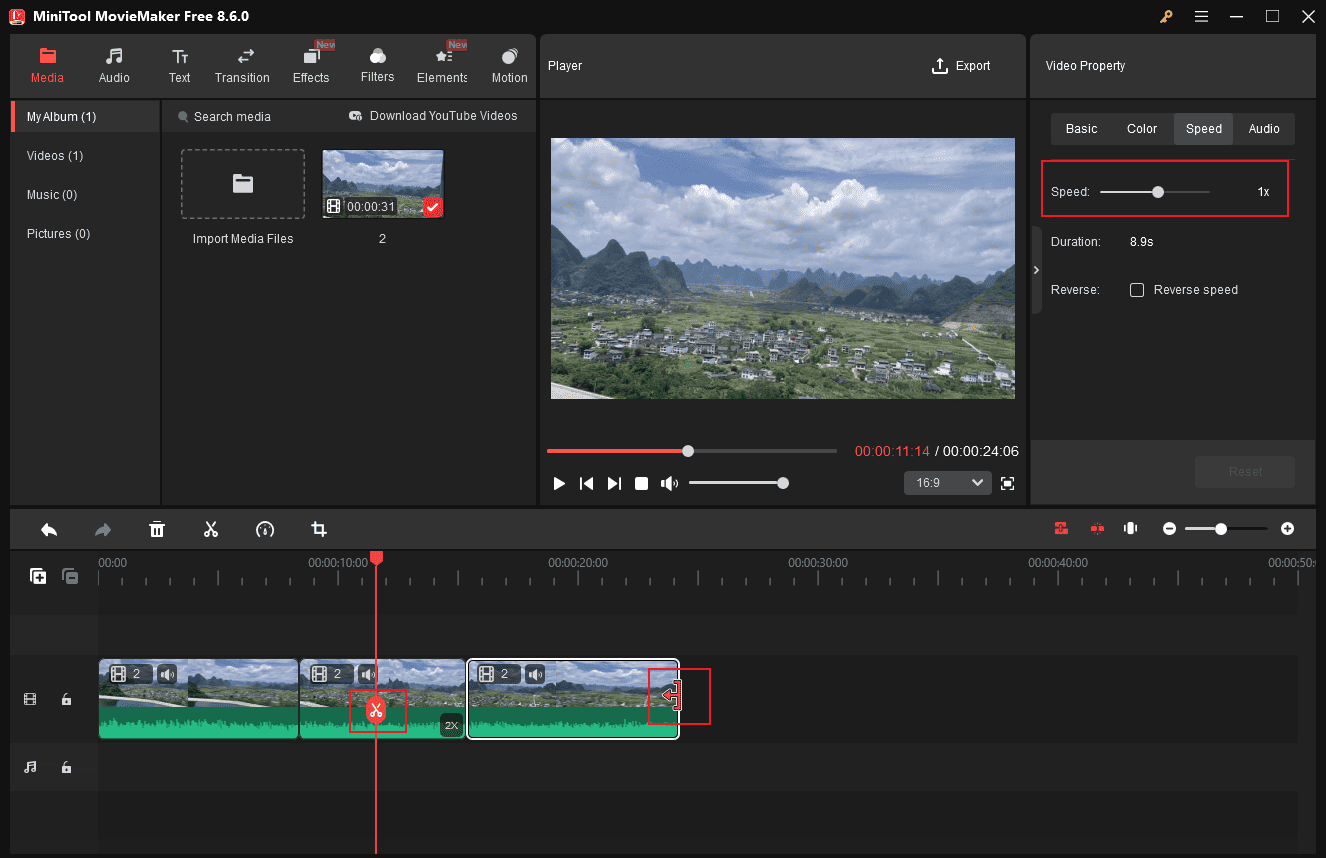
3: Shorten the Video
To make sure the video does not exceed Reddit’s maximum length, I need to shorten it when necessary. The software allows me to split, trim, or speed up the video easily.
- Split: Drag the playhead to the desired position and click the Split icon. Then, select the unwanted part and click Delete.
- Trim: Hover the mouse over the edge of the clip until the Trim icon appears, then drag inward to remove unwanted sections.
- Speed up: Select the clip on the timeline, click the Speed icon in the right-side panel, and adjust the slider to change the duration.
4: Add Music to the Video
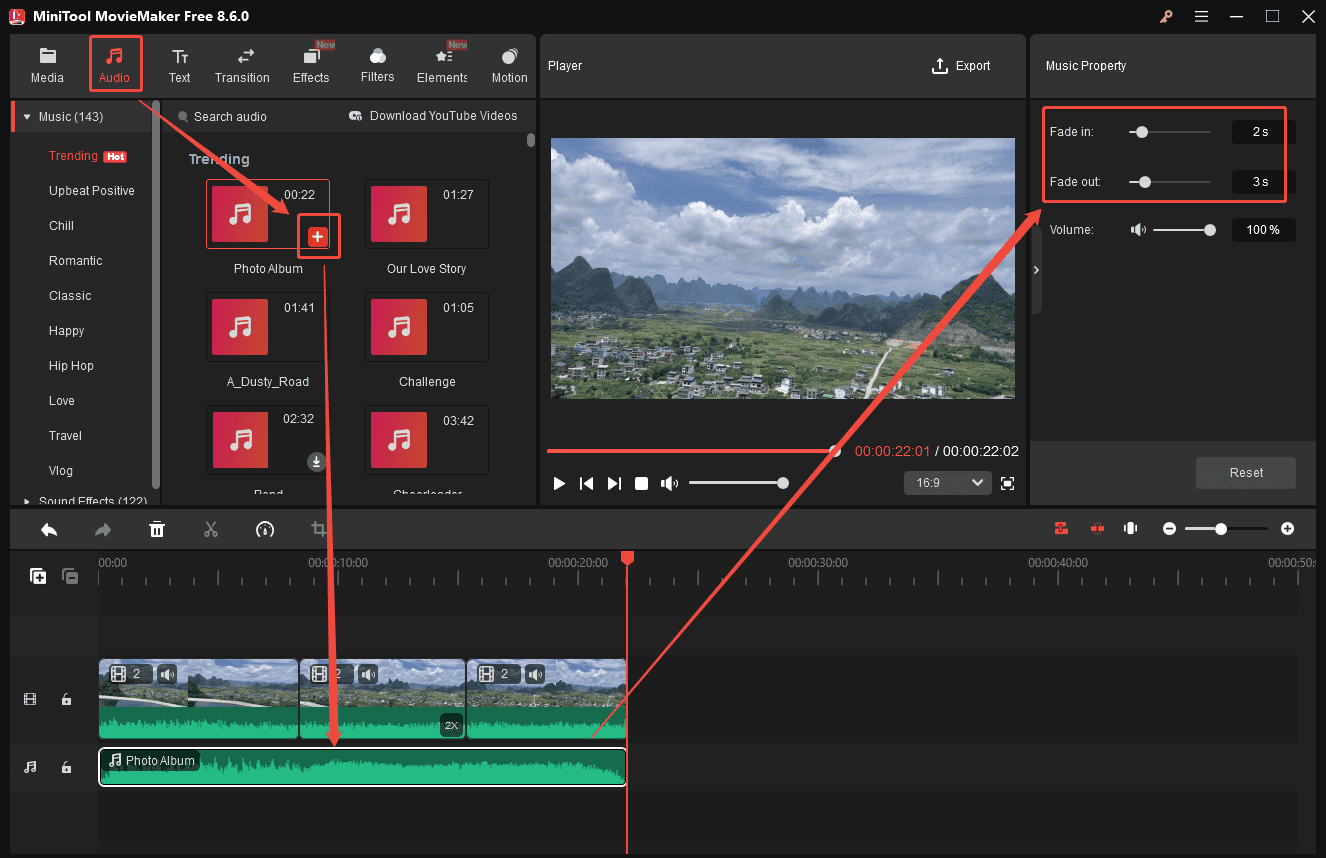
This video editor provides a variety of built-in music and sound effects. I can click Audio, download the desired track, and click the Plus icon to add it to the timeline. I can also apply fade-in and fade-out effects in the right music property panel to make the audio smoother.
5: Export the Video
Click Export in the top-right corner of the player window. Then, I can rename the video, choose the output location, and customize settings such as format, resolution, and frame rate. Finally, click Export again to save the video to the computer.
Conclusion
Reddit videos have become an important way to share content and attract attention on the platform. In this post, I explored six of the best Reddit video makers. Each tool comes with its own strengths. Choose the tool that best fits your needs and start your creation right now.
Finally, if you encounter problems while using MiniTool MovieMaker, send an email to [email protected] for help.
People Also Ask
1:1 (Square): Performs well in feeds.
4:5 (Portrait): Ideal for mobile viewing.
2. Keep the duration within 15 minutes.
3. Keep the file size under 1GB. Compress the video if it is larger.
4. Use a supported aspect ratio (1:1, 4:5, 16:9, or 4:3).
About The Author

Position: Columnist
Cora is a tech writer specializing in digital media workflows, with over six years of hands-on experience in video post-production, media transcoding, and screen capture. Her writing is always clear and practical. Cora also produces in-depth software reviews for users across skill levels to help them find the right tool and enjoy video editing.
User Comments :