

This post introduces 6 reliable Valentine’s Day Video makers, including the free movie maker - MiniTool MovieMaker, Microsoft Clipchamp, CapCut, VEED, Kapwing, and Animaker.
Valentine’s Day is a perfect opportunity to express love and appreciation. In addition to giving flowers and gifts, creating a video is also a meaningful way to capture treasured moments for lasting memories and easy sharing. With a powerful Valentine’s Day video maker, it’s easy to combine photos, footage, and music into a heartwarming video.
To create a stunning Valentine’s Day video, I have searched and tested 6 of the best Valentine’s Day video makers, covering both desktop and online tools. Let’s have a closer look at each of them.
6 Best Valentine’s Day Video Makers at a Glance
- MiniTool MovieMaker
- Microsoft Clipchamp
- CapCut
- VEED
- Kapwing
- Animaker
Check the table below to quickly find the Valentine’s Day video maker that meets your needs.
| Tool | Platform | Price | Watermark | Valentine’s Templates/Elements | Key Features |
| MiniTool MovieMaker | Windows | Free + Paid | No | Yes, various stickers | Multi-track, 4K export |
| Clipchamp | Win/Web | Free + Paid | No | Yes (templates) | System integration, template-driven |
| CapCut | Win/Mac/Mobile | Free + Pro | No | Yes (templates/stickers) | AI effects, rich template library |
| VEED | Web | Free + Paid | Yes, the free plan | Yes (templates) | Auto-captions, online collaboration |
| Kapwing | Web | Free + Paid | Yes, the free plan | Yes, (fonts/elements) | Real-time collaboration, multi-tools |
| Animaker | Web | Free + Paid | Yes, the free plan | Yes, (animated characters) | Animated characters, lip-sync |
1. MiniTool MovieMaker
MiniTool MovieMaker is a beginner-friendly and easy-to-use Valentine’s Day video maker. Here are some key features I’ve summarized that make the software a great tool for editing videos for Valentine’s Day.
MiniTool MovieMakerClick to Download100%Clean & Safe
1. Broad Format Compatibility
This video editor supports a wide range of file formats, including MP4, MOV, AVI, MKV, GIF, MP3, and more. I can import different types of media files into one project and edit them seamlessly without compromising quality.
2. Multiple Track Editing
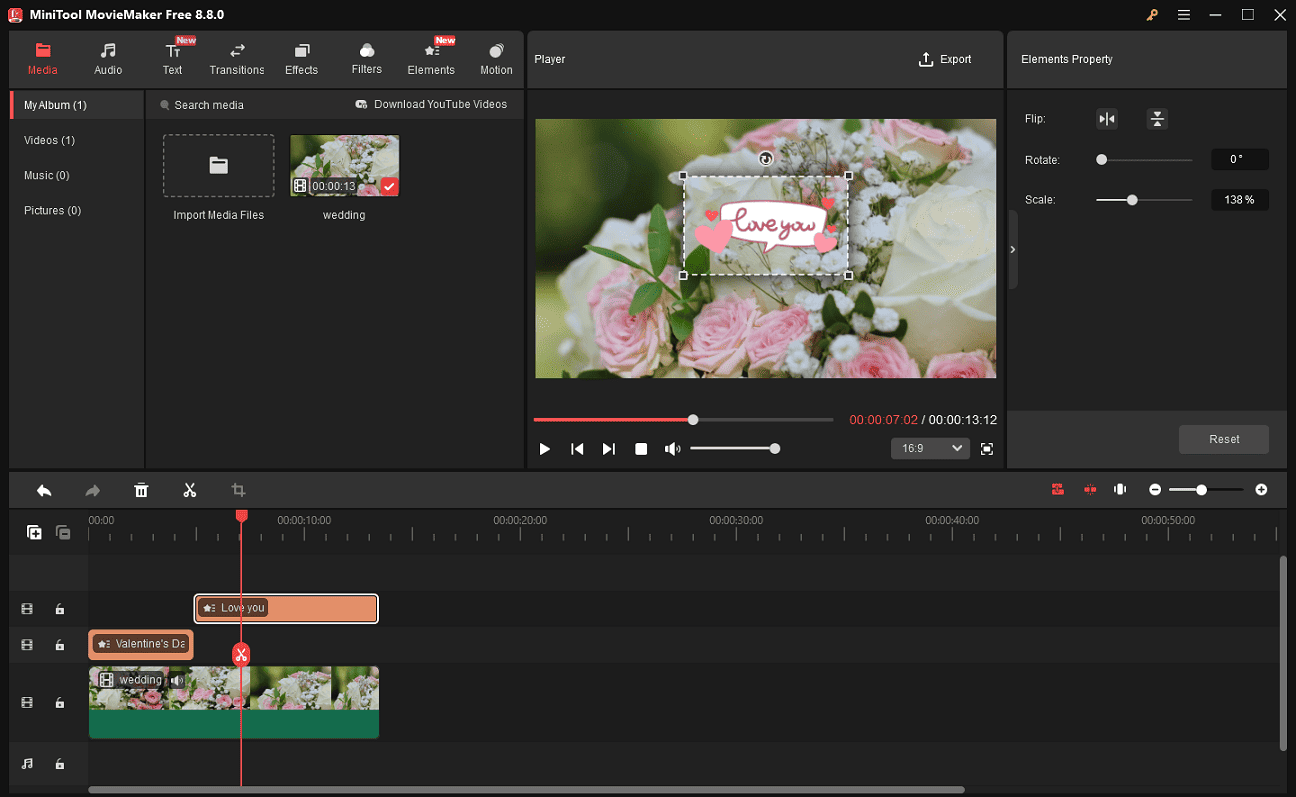
This multi-track video editor with 9 video and 2 audio tracks allows me to add overlay effects with ease. I can create picture-in-picture or side-by-side videos for a more dynamic presentation. This feature also makes it simple to add background music and enhance the overall visual appeal.
3. Comprehensive Editing Functions
The application offers a full set of editing tools. I can trim, split, crop, and rotate my Valentine’s Day footage, as well as adjust video properties like contrast and saturation, or fine-tune the audio volume.
4. Rich Built-in Library
Additionally, this Valentine’s Day video maker provides a rich library of resources to enhance my video. One feature I like most is the love category in Elements, which offers Valentine’s Day-themed stickers, heart-shaped graphics, love gift stickers, and more. I can directly apply these elements to my clips to make the video more striking.
Beyond that, it includes royalty-free music, stylish text templates, eye-catching transitions, and visual effects to use, allowing me to further enhance the overall look and feel of the video.
5. Customizable Output Options
The software allows me to export videos in various formats with customizable settings such as resolution, frame rate, encoder, and bitrate. It also supports exporting videos in up to 4K resolution for free, making it suitable for high-quality video creation.
Pros:
- Clean and intuitive interface, ideal for beginners.
- Multi-track editing for creating picture-in-picture and layered effects.
- Drag-and-drop editor with a variety of Valentine’s Day–themed resources.
- Supports multiple input formats and offers flexible output settings.
- Free to use with no watermark.
Cons:
- Only available on Windows.
- After exporting the first three videos without limits, subsequent exports are limited to 2 minutes in length.
The Elements panel is more useful, especially for those who make social videos. It includes emoji, arrows, and buttons every YouTuber needs: Like and Subscribe. In all, it’s a full selection of stickers.https://www.pcmag.com/reviews/minitool-moviemaker
2. Microsoft Clipchamp
Clipchamp is a built-in video editor on Windows 11 that integrates video editing with screen recording capabilities. Even though I’m using Windows 10, I can easily install it from the Microsoft Store. It is also a powerful Valentine’s video maker that is suitable for both beginners and experienced users.
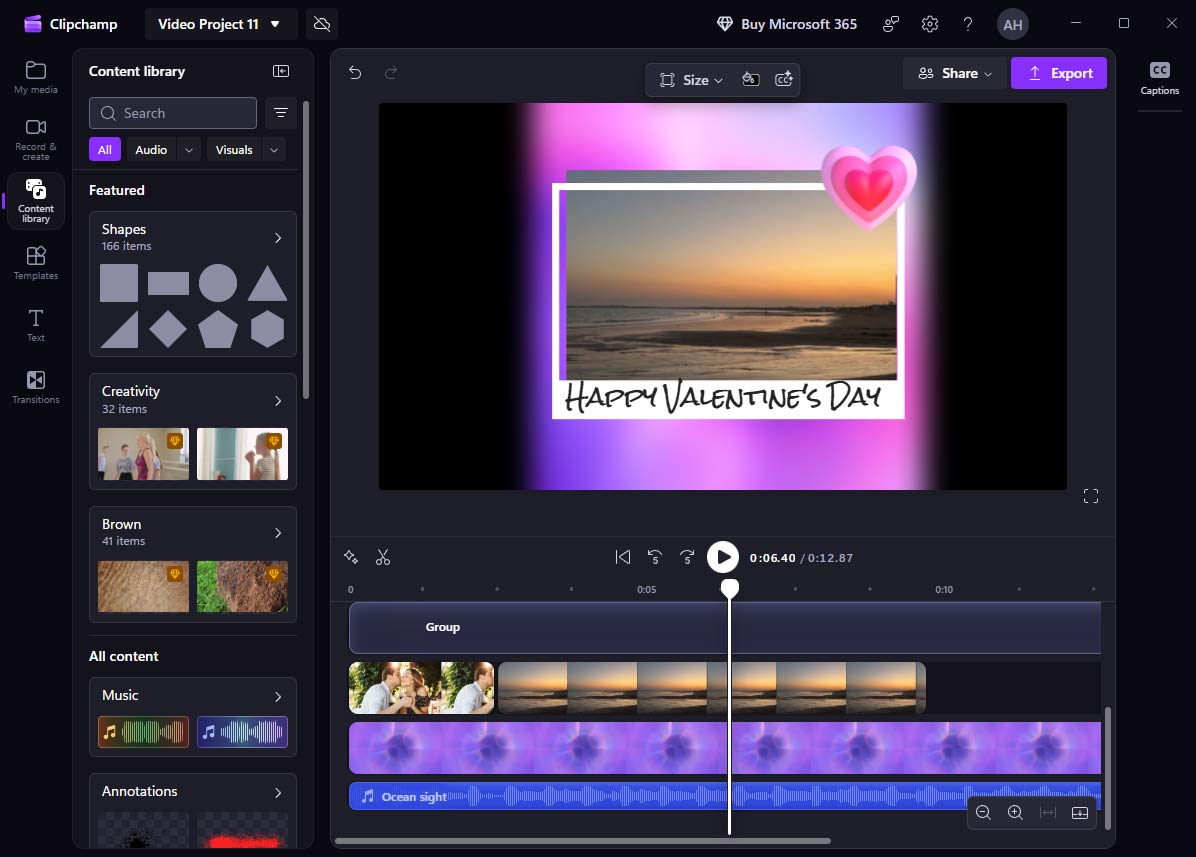
Below are some standout features that make Clipchamp a solid choice to try:
1. Ready-made Templates
Clipchamp offers various pre-designed Valentine’s Day video templates that help speed up the video creation process. I can quickly replace the default media with my own clips and photos, making it easy to produce a polished Valentine’s Day video without much effort.
2. Versatile Editing Tools
Clipchamp also provides a comprehensive set of editing features for creating a video from scratch. I’m able to trim and split clips, apply transitions, and even use text-to-speech to generate voiceovers, which adds more flexibility to the editing process.
3. Extensive Content Library
To enhance creativity, Clipchamp includes a rich collection of built-in assets. I can access stock videos, graphics, background music, shapes, and more directly within the editor, saving time on searching for external resources.
Pros:
- No installation required on Windows 11.
- Easy-to-use Valentine’s Day video templates for quick creation.
- Offers a range of editing features.
- Provides a large library of assets, such as effects, music, and graphics.
Cons:
- Some assets require a paid upgrade to access.
- Exports only in MP4 format with limited output customization options.
- Requires a stable internet connection for smooth use.
It includes all the basic tools you need to produce video projects, some fun effects, and helpful templates for social media posts. https://www.pcmag.com/reviews/clipchamp
3. CapCut
CapCut is a popular video editor, especially for creating short videos. Developed by ByteDance, the company behind TikTok, it offers a powerful set of features within an easy-to-use interface.
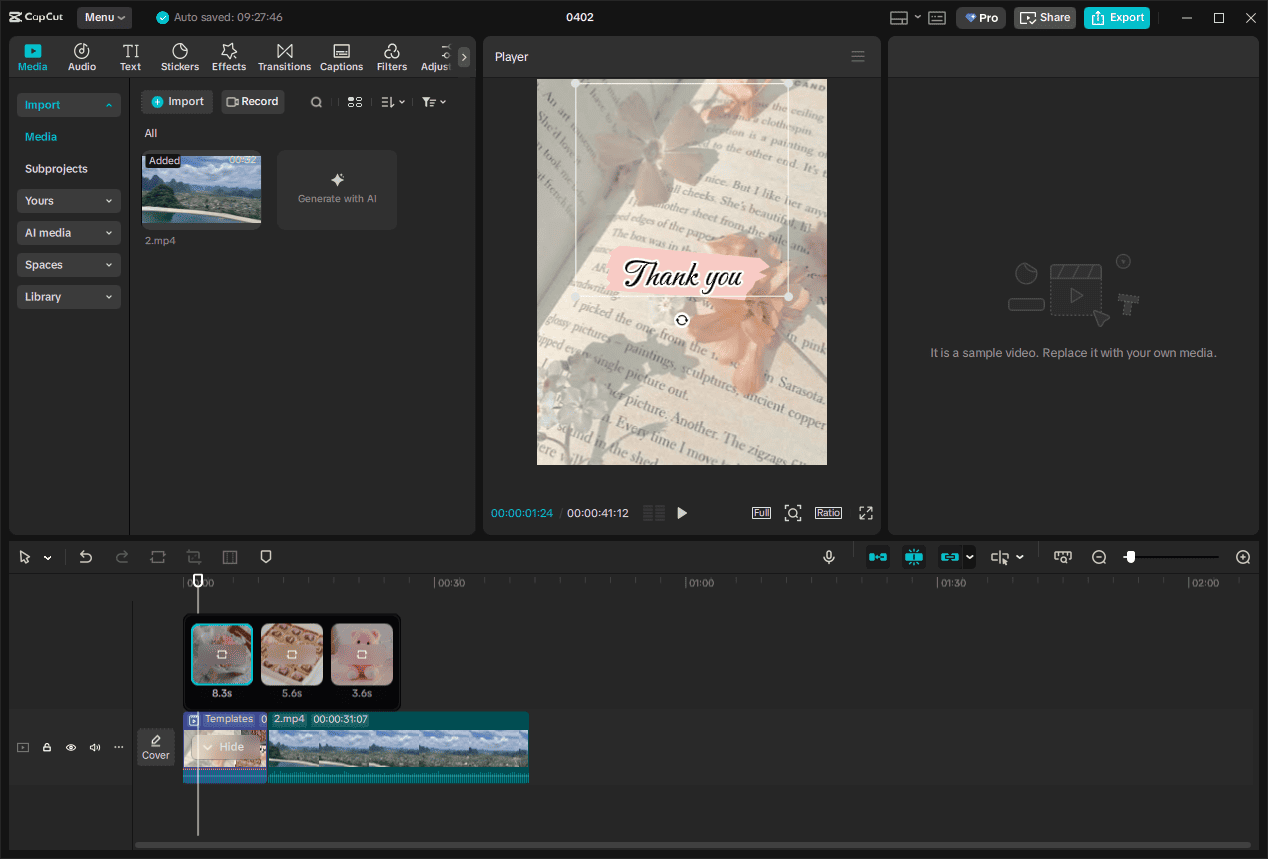
From my experience, CapCut strikes a great balance between simplicity and advanced functionality. It’s suitable not only for social media videos but also for more polished and professional editing tasks. This flexibility makes it a strong choice for creating engaging Valentine’s Day videos.
That’s why CapCut works well as a popular Valentine’s Day video maker.
1. Template-Based Creation
CapCut features various Valentine’s Day–themed templates that make video creation quick and effortless. I can simply browse the library, pick a template I like, and replace the content with my own photos and clips. It also allows me to add text, animations, sound effects, stickers, and filters to create a more personalized and engaging video.
2. Advanced Editing Tools
While it’s beginner-friendly, CapCut also offers advanced editing capabilities. Beyond basic trimming and cutting, I can use features like keyframe animation and video stabilization to achieve more dynamic and professional-looking effects with minimal effort.
3. Flexible Export Options and Easy Sharing
Once the editing is complete, I can customize output settings such as resolution, frame rate, bitrate, codec, and format. CapCut also makes sharing convenient, allowing me to upload videos directly to platforms like TikTok and YouTube.
Pros:
- A wide variety of Valentine’s Day–themed templates for quick video creation.
- Powerful editing features with a comprehensive set of tools.
- Supports exporting high-resolution videos for free with a fast processing speed.
- Easy sharing options for platforms like TikTok and YouTube.
Cons:
- Some advanced features and premium assets require a paid subscription.
- May experience lag or performance issues on low-end devices.
CapCut’s full editing suite has expected tools for cropping and trimming clips, adding text, and adjusting brightness and saturation. All the features from AutoCut, including templates and imported sounds, also carry over. You even get TikTok-style effects, filters, frames, and stickers.https://www.pcmag.com/reviews/capcut
4. VEED
VEED is an easy-to-use online Valentine’s Day video editor that runs entirely in the browser. It comes with a user-friendly interface and practical tools. Here are some reasons why I consider it a trustworthy video maker for Valentine’s Day.
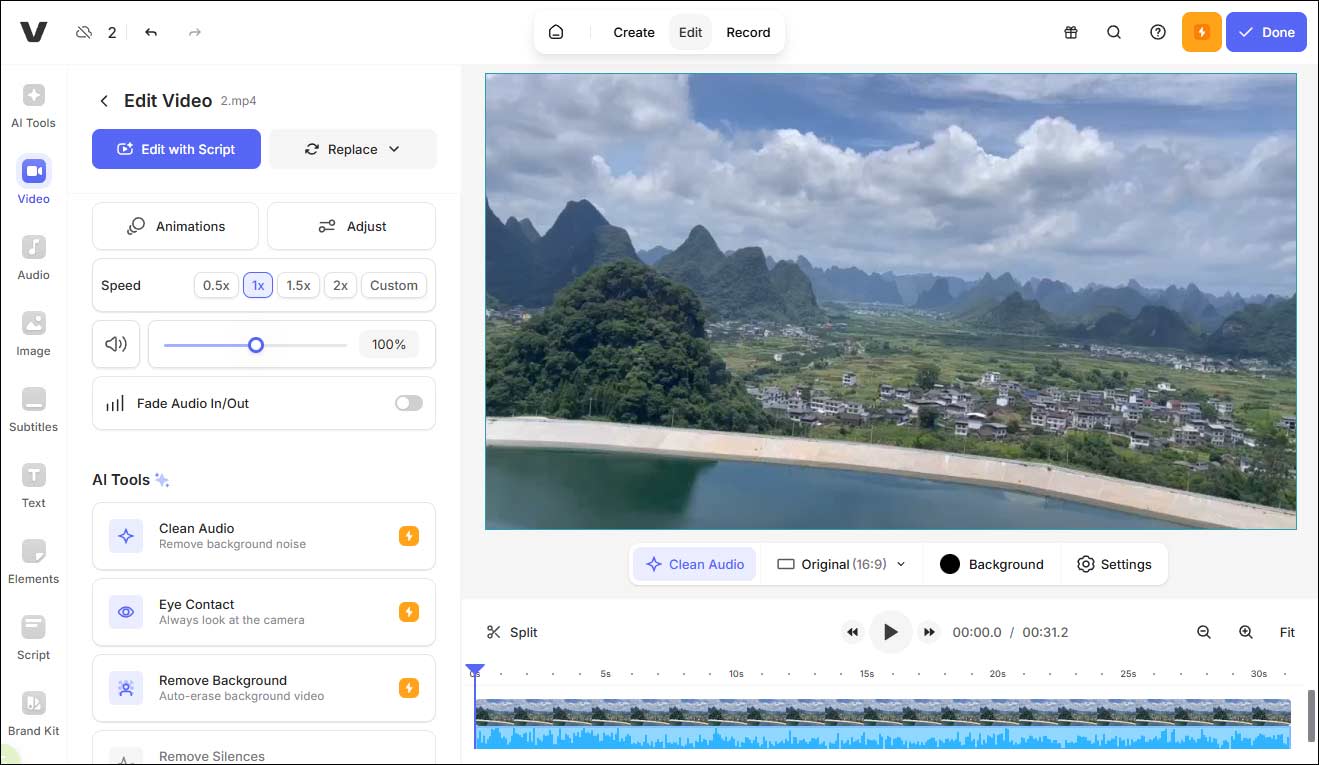
1. Simple and Intuitive Editing
VEED offers a clean interface that makes the editing process straightforward. I can upload my clips, arrange them on the timeline, and perform basic edits like trimming, splitting, and adding stickers without any learning curve.
2. Auto Subtitles and Text Tools
One feature that stands out is its automatic subtitle generator, which uses speech-to-text technology. I can quickly convert spoken content into captions for my Valentine’s Day video. It also provides customizable text styles to match the Valentine’s Day theme.
3. Online Convenience and Fast Export
Since everything runs online, I can access my projects from different devices. After editing, I can export the video quickly and share it directly or download it for later use.
Pros:
- Easy-to-use interface with a smooth editing experience.
- Automatic subtitle generation saves time.
- Accessible from multiple devices.
Cons:
- The free version adds a watermark to exported videos.
- HD and 4K are only available with a paid subscription.
- Certain advanced features, such as noise removal, are only available with a paid subscription.
For instance, you can choose from various templates and video formats, along with the type of character you want in the video. Additionally, there's the option to add captions, choose an AI avatar, or add a voiceover before you generate the video.https://www.techradar.com/reviews/veed-review
5. Kapwing
Kapwing is a versatile online video editor designed for quick editing and team collaboration. It stands out for its clean workspace and cloud-based workflow. Below are some key features that make Kapwing a great online Valentine’s Day video maker.
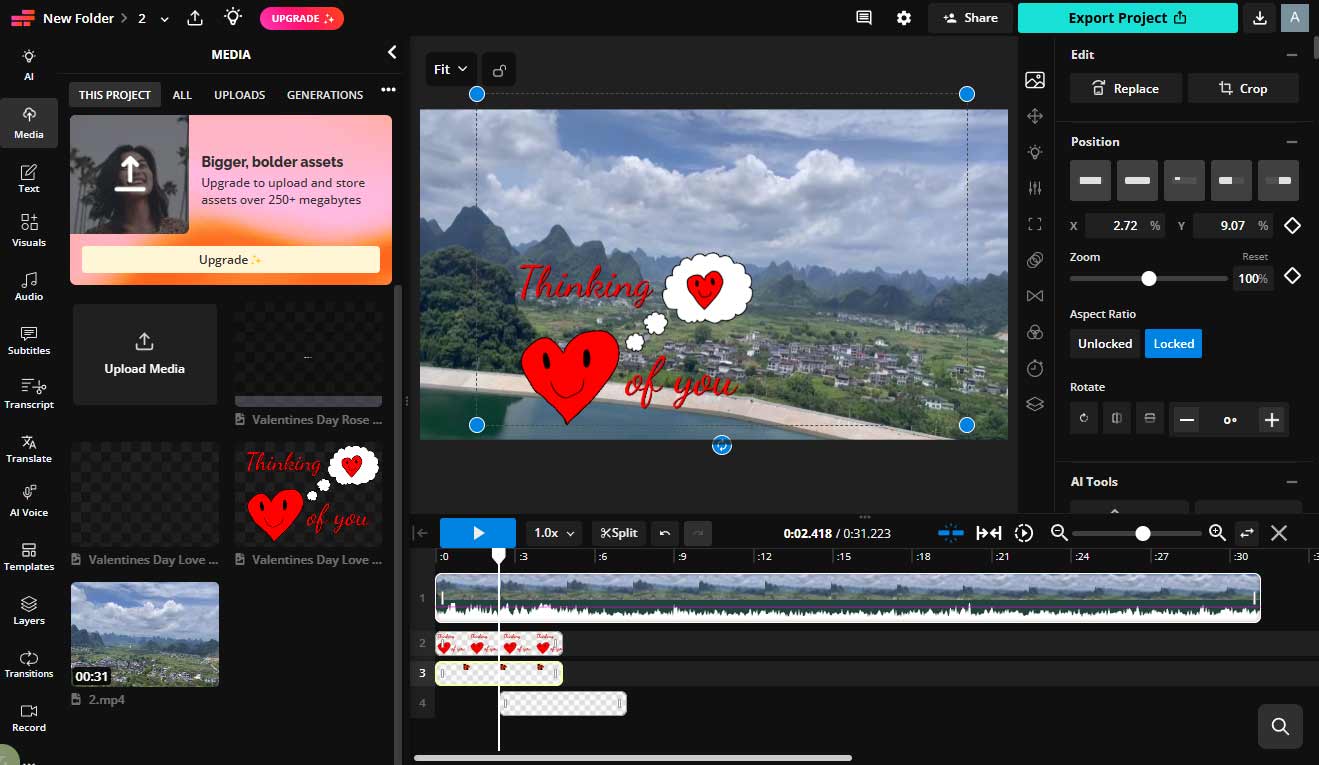
1. All-in-one Editing Tools
Kapwing provides a wide array of tools for editing videos in one place. I can trim clips, resize videos for different platforms, add subtitles, and apply basic effects without switching between multiple tools. It also integrates AI-powered features, allowing me to convert photos into videos and turn clips into a montage with ease.
2. Rich Relevant Assets
This platform offers hundreds of Valentine-themed fonts and visual elements, such as hearts and roses. I can easily add these elements to my video to create a more engaging and festive look.
3. Collaborative Editing
One of Kapwing’s key strengths is its collaboration feature. I can share a project link with others and work on the same video in real time, which is especially helpful when creating a Valentine’s Day video together.
Pros:
- Supports real-time collaboration for team editing.
- All-in-one platform with multiple editing tools.
- Offers extensive Valentine’s Day–themed assets.
Cons:
- The free version has limitations, including MP4-only export and a watermark.
- Performance depends on internet speed and may become slow with large files.
Kapwing packs a good mix of both AI-powered and traditional video editing features. https://www.techradar.com/computing/creative-software/kapwing-ai-video-editor-review
6. Animaker
Animaker is an online video creation platform that focuses on animated content. It allows me to create both live-action and animated Valentine’s Day videos based on my needs. Its animation tools make it outstanding for producing lively and engaging videos. Below are some key features that make it worth trying.
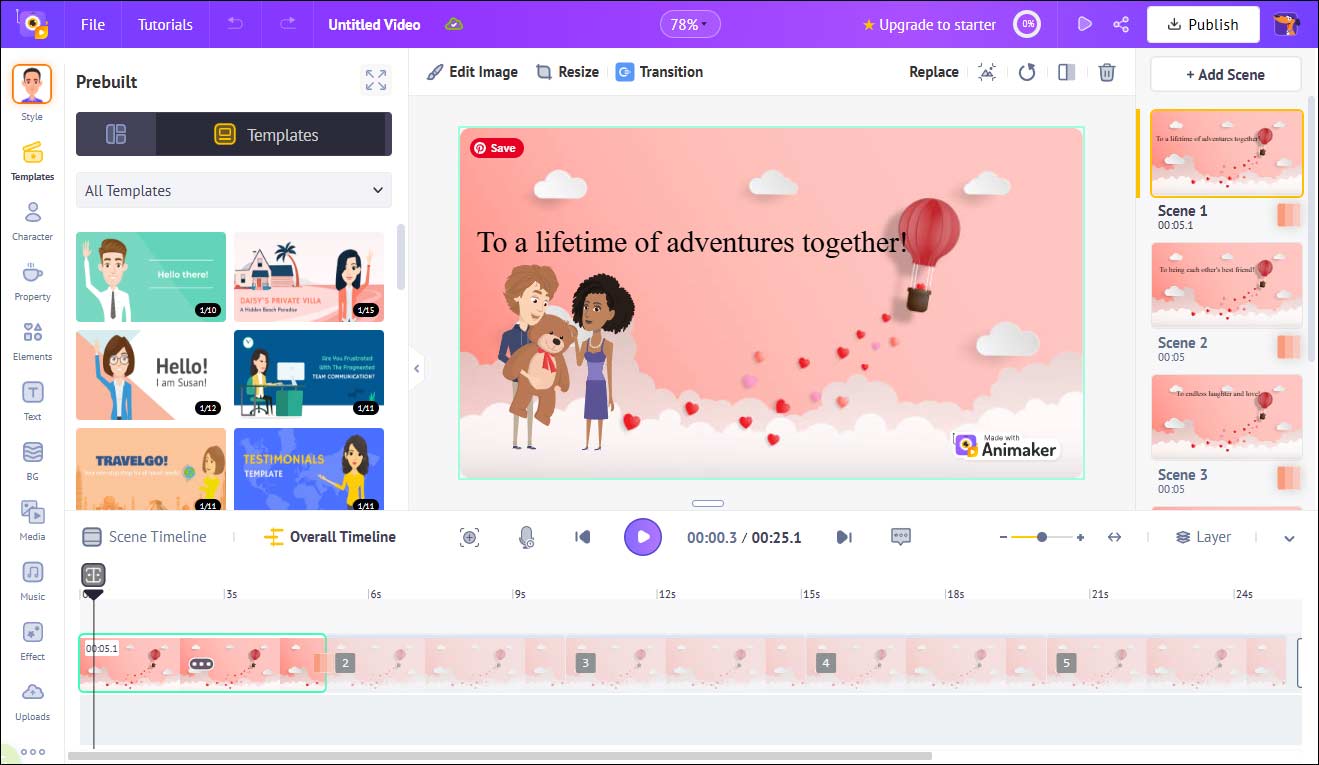
1. Animated Templates and Characters
Animaker provides a large collection of pre-designed templates along with customizable animated characters. I can create my own character, choose a scene, adjust actions and expressions, and make a Valentine’s Day video story without needing advanced editing skills.
2. Voiceover and Lip-sync Features
Animaker supports voice recording and text-to-speech. What makes it unique is its auto lip-sync feature, which matches character mouth movements with the audio, helping create more engaging and dynamic videos.
3. Built-in Music and Effects
To enhance the overall mood, I can choose from a selection of background music and sound effects. These elements help make a Valentine’s Day video more emotional and immersive.
Pros:
- Ideal for creating animated and story-driven Valentine’s Day videos.
- Offers customizable characters and expressive animations.
- Includes voiceover and lip-sync features for added creativity.
Cons:
- Rendering can take longer for complex animation projects.
- Some templates and features require a paid subscription.
You’ll find the main page crammed full of templates for you to use, with different formats to suit your needs. There’s also the option of starting with a blank slate.https://www.techradar.com/reviews/animaker-online-video-maker-review
Tips for Creating a Stunning Valentine’s Day Video
How can a Valentine’s Day video feel truly unforgettable? From my perspective, a few thoughtful details can make a big difference. Here are some practical tips that might be helpful:
- Tell a Simple and Clear Story: A great video usually starts with a simple idea and organize my clips in a clear sequence.
- Choose the Right Music: Choose soft, romantic background music that matches the mood and pace of the clips.
- Add Personal Touches: Beyond using stylish stickers, captivating text, or warm filters, adding your own voice recording is a meaningful way to express genuine emotion.
Conclusion
This post presents the 6 best Valentine’s Day video makers, including the desktop software and online tools. Whether you want to make a touching tribute or a funny montage for your loved one, these tools can cover what you need and help you preserve precious memories. Choose the tool that best fits your taste and give it a try!
If you have any suggestions or encounter any problems when using MiniTool MovieMaker, send an email to [email protected] for help.
People Also Ask
2. Launch your video editor tool.
3. Start from scratch by adding your media files or choose a template.
4. Enhance your video or photo with text, stickers, and effects.
5. Save and export the Valentine's Day video.
About The Author

Position: Columnist
Cora is a tech writer specializing in digital media workflows, with over six years of hands-on experience in video post-production, media transcoding, and screen capture. Her writing is always clear and practical. Cora also produces in-depth software reviews for users across skill levels to help them find the right tool and enjoy video editing.
User Comments :