

Ultimate Guide on How to Edit Audio Files Effectively on Windows
Discover the comprehensive guide on how to edit audio files on Windows. Use great tools to effectively create professional-level audio results.
Discover the comprehensive guide on how to edit audio files on Windows. Use great tools to effectively create professional-level audio results.
This category is dedicated to exploring the top video editing software options that can assist you in crafting captivating and extraordinary videos. We will provide valuable insights to enhance your user experience while using social platforms and assist in crafting engaging videos to share with your friends. Here, you can learn tricks for creating picture-in-picture (PiP) videos, adding bubble texts to a video, as well as convert landscape video to portrait.
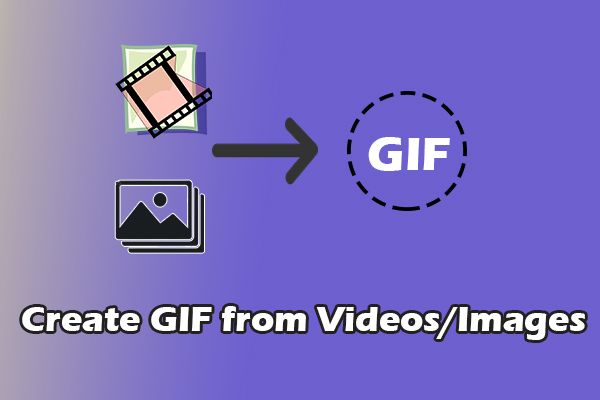
Learn how to create GIF from videos or images using MiniTool MovieMaker and other tools. Easily turn your favorite clips or images into dynamic GIFs.

Here are 8 Canon video editing software applications, such as MiniTool MovieMaker, Clipchamp, CapCut, VideoProc Vlogger, PowerDirector, etc., to edit your videos.
Easily edit videos with the 9 best Nikon video editing software, such as Nikon NX Studio, MiniTool MovieMaker, DaVinci Resolve, Adobe Premiere, etc.
![How to Make a Car Vlogging Video [Here’s Your Pro Guide]](https://images.minitool.com/moviemaker.minitool.com/images/uploads/2025/09/how-to-make-a-car-vlogging-thumbnail.png)
How to make a car vlogging video? This post provides 3 steps and shows you how to edit car vlogs with MiniTool MovieMaker, Clipchamp, etc.
This post offers the 7 best video editing software for small businesses: MiniTool MovieMaker, Clipchamp, CapCut, DaVinci Resolve, etc.
Learn how to convert MP3 to AVI with images using MiniTool MovieMaker and other excellent tools, ensuring high-quality results in just a few clicks.
Easily enhance the appeal of your channel with these 6 best Twitch trailer makers: MiniTool MovieMaker, CapCut, DaVinci Resolve, Adobe Premiere, Canva, and Flixier.
![Ultimate Guide on How to Remove Audio from 3GP [3 Tools]](https://images.minitool.com/moviemaker.minitool.com/images/uploads/2025/08/remove-audio-from-3gp-thumbnail.png)
How to remove audio from 3GP files? This post provides three free and effective tools: MiniTool MovieMaker, Clipchamp, and Wondershare Filmora.
Here is how to edit TikTok videos on PC using MiniTool MovieMaker. Select the aspect ratio, import videos, trim, crop, and apply filters.
Learn how to add subtitles to WMV using Windows Media Player, iDealshare VideoGo, Joyoshare VidiKit, MiniTool MovieMaker, Clipchamp, or CapCut.