

Today, photo slideshows and video content drive marketing, and people can even make money on YouTube video. But do you know how to make a photo slideshow with music and pictures? With photo slideshow makers, you are able to make a cool slideshow that can attract, entertain, and engage your audience.
9 Best Photo Slideshow Makers at a Glance
- MiniTool MovieMaker
- Movavi Slideshow Maker
- Icecream Slideshow Maker
- Proshow Gold
- PhotoStage Slideshow
- CyberLink MediaShow
- Photostory Deluxe
- Photostory Easy
- iMovie
| Software | Platform | Photo Slideshow Templates | Best for |
| MiniTool MovieMaker | Windows | No | Create beautiful photo slideshows from scratch. |
| Movavi Slideshow Maker | Windows and macOS | Yes | Creating professional-looking slideshows with ready-made templates. |
| Icecream Slideshow Maker | Windows | No | Simple photo slideshows with basic transitions and music. |
| Proshow Gold | Windows | No | Advanced photo slideshow customization |
| PhotoStage Slideshow | Windows, macOS | Yes | Creating slideshows with music, transitions, and effects. |
| CyberLink MediaShow | Windows | Yes | Photo organization and slideshow creation. |
| Photostory Deluxe | Windows | Yes | Creating creative and feature-rich photo stories. |
| Photostory Easy | Windows | Yes | Simple photo slideshow creation for beginners. |
| iMovie | macOS | No | Creating photo-based movies for Apple users. |
1. MiniTool MovieMaker
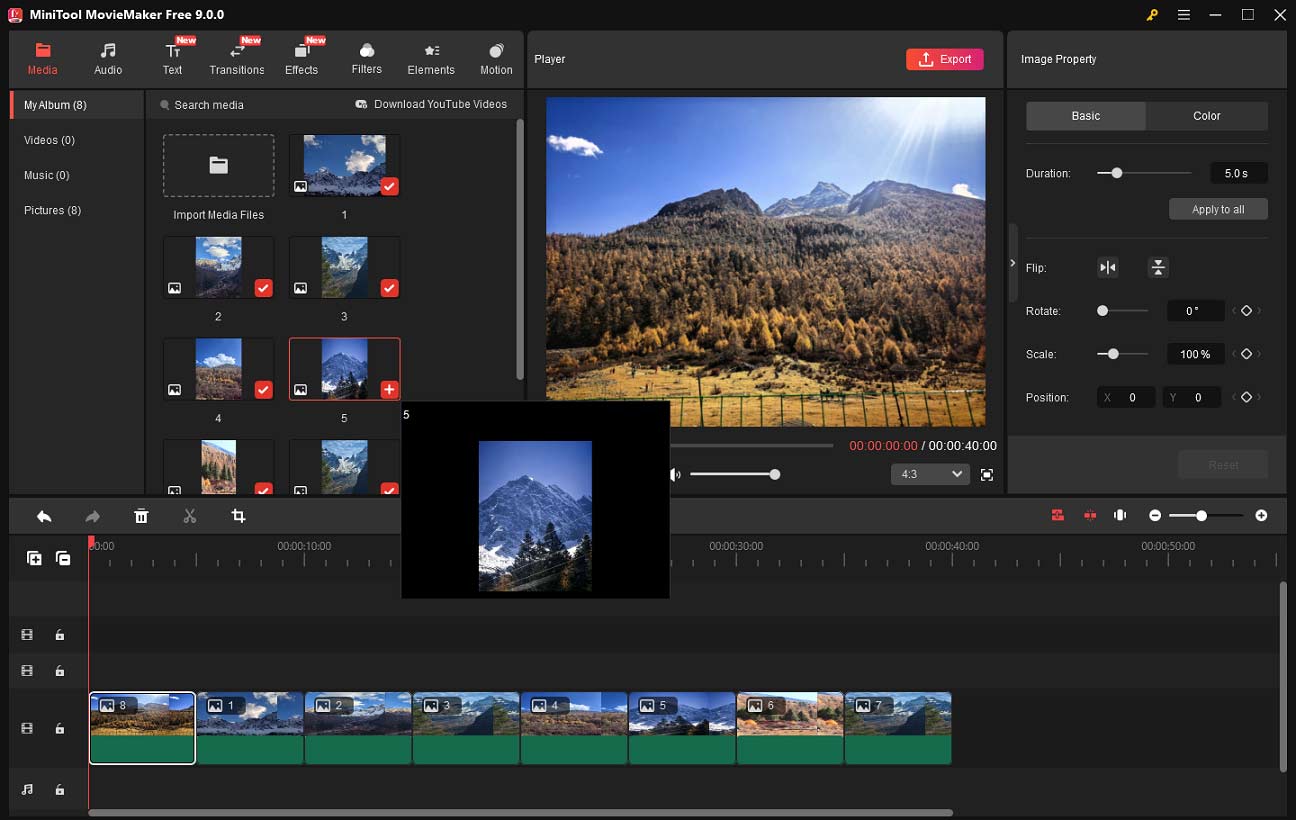
MiniTool MovieMaker is a free photo slideshow maker for Windows that lets users turn photos into short videos. You can import multiple images, arrange them on the timeline, and adjust the duration of each photo.
The software also lets you enhance your slideshow with transitions, filters, motion effects, animated elements, and background music. You can even add keyframes to create dynamic effects.
Additionally, the photo slideshow maker offers various text templates to personalize your video. It also allows you to crop photos, modify contrast, brightness, and saturation to create stunning slideshows.
 MiniTool MovieMaker
-
 Split and trim videos to remove redundance.
- Change video aspect ratio to match screen sizes.
- Add bubble texts, bgm, transitions, and more effects.
- Create PiP or split-screen videos by multitrack editing.
Pros:
- Easy-to-use tools without complex settings.
- Various preset assets for easy creation.
- Supports common image file formats.
Cons:
Only compatible with Windows.
Our verdict
MiniTool MovieMaker has an intuitive interface and straightforward editing workflow. It is ideal for beginners who want to create photo slideshows without a steep learning curve.
2. Movavi Slideshow Maker
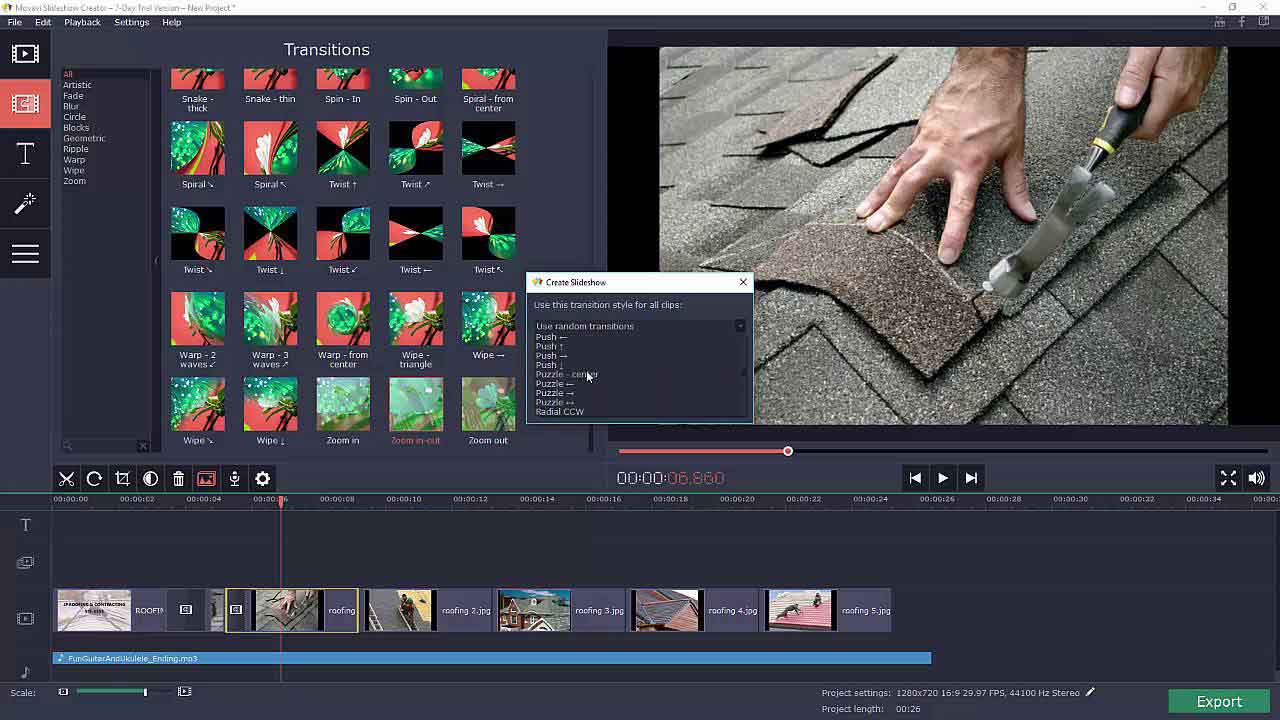
Movavi Slideshow Maker helps you create a slideshow on Windows and Mac. It is equipped with the tools you need to polish photos and add enhancements to your projects.
It offers 105 transition effects, and they are classy and professional-looking. It offers 165 chic photo filters, although it doesn’t supply any backgrounds or themes.
Pros
- It is Mac-compatible.
- This program lets you capture screens.
Cons
This program doesn’t allow you to post projects directly to Twitter, Facebook or email.
Our verdict
This photo slideshow maker is a choice for users who want to create and post professional-looking videos and slideshows to their YouTube accounts.
3. Icecream Slideshow Maker
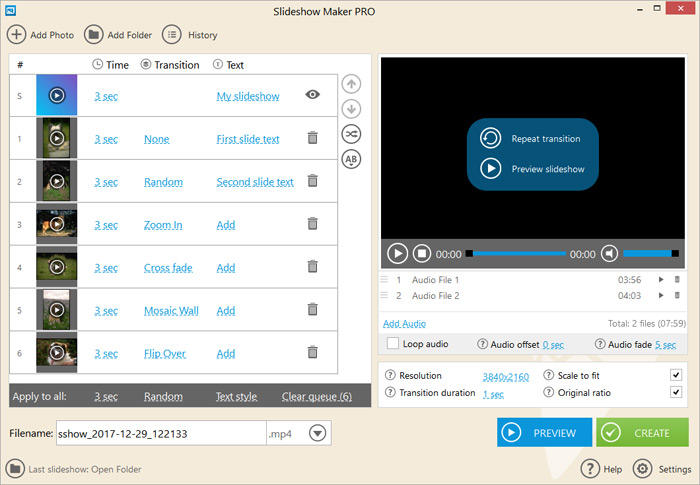
Icecream Slideshow Maker creates video slideshows out of images. This easy-to-use photo slideshow maker lets you add multiple audio files to create a playlist for each slideshow, add text for each slide in a slideshow, and preview the slideshow.
By using this video slideshow maker, you are able to resume created files from the History panel, and you can upload the slideshow to YouTube, Google Drive, and Dropbox right from the program.
Pros
- It offers online support
- It allows saving projects after the video slideshow is created. All of your work will be securely stored in the program, and you can get back to it whenever you want.
Cons
- The output formats are limited to 4 types which are AVI, MOV, WEBM and MP4.
- There is no “Ctrl+Z” in this software.
- The trial edition has some limitations. For instance, you are limited to adding 20 photos to 1 slideshow and an output video format of just WEBM.
Our verdict
Icecream Slideshow Maker is very easy to use and supports a wide range of transitions. But if you want to make a photo slideshow with unlimited photos, you need to choose the advanced edition.
4. ProShow Gold
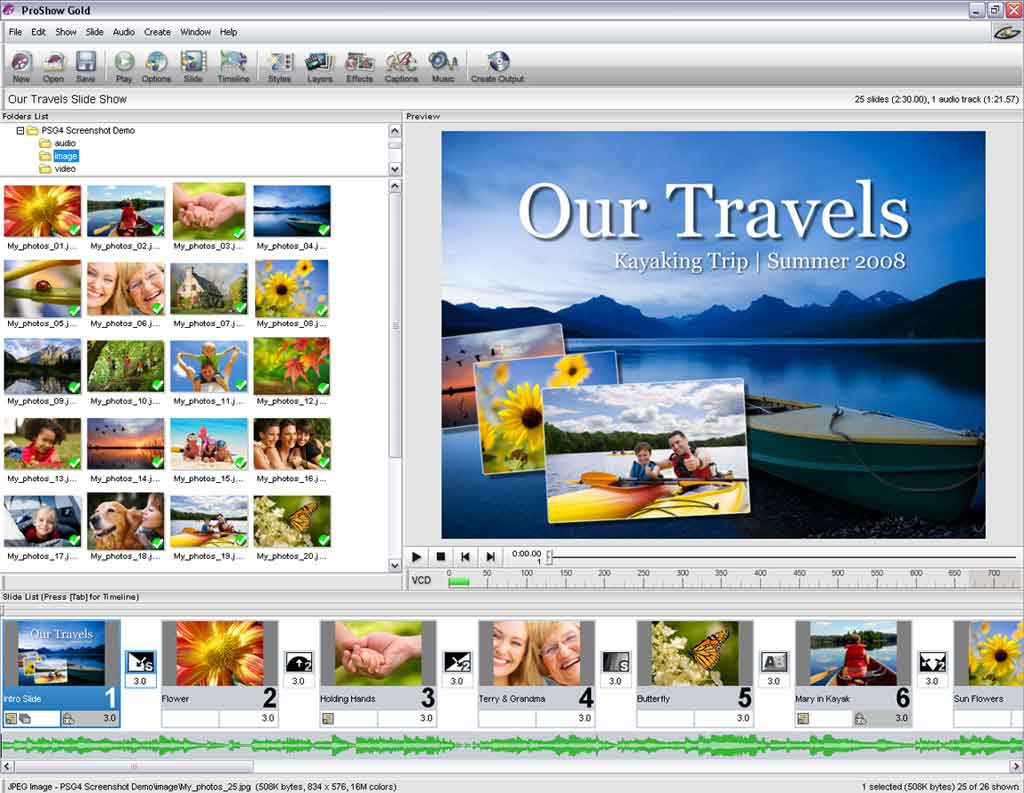
Both professional photographers and inexperienced users can perfectly use ProShow Gold.
This photo slideshow maker offers a sizable library of professional-looking transitions, backgrounds, and effects to help professional photographers showcase images and videos in modern fashion.
This photo slideshow maker pops up the ProShow Wizard when you open it to help inexperienced users make a slideshow.
Pros
- Extensive options for creation.
- Works similarly to video editing platforms.
Cons
- Certain features are not easily explained.
- No music generator.
- Lack of an official user forum.
- 15-day fully functional trial.
Our verdict
There are more features than you will initially use, and you should spend time learning these features.
5. PhotoStage Slideshow
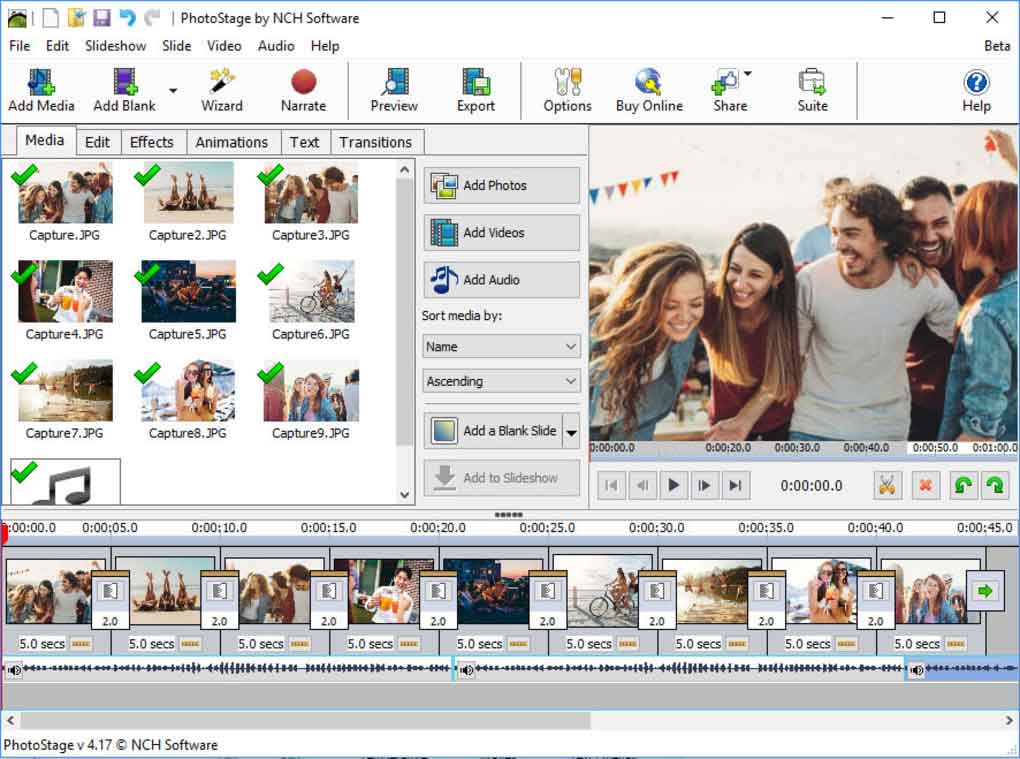
PhotoStage Slideshow allows you to make vibrant slideshows from photos on Windows 10 quickly. This software offers roughly 30 transition effects, but there are no backgrounds, filters, or themes. This tool not only allows you to crop and rotate your photo but also lets you adjust the contrast, hue, and brightness.
Pros
- It’s easy to use.
- It comes with effects and multimedia presentations.
Cons
- The free version is for non-commercial use only.
- You have to buy technical support plans to access email support.
Our verdict
It offers a variety of input and output options as well as editing tools for images and music.
7. CyberLink MediaShow
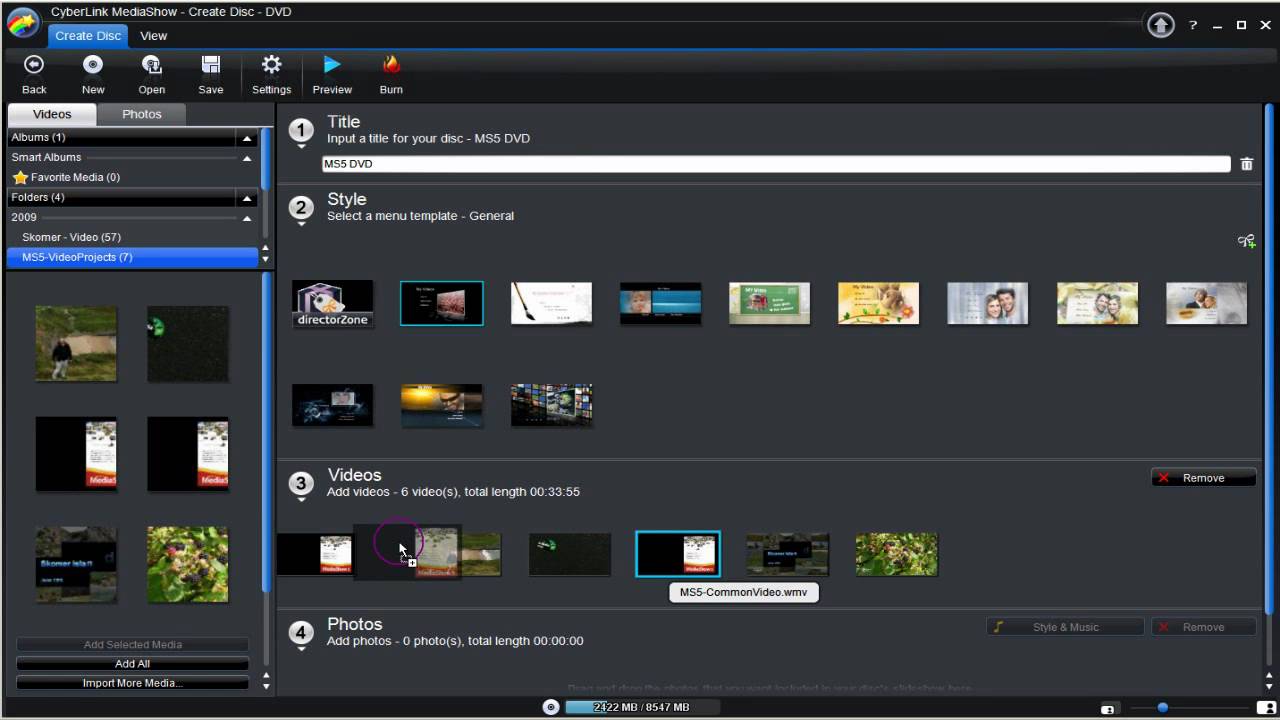
CyberLink MediaShow, a free slideshow maker, not only can make photo slideshows but also helps you tag and categorize your images and videos. This photo slideshow maker offers 31 transition effects to help you create a cool slideshow. This tool lets you add an audio track to give your presentations an entertaining touch.
Pros
- It is a very versatile and powerful application.
- It gives you quick links, so you can share media with websites, such as YouTube, Facebook, and Flickr.
Cons
- Occasionally crashes while editing.
- CyberLink charges for phone support.
Our verdict
There are many features available in the free version of the video slideshow maker, and it performs all tasks with ease and at fast speed.
7. Photostory Deluxe
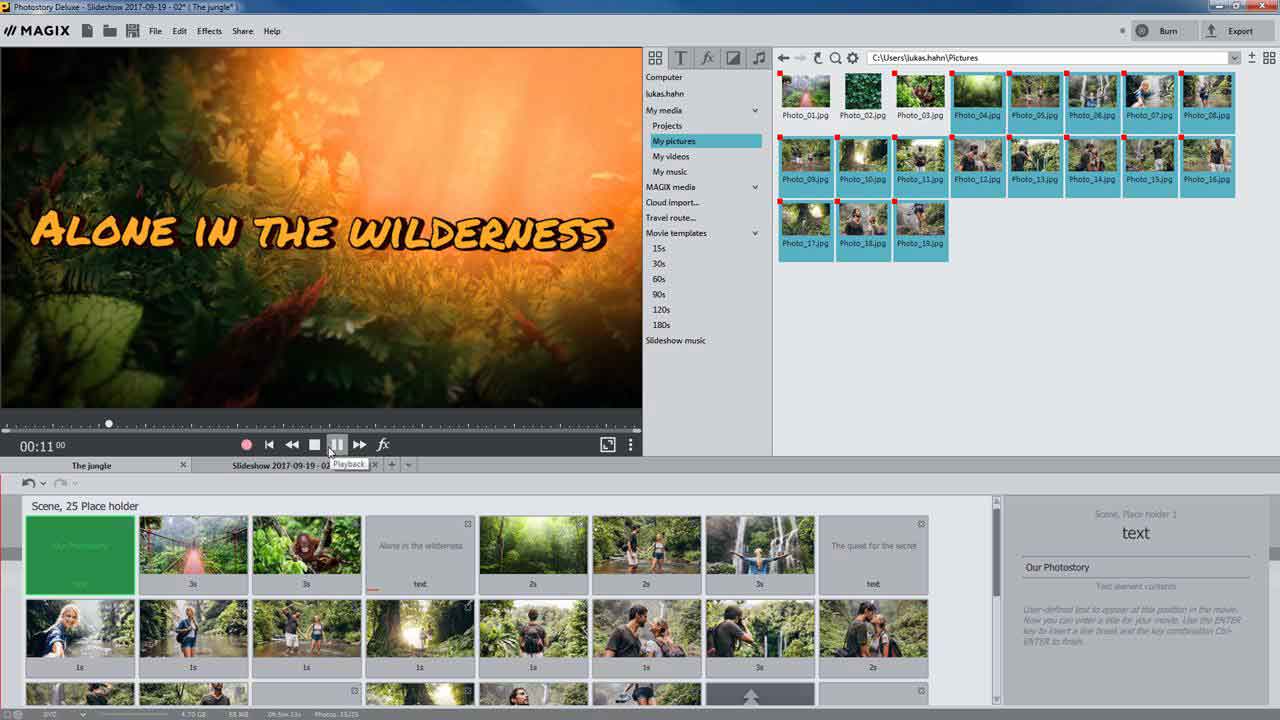
Photostory Deluxe helps you easily personalize your photo slideshow because of its extensive editing and creation tools. Photostory Deluxe helps you enhance your photos and videos before you publish them, making it is a perfect choice for serious photographers or GoPro users.
It covers all the basic slideshow features necessary to make beautiful projects. It has an extensive toolset featuring advanced editing tools there are not found in many competing programs.
This photo slideshow maker offers over 300 transition effects, more than 370 backgrounds and filters. Besides, there is an in-store app where you can purchase additional graphics, music and transitions. And, you can use the advanced editing tools to make your photos stand out.
This tool has so many tools, thus beginners might feel a little daunted by all of the options.
Pros
It has hundreds of transition effects and a wide variety of useful tools.
Cons
- You have to pay extra to receive technical support over the telephone.
- It is one of the most expensive slideshow programs.
Our verdict
Photostory Deluxe is one of the top photo slideshow makers. It makes HD-quality slideshows and has one of the most extensive photo and music editing toolsets we saw. But, it might take a while to figure out how to use everything since there are so many tools.
8. Photostory Easy
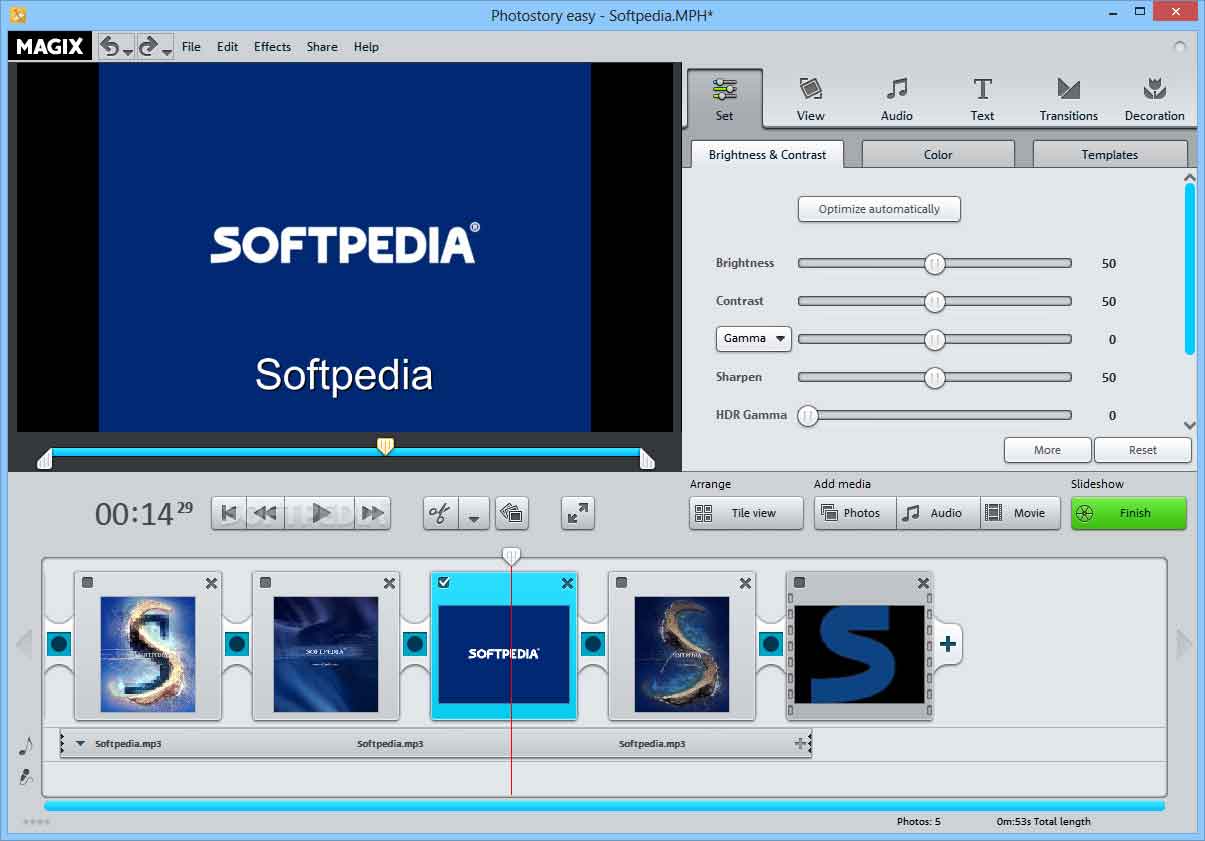
Photostory Easy is a simplified version of Photostory Deluxe. This simple photo slideshow maker offers 72 transition effects and 27 backgrounds to help you customize your slideshows.
This tool allows you to adjust the hue, saturation, brightness and contrast of your images, and lets you record audio or fade music in and out.
Photostory easy includes an in-store app with a huge library of effects including fun decorations like bunny ears, sunglasses and party balloons. You can add these effects to your images to add more fun to your photo slideshow.
Besides, you can add animated titles and captions for your slides via its specific text templates.
With this photo slideshow maker, you not only can burn your projects to DVD, Blu-ray or interactive CD but also can post your projects directly to YouTube, Flickr and Facebook from the program.
Pros
- It has an easy-to-use interface.
- It’s compatible with all of the most common file types.
- It can burn to both DVDs and Blu-rays.
Cons
- Some of the support options are difficult to use.
- You cannot post your slideshows directly to Twitter.
Our verdict
Photostory Easy is a good photo slideshow maker for new users because of its simple interface and built-in wizard. But, this tool does not come with all the extras our higher-ranked applications offer.
9. iMovie
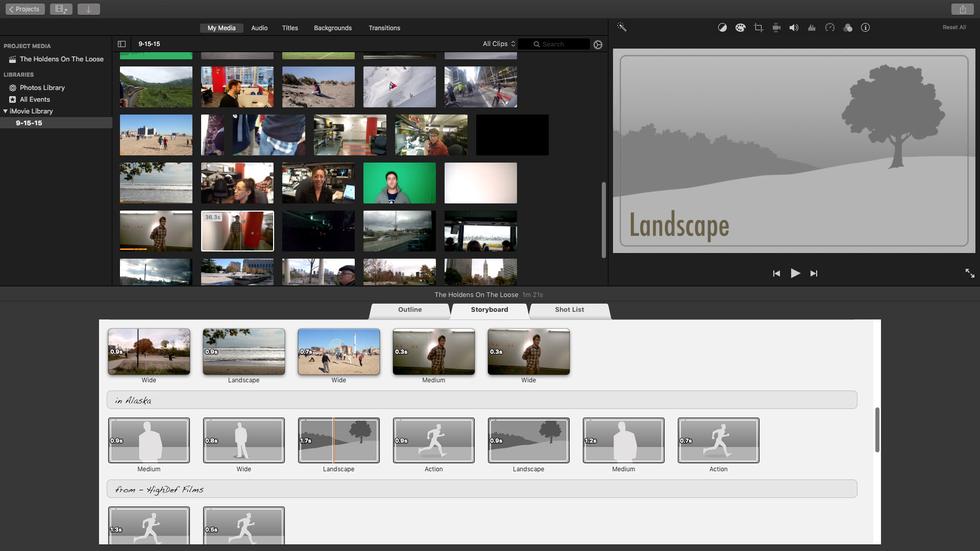
Last but not least, iMovie, the best slideshow maker for Mac, has been around for a long time and has always focused on one philosophy: ease of use in a clean and elegant interface.
With iMovie for iOS and macOS, you can browse your clips and create Hollywood-style trailers and stunning 4K-resolution movies. It offers you two main options: a Movie or a Trailer. You can easily create fun, Hollywood-style movie trailers from all that footage if you don’t know anything about video editing.
This best photo slideshow maker is very well optimized on modern Macs, and it works very quickly, especially on a MacBook Pro. You can import, edit and scrub through a 4K video smoothly without any problems.
Cons
- Simple interface.
- Professional-looking themes and trailers.
Pros
- Limited to two video tracks.
- Not many filters, transitions and titles.
- Interface is not customizable.
Our verdict
The best slideshow maker for Mac can turn your footage and photos into impressive productions, though it offers few customization options.
Now, It’s Your Turn to
Choose the best photo slideshow maker to turn your photos into a movie. If you are a new user, we suggest choosing a simple, free photo slideshow maker like MiniTool MovieMaker.
People Also Ask
2. Open the album or select the group of photos you want to watch.
3. Click the three-dot menu (more options) in the upper right corner.
4. Select Slideshow. The photos will start playing automatically in full-screen mode.
2. Drag and drop pictures to the timeline.
3. Edit these pictures including add transitions, change the color of pictures, add text to tell your story.
4. Export the slideshow.
2. Import your picture files and music files into the free slideshow maker.
3. Drag and drop these media files into the timeline.
4. Add transitions between video clips and add animated text to clips.
5. Merge audio files, edit audio files like fade in or fade out music.
6. Export the slideshow with music to your PC and share it with friends.
About The Author

Position: Columnist
Cora is a tech writer specializing in digital media workflows, with over six years of hands-on experience in video post-production, media transcoding, and screen capture. Her writing is always clear and practical. Cora also produces in-depth software reviews for users across skill levels to help them find the right tool and enjoy video editing.
User Comments :