



4 Best GIF Makers + How to Make a GIF on Windows
4 of the best GIF makers, MiniTool MovieMaker, ScreenToGif, GIFPAL, and MakeAGif, help you create GIFs from videos, images, and screen recordings.
By Cora
4 of the best GIF makers, MiniTool MovieMaker, ScreenToGif, GIFPAL, and MakeAGif, help you create GIFs from videos, images, and screen recordings.

Easily trim a video using MiniTool MovieMaker or the Windows Photos app to remove unwanted parts. Or trim a video directly on YouTube.
Turn your pictures into slideshows with 9 photo slideshow makers, such as MiniTool MovieMaker, Movavi Slideshow Maker, Icecream Slideshow Maker, etc.

Here is a list of YouTube video editor alternatives, such as YouTube Studio video editor, YouTube Create, MiniTool MovieMaker, Shotcut, and PowerDirector.
Here are 4 Windows 10 video editors, including Photos Legacy, Clipchamp, MiniTool MovieMaker, and OpenShot. Find the best tool for your needs.
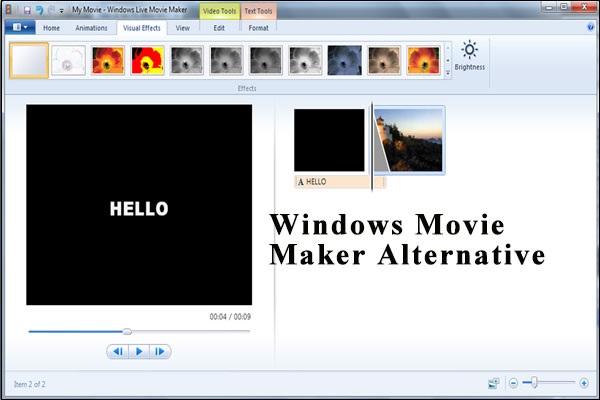
Windows Movie Maker is dead. Try the best Movie Maker alternative – MiniTool MovieMaker to edit videos effortlessly.

Effortlessly remove black bars from videos using MiniTool MovieMaker and Microsoft Clipchamp to improve the content's visual appeal.
Here’s how to split and trim videos on Windows using MiniTool MovieMaker and Microsoft Photos Legacy.
Here are 6 of the best video trimmers, including Microsoft Photos, MiniTool MovieMaker, Microsoft Clipchamp, LosslessCut, Avidemux, and Online Video Cutter.
Here is how to edit MP4 files using MiniTool MovieMaker and Clipchamp online video editor. Follow the steps to edit and enhance your MP4 file.
Here is how to edit audio for video using MiniTool MovieMaker. Easily trim clips, adjust the volume, and apply fade-in/out effects.

Do you know where to download iMovie for Windows? Here, you can find 6 best iMovie alternatives for PC.