

MiniTool MovieMaker VS Windows Movie Maker – Which Is Better?
Have you ever used Windows Movie Maker? Now, read this post to know the difference between MiniTool Movie Maker vs Windows Movie Maker.
By Yulia / Published
This category is dedicated to exploring the top video editing software options that can assist you in crafting captivating and extraordinary videos. we will provide valuable insights to enhance your user experience while using social platforms and assist in crafting engaging videos to share with your friends.
Have you ever used Windows Movie Maker? Now, read this post to know the difference between MiniTool Movie Maker vs Windows Movie Maker.
Here are the top 5 video trimmers to help you easily and quickly trim video including trim YouTube video for free.
Here is how to edit MP4 files using MiniTool MovieMaker and Clipchamp online video editor. Follow the steps to edit and enhance your MP4 file.
Here is how to edit audio for video using MiniTool MovieMaker. Easily trim clips, adjust the volume, and apply fade-in/out effects.
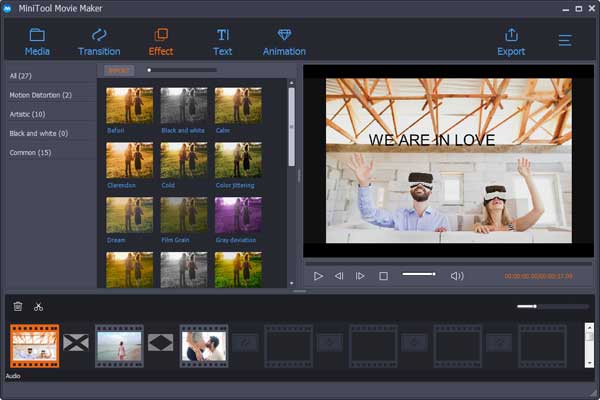
MiniTool® Software Ltd. debuts MiniTool Movie Maker which gives you a new way to create movies, as well as share movies.

How to cut video? This post shows how to cut video on phone, how to cut video in Windows 10 and how to cut video online.

Don’t know how to improve video quality on PC or Mac? Here are 7 video editing software which can help you easily increase video quality.
How to convert WMV to MP4? The best free video converter, MiniTool Movie Maker, can convert WMV to MP4 or MP4 to WMV easily.

Want to make video from pictures? This post shows 4 ways on how to make a video with photos and music easily and quickly.

Do you know where to download iMovie for Windows? Here, you can find 6 best iMovie alternatives for PC.