


The Best Voice Changer Software for YouTube/PC/Phone
Voice changer software become increasingly popular in video production. So which voice changer is best? This post provides some recommended voice software.
By Zoe / Published
This category is dedicated to exploring the top video editing software options that can assist you in crafting captivating and extraordinary videos. we will provide valuable insights to enhance your user experience while using social platforms and assist in crafting engaging videos to share with your friends.
Voice changer software become increasingly popular in video production. So which voice changer is best? This post provides some recommended voice software.

How to rotate video in Windows Media Player? How to rotate video in iPhone? This post lists different ways to rotate video free.
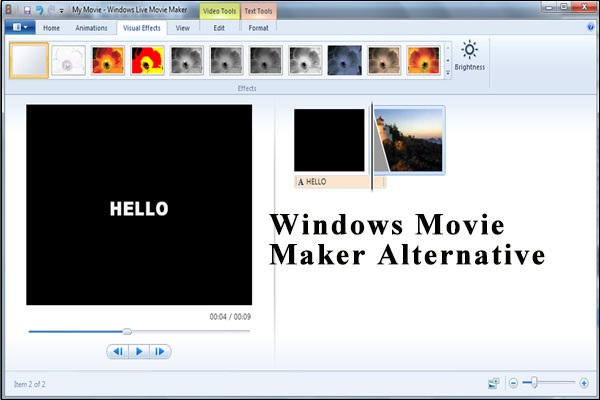
MiniTool MovieMaker, the best free Movie Maker alternative for Windows 10, is popular with both amateurs and professionals.
![Remove Watermark from Video on Windows with Ease [Ultimate Guide]](https://images.minitool.com/moviemaker.minitool.com/images/uploads/2025/11/remove-watermark-from-video-thumbnail.png)
Learn how to remove watermark from video efficiently using a video editor to crop out the watermark area or an AI tool to erase it.
Can’t play MKV file on your phone? You can convert MKV to MP4. So how to convert MKV to MP4? In this post, you will learn MKV to MP4 conversion thoroughly.
How do you make a YouTube video? How to make a good YouTube video? It is easy with a free video maker like MiniTool MovieMaker and iMovie.
![[Guide] 8 Tips to Increase YouTube Watch Time](https://images.minitool.com/moviemaker.minitool.com/images/uploads/2020/08/increase-youtube-watch-time-thumbnail.jpg)
This post lists 8 tips to increase YouTube watch time. Try them to increase watch hours for YouTube SEO.
Read this post and find how to remove black bars from video in Windows Movie Maker as well as how to set aspect ratio in Windows Movie Maker.

Here are 8 effective tactics to help you increase YouTube traffic. Try them to get more views on YouTube.

Read this post, and then learn 8 simple yet highly effective ways to help you increase YouTube subscribers in 2019.