

This post covers 4 of the most user-friendly video editing software options, including MiniTool MovieMaker, Microsoft Clipchamp, Canva Video Editor, and CapCut. They are perfect for newcomers to edit videos like a pro without a steep learning curve.
Video editing has become a major trend as videos dominate the digital world. More and more people want to edit and create videos to share their lives, promote their business or products, or make money on social media platforms. However, many tools are difficult to get started with and intimidate beginners. So, this post rounds up the most beginner-friendly video editing software on the market to help.
Most User-Friendly Video Editing Software at a Glance
Quick answer:
- MiniTool MovieMaker 8.9
- Microsoft Clipchamp
- Canva Video Editor
- CapCut Desktop 9.6
Here is a concise comparison table of these easy-to-use video editing applications. Check it to choose the right software for you.
| Software | Platforms | Pricing | Best For | Biggest Strength | Main Limitations |
| MiniTool MovieMaker | Windows | Free + paid (starting at $15.99 one-month subscription) | Absolute beginners who want the simplest experience | 1. Extremely clean interface. 2. A multi-track timeline. 3. Keyframe animation. | No Mac version |
| Microsoft Clipchamp | Windows, browser | Free + paid (Microsoft 365 subscriptions) | Windows 11/10 users | 1. Rich template library. 2. Auto-captions. 3. Screen recording. | Advanced assets and some effects require payment to access. |
| Canva Video Editor | Web, iOS, Android | Free + paid (Individual and business subscriptions start at $144 per year.) | Non-designers, marketers who need quick creation | 1. Extensive video templates. 2. No editing experience required. | Limited tools for customization. |
| CapCut | Desktop, mobile | Free + paid (starting at $19.99 per month for individual users) | Social media creators, short-form video creators | 1. Powerful AI features. 2. A vast library of effects and elements. 3. Social media optimization. | Advanced AI features consume credits. |
What Makes Editing Software User-Friendly
The most user-friendly video editing software is based on the following features:
- Intuitive interface
- Gentle learning curve
- Presets or templates
- Official guides and tutorials
1. Intuitive interface: Drag-and-drop clips, effects, and other elements to the timeline; menus and options are well-organized and easy to find.
2. Gentle learning curve: Basic edits like trimming clips, adding music, or inserting text do not require complex settings; no need to watch tutorials.
3. Presets or templates: A beginner-friendly video editor includes various built-in transitions, filters, and other assets to apply with one click, or video templates for quick customization.
4. Official guides and tutorials: The website offers official guides or step-by-step documentation covering all the features available in the software.
Next, follow me to review the most user-friendly video editing software for PC one by one.
1. MiniTool MovieMaker
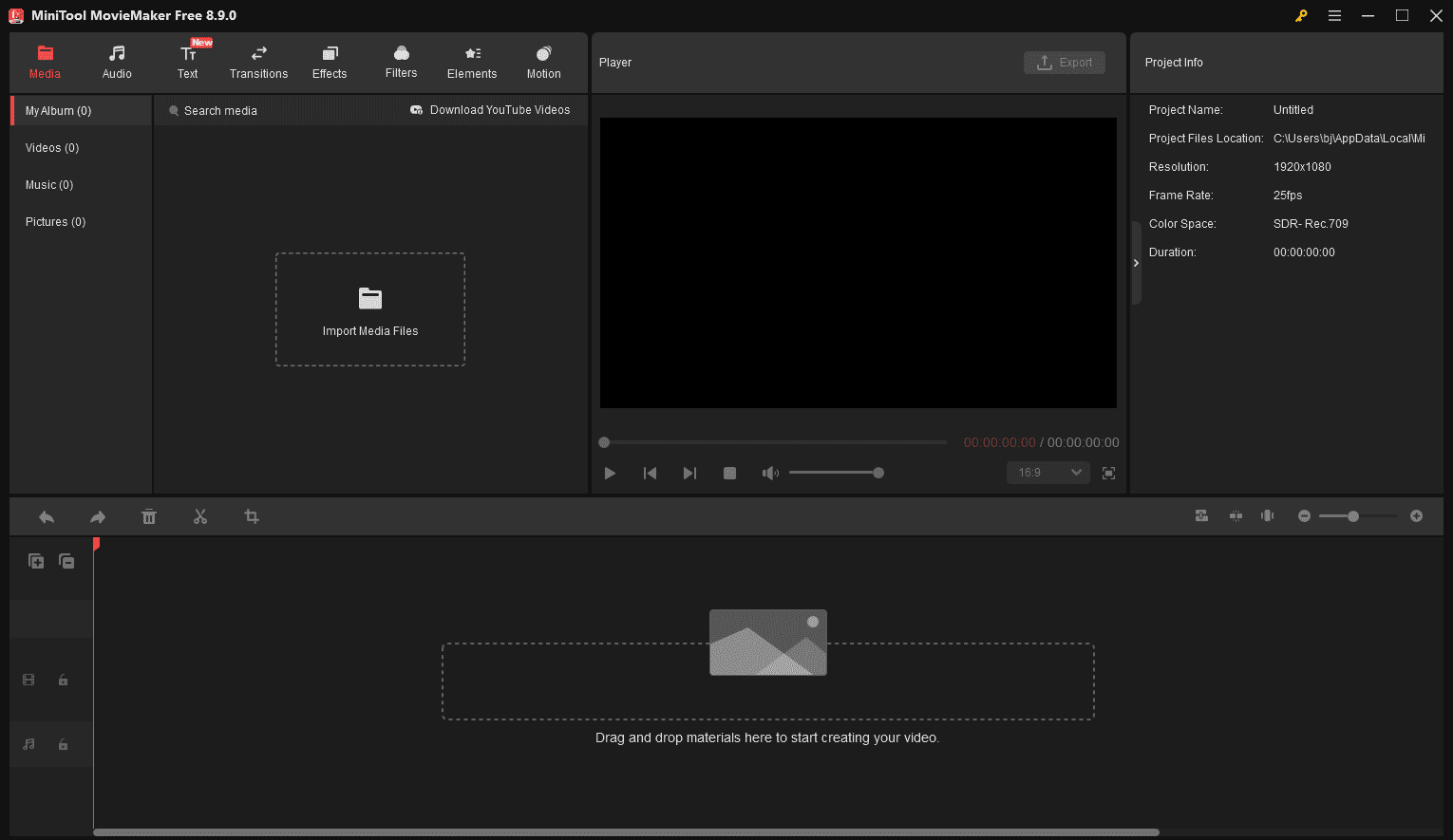
MiniTool MovieMaker is designed to be the most user-friendly video editing software for PC. Thanks to its drag-and-drop editing, I can drag and drop clips from the media pool onto the timeline. Also, I can apply filters, transitions, effects, and elements by dragging and dropping. On the streamlined interface, I can quickly locate the option I’m looking for.
The software has a vast library of assets to enhance videos. Personally, that is really helpful to beginners. In addition to the above-mentioned items, this simple video editor offers rich text templates. So, I can easily add a stylized title card, captions, or credits to videos.
 MiniTool MovieMaker
-
 Split and trim videos to remove redundance.
 - Change video aspect ratio to match screen sizes.
- Add bubble texts, bgm, transitions, and more effects.
- Create PiP or split-screen videos by multitrack editing.
Additionally, the application offers essential editing tools, such as trimming, cropping, and speed. It also lets me add keyframes to video/image/element to create animations. Finally, I can export videos in 1080P or 4K.
MiniTool MovieMaker is among the least intimidating video editors I’ve come across.https://www.pcmag.com/reviews/minitool-moviemaker
2. Microsoft Clipchamp
Microsoft Clipchamp is the most user-friendly video editing software for Windows. Unlike complex editing software that intimidates beginners, it offers a clean, straightforward drag-and-drop timeline. When I first used the program, I could start cutting, cropping, and joining clips in a few minutes.
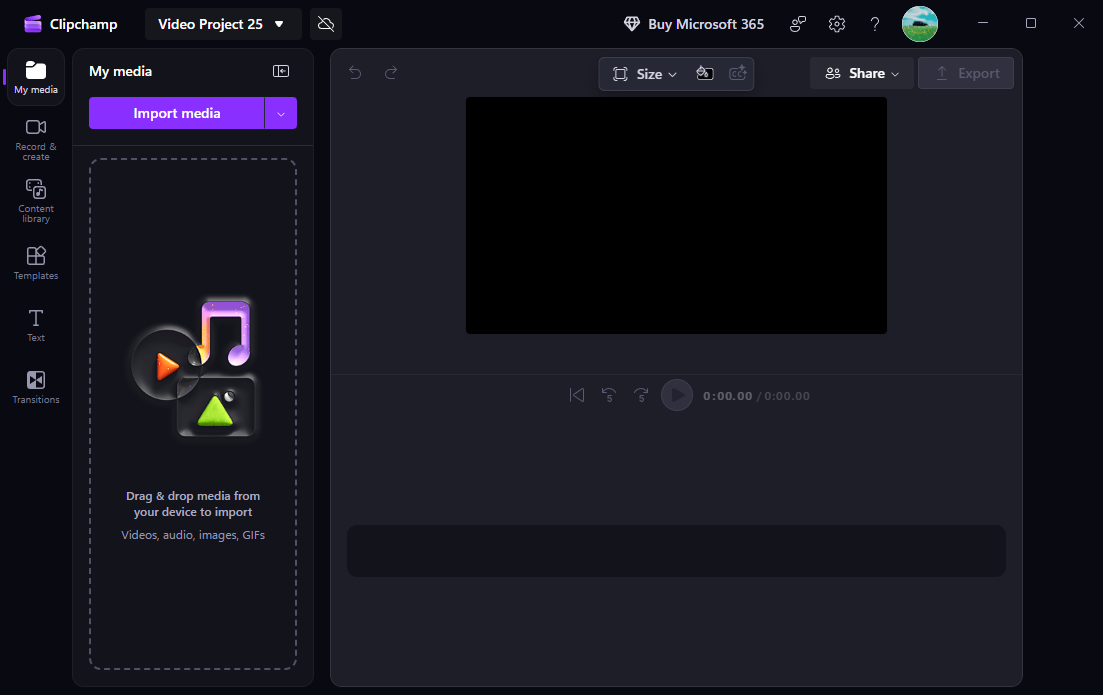
My favorite parts of the software are the huge template library and AI tools. Clipchamp offers a wide variety of video templates, such as YouTube videos, intro and outro templates, slideshows, and birthday videos. As a beginner, I could easily create a video by choosing a template and adding my own clips in just a few clicks.
Its AI tools let me automatically remove silent segments, generate subtitles, and even create voiceovers using text-to-speech. Finally, I can save my videos in 1080p for free without watermarks.
Clipchamp, the default video editing software for Windows 10 and Windows 11, is surprisingly capable for both personal and professional use.https://www.pcmag.com/reviews/clipchamp
3. Canva Video Editor
Canva is one of the most user-friendly online video editors for beginners and casual creators. Its intuitive drag-and-drop interface makes video editing simple, even for users with no prior experience.
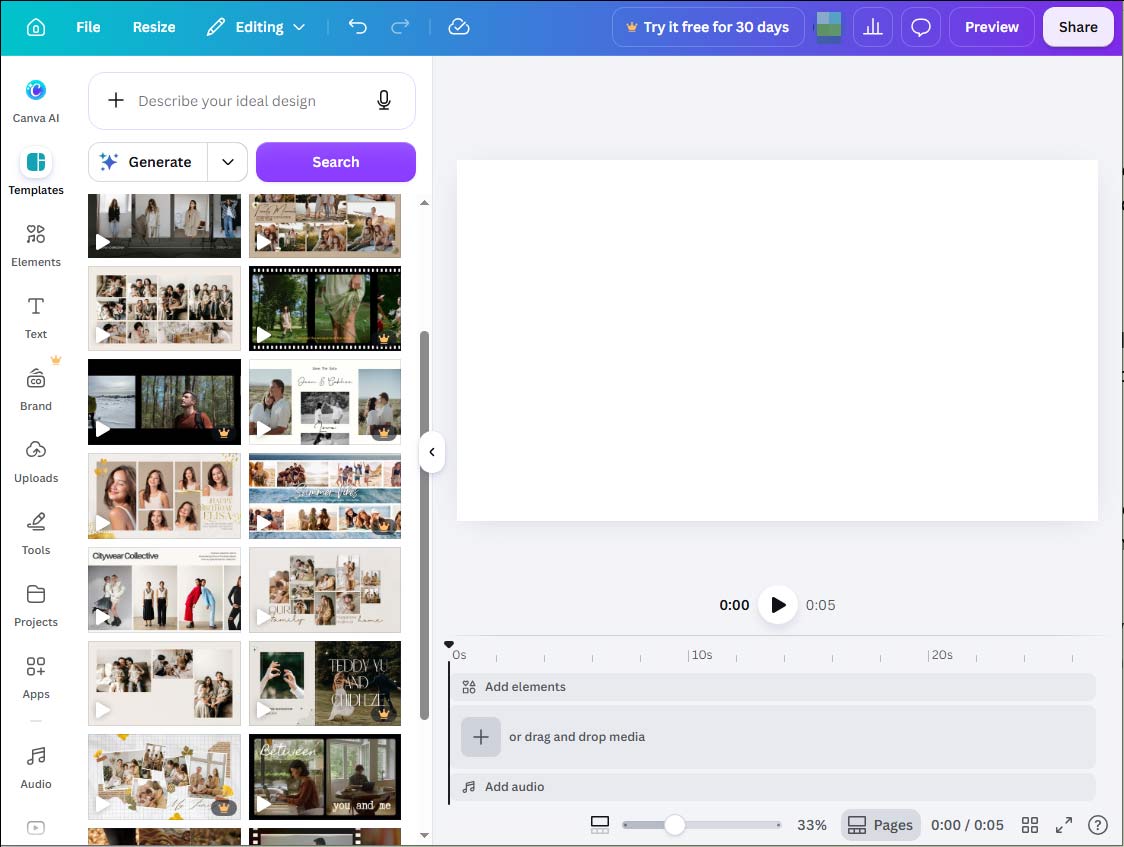
When I first started learning how to make videos, Canva was my favourite online tool. I could choose from a wide range of pre-designed templates, add my own clips, and customize videos with text, music, transitions, and animations. Whether I want to create vertical, landscape, or square videos, I can find the right templates.
Furthermore, Canva can adjust clips’ lighting and color, change speed, apply filters, add voiceovers, etc. After editing, I can directly share the video to TikTok, Instagram, or YouTube.
It enables anyone—regardless of artistic talent or skill—to use simple, drag-and-drop features to create broadly accessible visual content.https://www.pcmag.com/reviews/canva
4. CapCut
CapCut is also one of the most user-friendly video editing software options for PC. When I tested the application, I found its intuitive interface and straightforward editing tools particularly helpful. I can easily trim clips, add transitions, apply filters, and customize videos with text, music, stickers, and effects without spending hours learning these features.
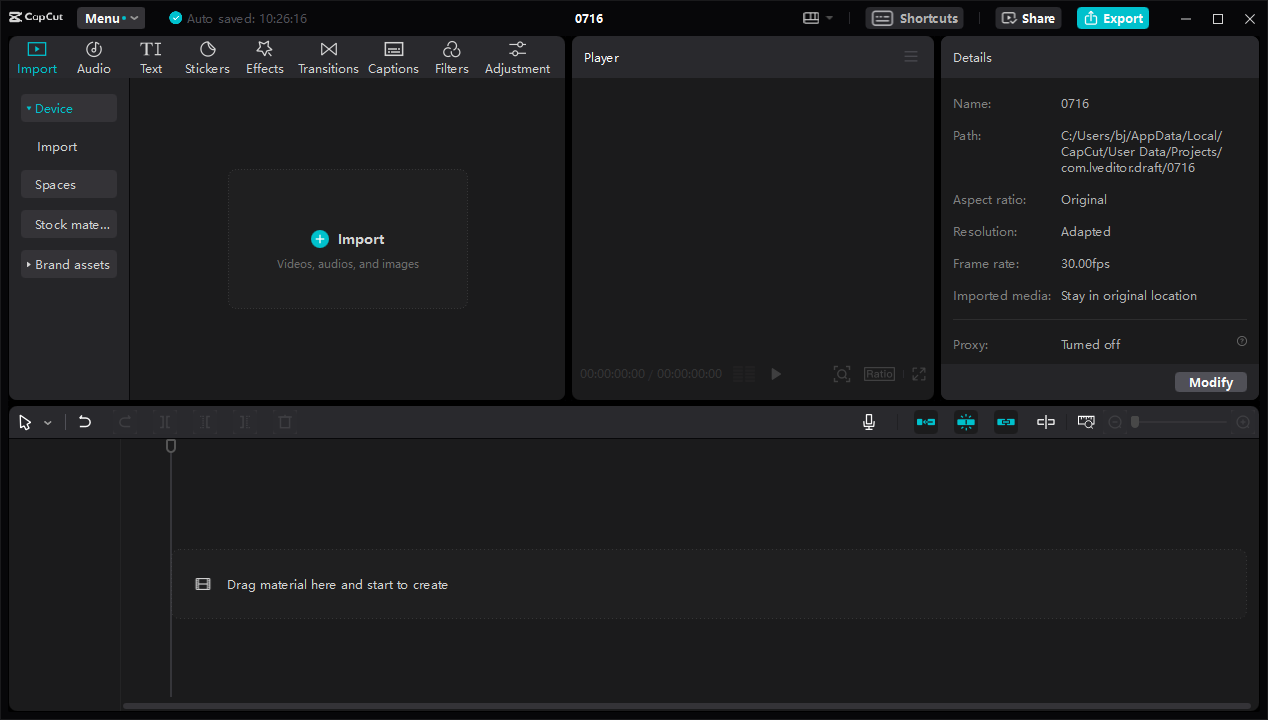
These creative resources help entry-level users easily make engaging videos for TikTok, Instagram Reels, and YouTube Shorts. AI-powered editing tools, such as auto captions, video translator, and auto reframing, are another significant feature of CapCut. They effectively simplify the editing process.
Moreover, CapCut provides extensive video templates for quick customization. Beginners simply need to choose a template and replace the clips. Best of all, it is a video editor without watermark and supports exporting videos up to 8K.
CapCut allows you to edit videos with an intuitive interface while offering advanced capabilities like AI-enhanced effects, automated text-to-speech, multi-track editing, and one-click templates.https://www.zebracat.ai/post/i-tried-capcut
Conclusion
If you want to start making videos and need user-friendly video editing software, this post picks the best solutions. Select MiniTool MovieMaker when you want to start from scratch with plenty of resources. Choose Microsoft Clipchamp if you don’t want to install software on Windows 11. Try Canva if you need to create videos from templates in the browser. Consider CapCut when you need a simple tool with powerful features.
Finally, if you encounter problems using MiniTool MovieMaker, send an email to [email protected] for assistance.
People Also Ask
About The Author

Position: Columnist
Cora is a tech writer specializing in digital media workflows, with over six years of hands-on experience in video post-production, media transcoding, and screen capture. Her writing is always clear and practical. Cora also produces in-depth software reviews for users across skill levels to help them find the right tool and enjoy video editing.
User Comments :