

This post covers the 5 best sports video editing software programs for different editing needs. If you’re a beginner and need to create highlight compilations, MiniTool MovieMaker is a good place to start. VideoProc Vlogger is worth considering for action footage and speed ramping, and CapCut makes it easy to create clips for social media. For more advanced edits, select PowerDirector or DaVinci Resolve.
Sports videos are popular across YouTube, TikTok, Instagram, and other social media platforms. Before sharing a sports video, it is necessary to edit the footage. For instance, trim unwanted parts and highlight key moments. With the right sports video editing software, we can easily turn raw footage into an engaging sports video.
Best Sports Video Editing Software at a Glance
Quick answer:
- MiniTool MovieMaker
- VideoProc Vlogger
- CapCut
- PowerDirector
- DaVinci Resolve
Here is a concise comparison table of these sports video editors. Check it to find your desired software quickly.
| Software | MiniTool MovieMaker | VideoProc Vlogger | CapCut | PowerDirector | DaVinci Resolve |
| Platform | Windows | Windows, macOS | Windows, macOS | Windows, macOS | Windows, macOS, Linux |
| Price | Free + paid | Free | Free + paid | Free + paid | Free |
| Learning Curve | Easy | Easy to Intermediate | Easy | Intermediate | Advanced |
| Best for | Beginners, casual sports video creators | Sports enthusiasts and intermediate creators | Social media creators and influencers | Intermediate editors and sports video producers | Professional editors and experienced users |
| Key Advantage | Simple interface and beginner-friendly editing workflow, keyframe controls | Flexible speed controls and motion effects | Speed curve, templates, and AI-powered tools | Broad editing features and AI-powered tools | Comprehensive professional editing capabilities |
1. MiniTool MovieMaker
MiniTool MovieMaker is a user-friendly sports video editing software program for beginners and casual content creators. It has a straightforward, clean interface and offers easy-to-use tools for creating sports videos.
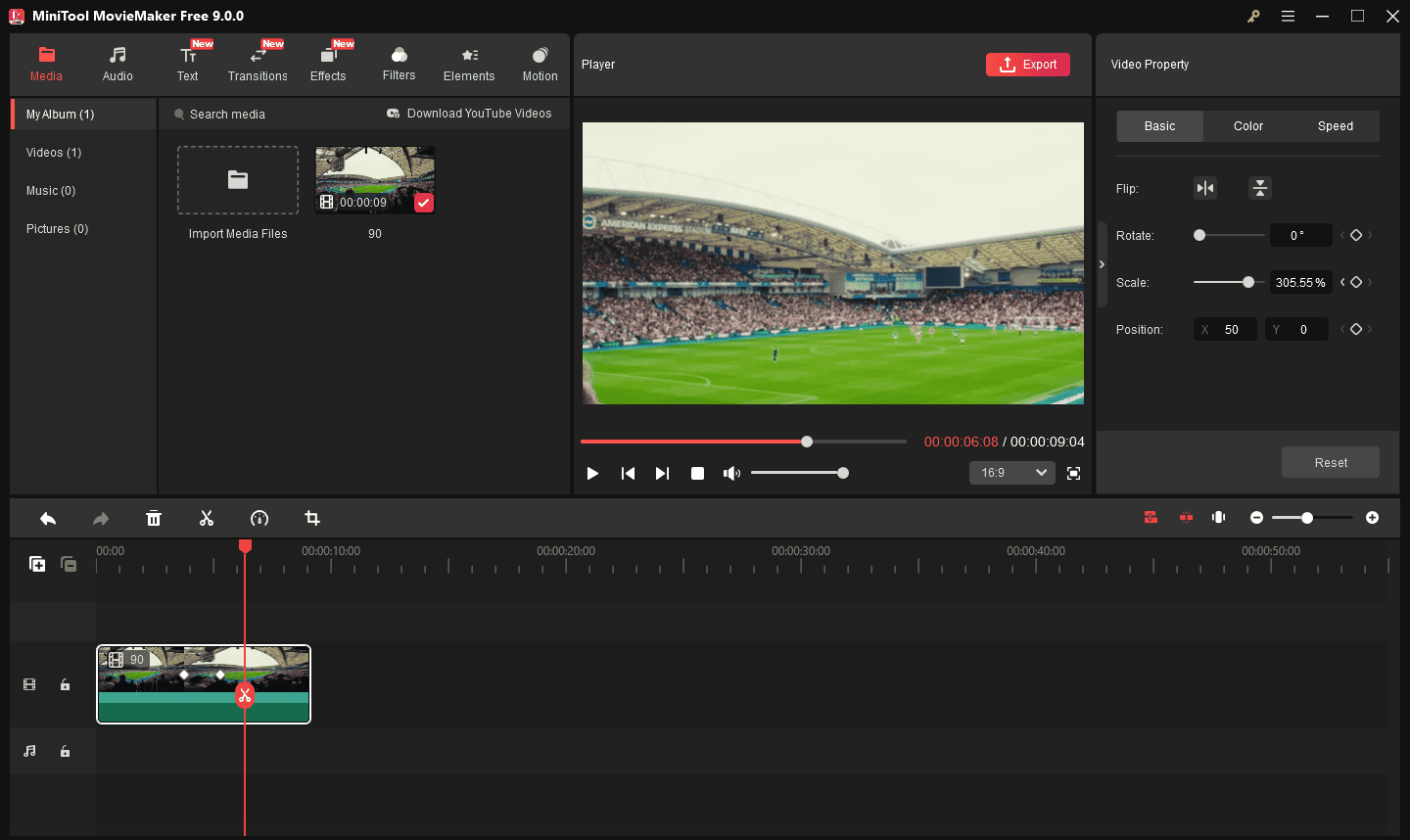
With the software, I can precisely trim unnecessary parts and crop unwanted frames to extract highlights, and split a specific part and slow it down to emphasize key actions. Thanks to its multi-track timeline, I can easily combine footage from different angles, add animated text, apply transitions, and add elements and other overlays to make videos more engaging.
 MiniTool MovieMaker
-
 Split and trim videos to remove redundance.
- Change video aspect ratio to match screen sizes.
- Add bubble texts, bgm, transitions, and more effects.
- Create PiP or split-screen videos by multitrack editing.
Additionally, its keyframe feature lets me easily zoom in on exciting moments, like a basketball dunk. This can highlight the action details and create an immersive experience for viewers. All in all, MiniTool MovieMaker offers the essential tools for beginners who need to create sports highlight compilations without a steep learning curve.
It includes a fair number of effects and gives you easy ways to join your clips, add transitions, and overlay objects and text. Some novices at video editing will be well-served by it.https://www.pcmag.com/reviews/minitool-moviemaker
2. VideoProc Vlogger
VideoProc Vlogger is one of the best video editing software options for sports highlights. It offers multiple speed presets for speed ramping. When I edit my sports videos, I choose a preset to gradually and smoothly change the playback speed without complex configurations. I also like the time stretch tool for creating slow-motion effects.
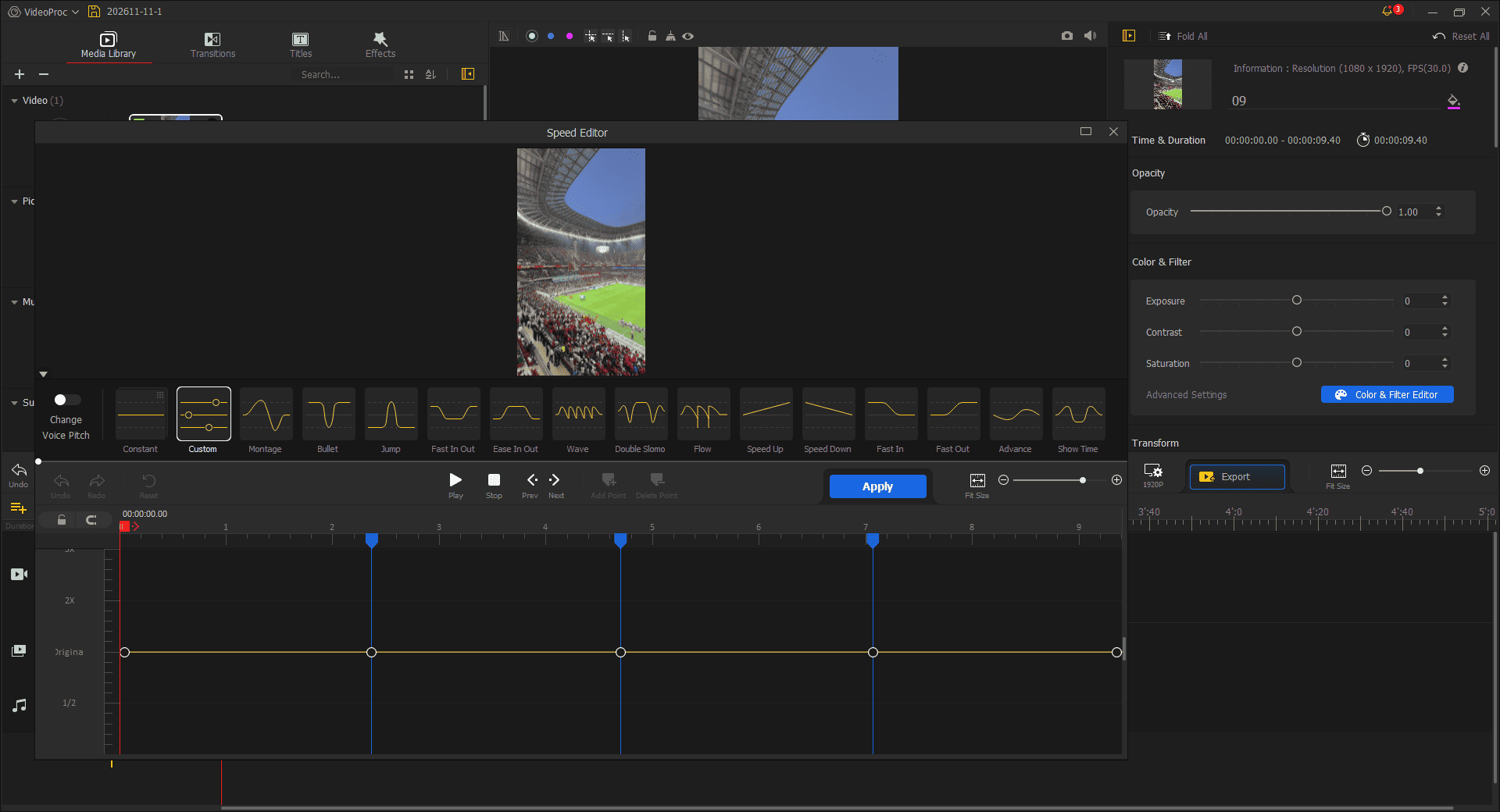
These features are particularly useful for editing sports videos. It can highlight key moments, emphasize fast movements, and create dramatic visual effects. Additionally, I enjoy the motion effects of VideoProc Vlogger. With its keyframe animation capabilities, I can easily customize movement and zoom in on important details.
The software also offers color correction and grading tools, video transitions, effects, titles, and subtitles to enhance sports footage. With its intuitive interface and versatile editing features, VideoProc Vlogger is a reliable video editor to transform sports footage into exciting videos.
In Vlogger, you’ll find all the standard editing tools that you would expect such as importing and exporting footage, trimming tools, text titles and audio tools, but you’ll also get – for free – access to cinema camera movement effects, speed-ramping functionality and great quality colour-grading tools.https://www.creativebloq.com/reviews/videoproc-vlogger
3. CapCut
CapCut is a great sports highlight video maker due to its powerful, easy-to-use editing tools. Personally, its flexible speed controls make it stand out as a sports video editor. In addition to standard speed changes, it lets me use the speed curve feature to create slow- and fast-motion, speed transitions, and custom speed changes. I can also add a velocity effect to synchronize music and speed changes.
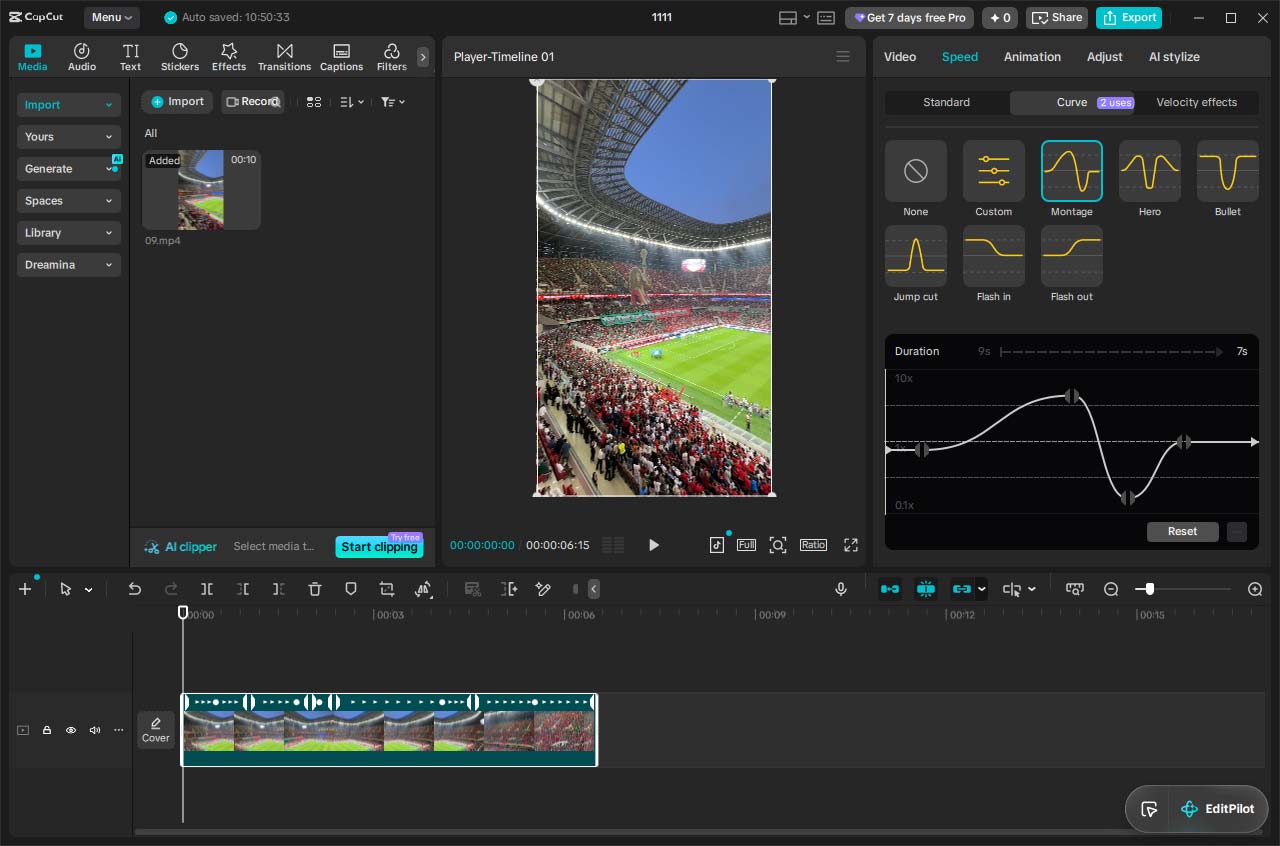
With CapCut’s video stabilization tool, I can reduce shakiness from sports video with one click. This makes the action scene smoother. I can also add keyframes to customize zoom, position, rotation, and opacity to create eye-catching sports video effects.
In CapCut, I also found an excellent feature for social media creators who need to make sports highlight reels – auto reframe. It lets me easily convert a horizontal video to a vertical one while keeping the main action within the frame. Furthermore, the software provides a variety of filters, effects, transitions, text templates, audio tracks, and more to create professional-looking sports videos.
CapCut is a competent video editing app with a decent interface across every major platform, all the core editing tools we expect, and good output speed. https://www.pcmag.com/reviews/capcut
4. PowerDirector
PowerDirector is an advanced sports video editing software program for sports enthusiasts. It offers comprehensive editing features for sports video post-production. Its AI motion tracking feature attaches text, graphics, and effects to moving athletes. The video stabilizer can reduce camera shake in sports videos.
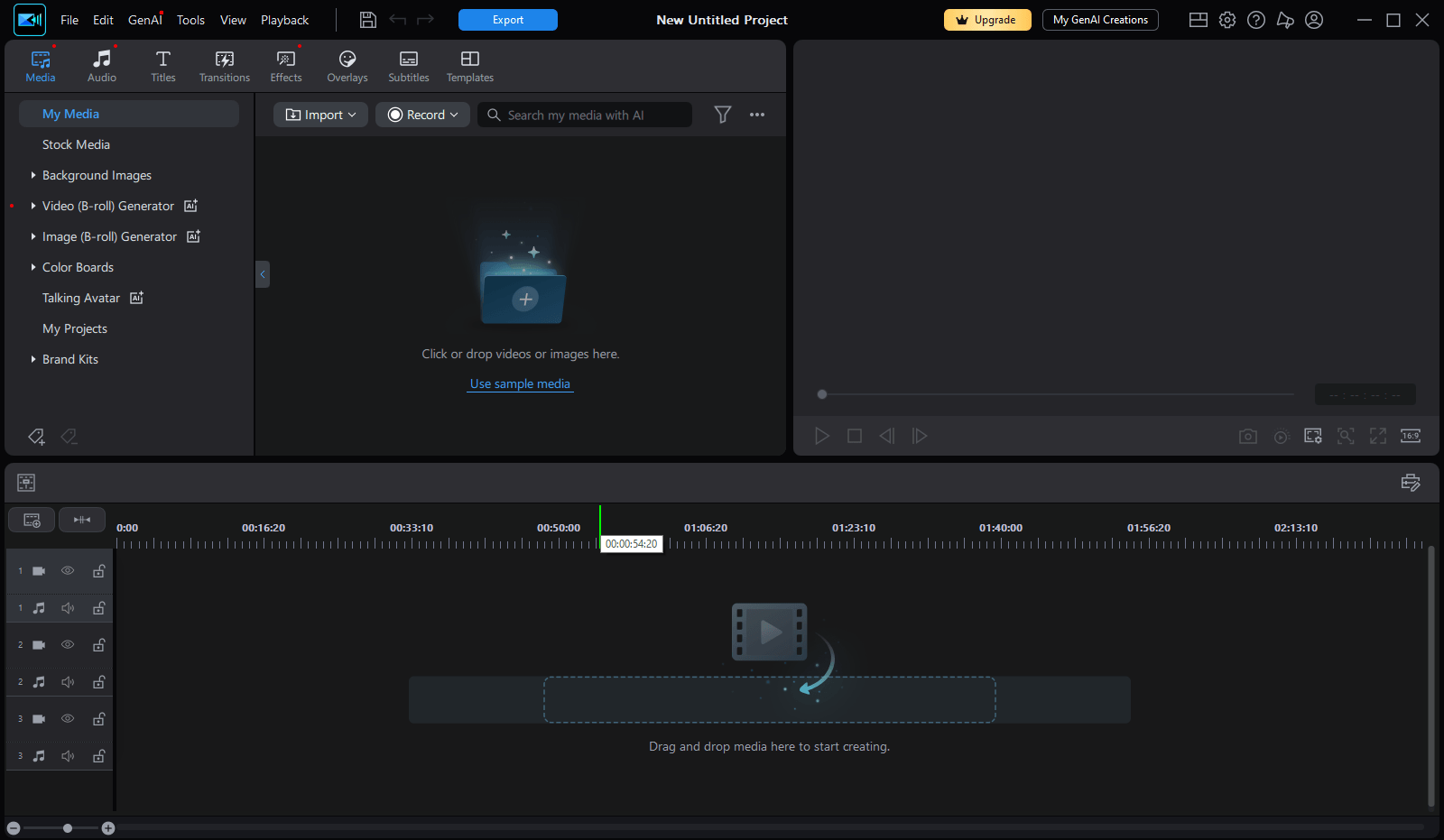
Similarly, PowerDirector also offers speed ramping, slow-motion effects, and reverse playback to optimize sports videos. Its auto reframe feature can resize videos for any format. It’s suitable for turning landscape sports videos into TikTok, Instagram Reels, and YouTube Shorts.
Multi-cam editing is another advantage of PowerDirector for sports video editing. I can sync footage and switch between different camera angles to select the best shots. As a powerful sports video editing tool, PowerDirector also comes with color correction and grading, AI video enhancement, keyframe controls, AI body effects, and more to craft sports highlights.
Best of all, it's easy to work with and very fast at rendering projects. PowerDirector is the prosumer video editing software to beat and a rare five-star Editors' Choice winner thanks to its superb usability and unbeatable capabilities.https://www.pcmag.com/reviews/cyberlink-powerdirector
5. DaVinci Resolve
DaVinci Resolve is a professional-grade video editing software application for producing high-quality sports videos. It combines powerful video editing, color correction, visual effects, and audio post-production tools in a single application.
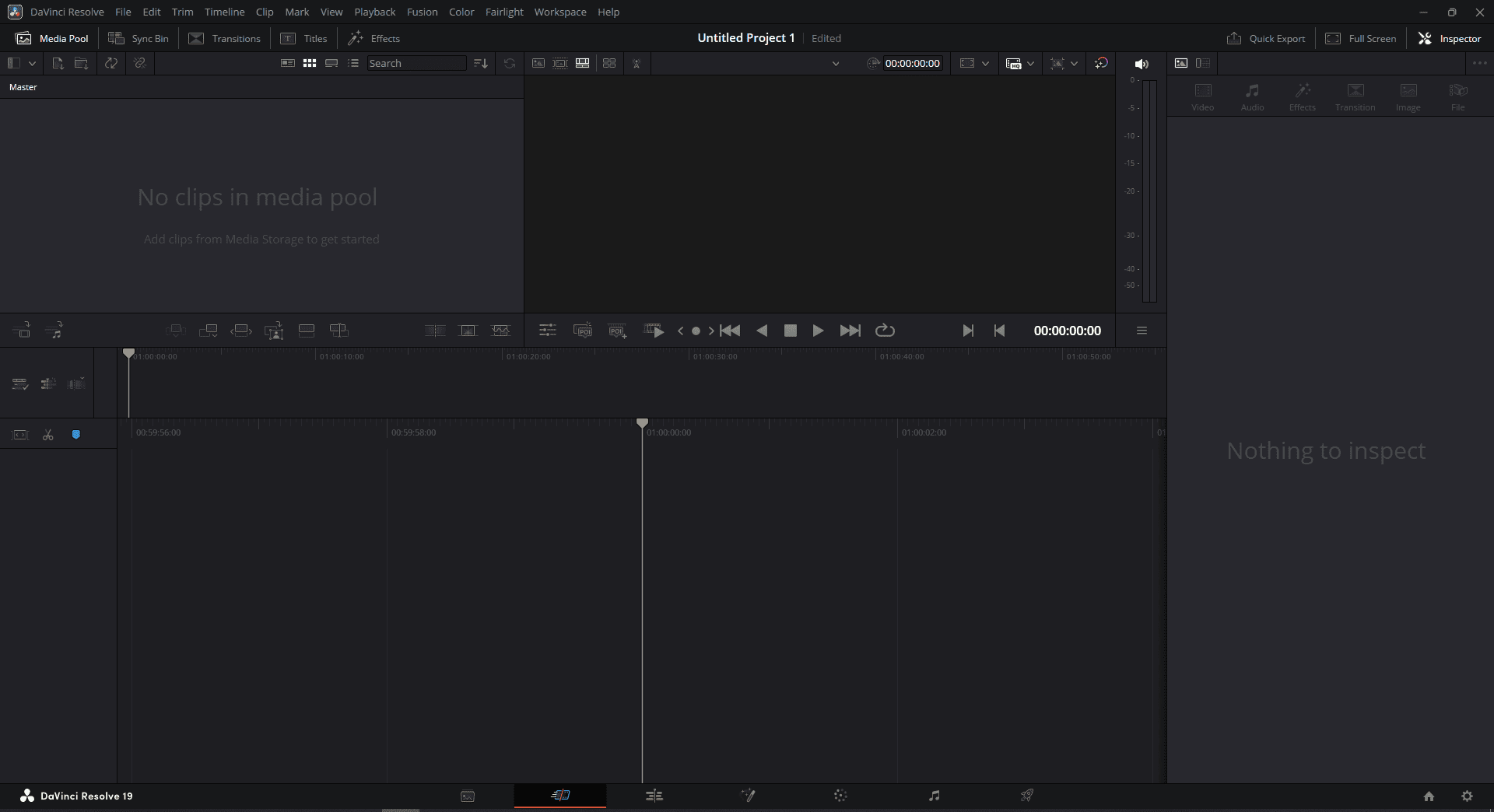
The software includes advanced slow-motion effects, multi-camera editing abilities, and precise timeline controls. These features help content creators capture every key moment in the competition. Whether they want to make game highlights, training videos, or sports reels for social media, DaVinci Resolve provides all the needed tools.
It's also popular with ambitious enthusiasts thanks to its powerful free version. However, mastering DaVinci Resolve can be challenging due to its extensive feature set and somewhat unconventional interface. https://www.pcmag.com/reviews/davinci-resolve
Conclusion
With these 5 sports video editing software options, I believe that everyone (both beginners and professionals) can find the right tool for turning raw sports footage into polished videos. Finally, if you run into trouble while using MiniTool MovieMaker, email [email protected] for assistance.
People Also Ask
2. Import your sports videos.
3. Add them to the timeline in the desired order.
4. Add an explosive opening play or dramatic visual to grab the viewer.
5. Remove unnecessary footage and adjust the playback speed.
6. Apply effects, music, and other visual elements.
7. Save and export the sports video.
Stage 2: Ordering – Add the clips to the timeline and arrange them in sequence.
Stage 3: Rough cut – Remove unwanted parts, such as long pauses and filler words.
Stage 4: Fine cut – Add transitions between clips, add titles or animated text, and fix minor blemishes.
Stage 5: Final polish – Correct the clip’s color, apply color grading, add music and sound effects, apply special effects, and export the final result.
About The Author

Position: Columnist
Cora is a tech writer specializing in digital media workflows, with over six years of hands-on experience in video post-production, media transcoding, and screen capture. Her writing is always clear and practical. Cora also produces in-depth software reviews for users across skill levels to help them find the right tool and enjoy video editing.
User Comments :