

This post lists the 4 best video editors for YouTube Shorts, including YouTube Create, MiniTool MovieMaker, Microsoft Clipchamp, and CapCut. Find your perfect tool and create viral 9:16 videos easily!
Want to grow or promote your business on YouTube Shorts, or just share your life? Then, a good idea is not enough. You need the best video editor for YouTube Shorts to turn your raw clips into viral videos in minutes. Whether you need quick edits, cinematic effects, or auto-captions, you can find the suitable tool here.
4 Best Video Editors for YouTube Shorts at a Glance
- YouTube Create
- MiniTool MovieMaker
- Microsoft Clipchamp
- CapCut
Here is a concise comparison table of these YouTube Shorts editor tools to help you quickly find the right one based on your needs.
| Software | Platform | Price | Watermark | Ease of Use | Shorts-Specific Features | Key Strengths | Main Limitations |
| YouTube Create | iOS and Android | Free | No | Very Easy | Direct YouTube upload, royalty-free music, auto-captions, AI tools | Seamless YouTube integration, completely free, intuitive workflow | Limited effects and templates; mobile-only |
| MiniTool MovieMaker | Windows | Free + Paid | No | Very Easy | 1:1 project preset, multi-track timeline, A free, full-featured version, extensive stickers, effects, and filters | Simple interface, good for beginners, free1080p/4k exports | Windows-only; 2-minute export limit, first 3 exports unlimited |
| Microsoft Clipchamp | Window/Web | Free + Paid | No | Easy | 1:1 project preset, AI noise suppression, text overlays, YouTube integration | Built into Windows 11, clean UI, AI-powered tools | Limited advanced features; 4K requires a paid subscription |
| CapCut | Win/Mac/iOS/Android) | Free + Pro Subscription | No | Easy to Moderate | Auto-captions, beat sync, massive template library, AI effects | Trend-focused, feature-rich, cross-platform, viral templates | Many advanced AI tools require a premium subscription |
Before exploring these applications, let’s quickly review the key upload requirements for YouTube Shorts as of 2026.
- File Format: MP4 or MOV
- Length Limit: 3 minutes.
- Orientation: Vertical (9:16) or square (1:1) aspect ratio.
- Recommended Resolution: 1080P (1080 x 1920 pixels for vertical video). 4K is supported but not necessary.
- Codec: H.264 recommended for video and AAC for audio.
1. YouTube Create
As YouTube’s official video editing tool for mobile devices, YouTube Create must be on my list of the best video editors for YouTube Shorts. Personally, what most attracts me is its royalty-free audio library. I can choose from thousands of music tracks and sound effects, and don’t have to worry about copyright issues. With this app, I can directly share my video on YouTube without needing to export it and re-upload it.
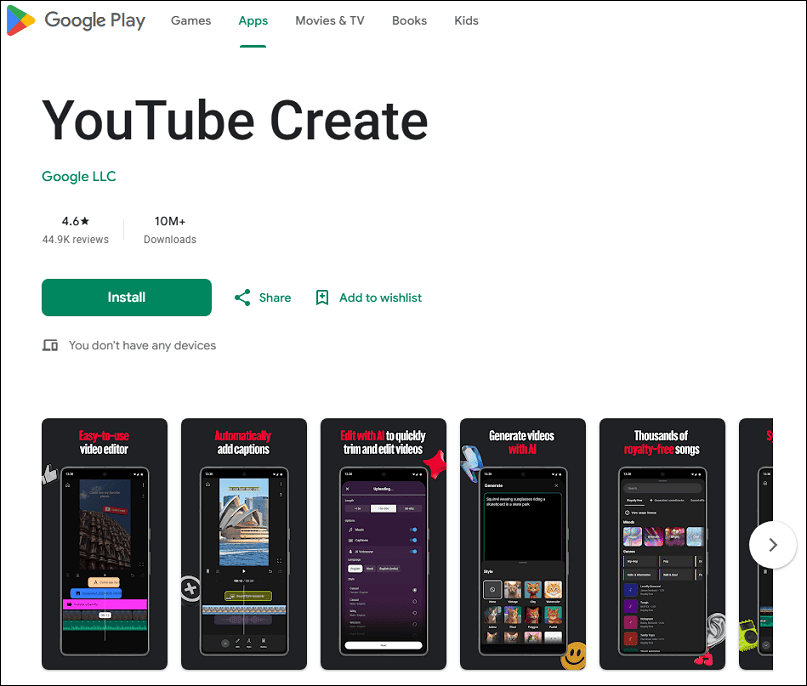
Additionally, the audio clean-up tool is incredibly useful. I regularly rely on this feature to remove background noise from my video with one click. And with one tap, this app can automatically add captions to videos.
This YouTube Shorts editor has far more features than the ones I’ve mentioned. I’ve only picked my favorite features. In general, I think YouTube Create is perfect for those who need fast edits, don’t want to deal with copyright stress, and prioritize direct uploads.
2. MiniTool MovieMaker
MiniTool MovieMaker is one of the best apps to edit YouTube Shorts for beginners on Windows. Most of the time, I prefer editing on a large screen because it gives me a clear view of the details and ensures the precision of my edits. When I started editing, I chose the software due to its clean interface, which made it easy to locate the tools I needed. It even offers a tutorial that walks first-time users through importing, editing, and exporting, which is incredibly helpful for newbies.
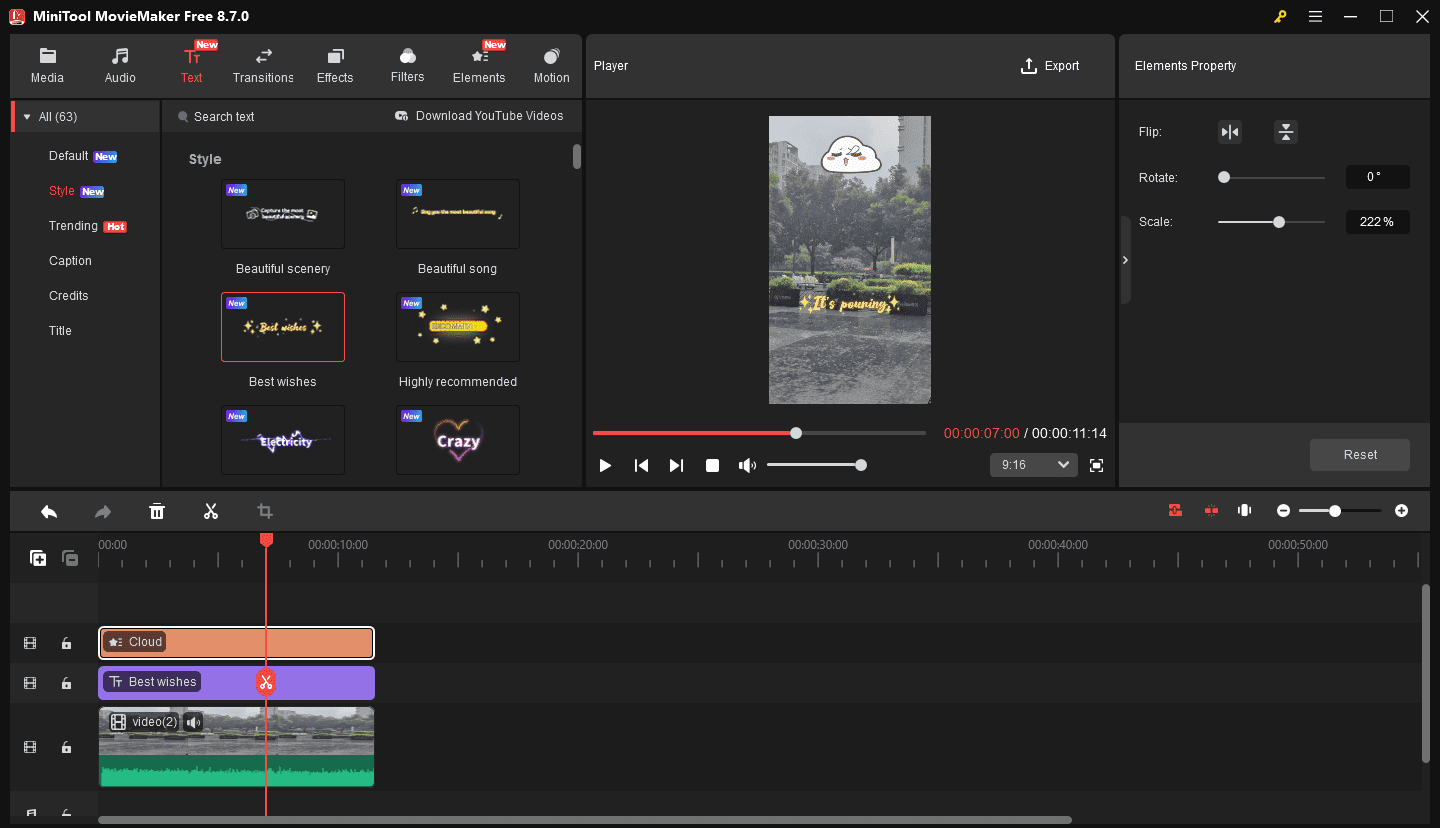
With its multi-track timeline, I can flexibly layer the captions, effects, filters, and stickers and quickly locate the specific track I want to edit. Besides, when I adjust the duration of these resources, the software can automatically snap them to the end of the video. It’s super convenient. I can also crop, cut, reverse, and trim video clips, adjust the clip’s color, and change speed.
Overall, the software is perfect for entry-level users who want to quickly and simply edit videos for YouTube Shorts without a steep learning curve. Best of all, it does not add a watermark to the video.
MiniTool MovieMakerClick to Download100%Clean & Safe
3. Microsoft Clipchamp
Microsoft Clipchamp is the YouTube Shorts editor built into Windows 11 and is also available on Windows 10. I often use the software to convert a landscape video to a vertical format. It allows me to set the aspect ratio to 9:16 and can expand the video to remove black bars at the top and bottom.
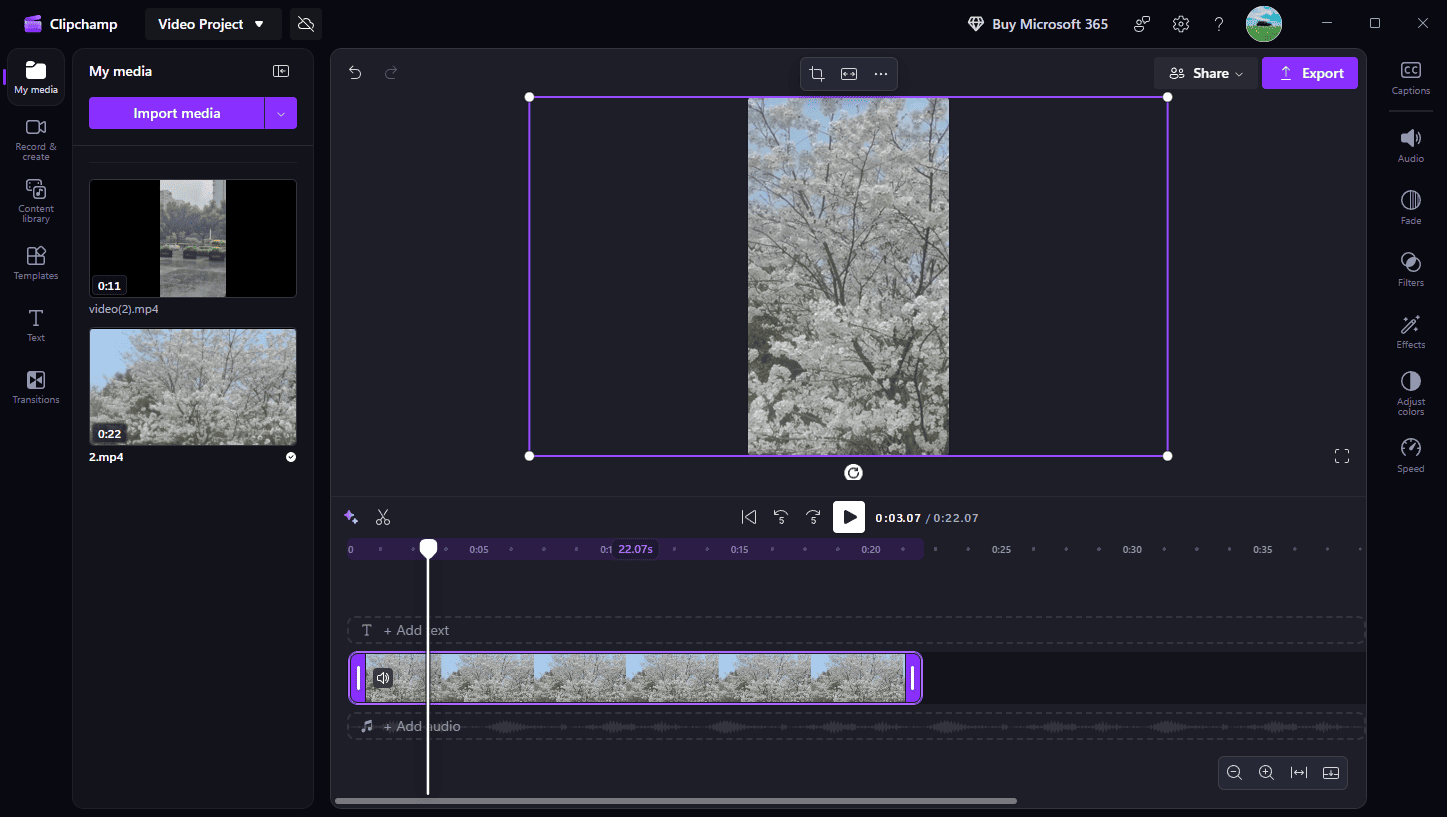
Another two features that impressed me are the auto captions and the text-to-speech features. With a few clicks, the software can generate subtitles from audio in the video. When I need to add a voiceover but do not use my voice, I can type my script and use an AI voiceover.
Furthermore, Microsoft Clipchamp provides various filters, effects, transitions, and a library of stock assets to enhance my content, and enables me to upload a video to YouTube.
4. CapCut
CapCut is widely considered one of the best apps to edit YouTube Shorts. After testing the app, I became a fan of it. Compared to professional software like DaVinci Resolve or Adobe Premiere, CapCut is easier to use and provides all the essential features for editing high-quality videos. More importantly, it was designed for creating vertical videos. So, it’s right for YouTube Shorts.
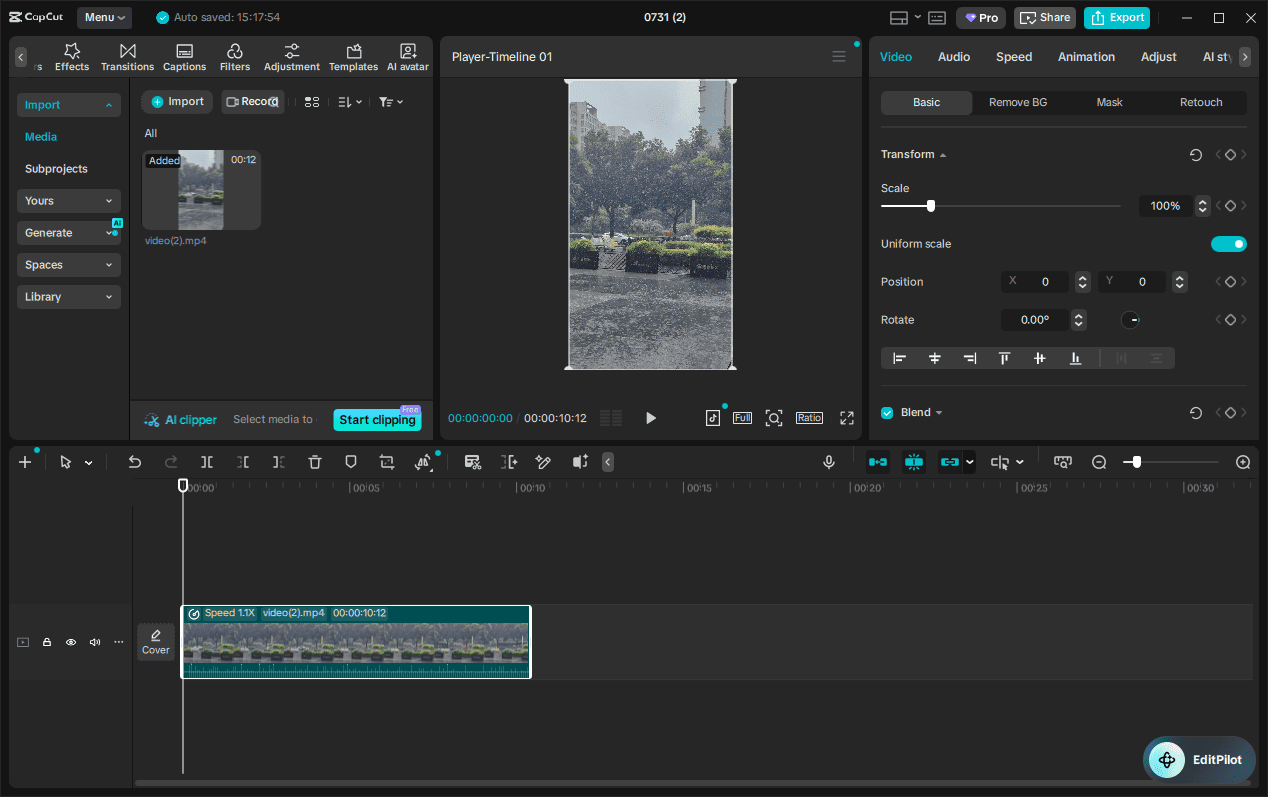
One of my favorite things about CapCut is the template library. I can find a wide variety of templates for vertical videos and customize one by replacing it with my videos or images. I also like the beat sync feature, which can automatically detect the beats in background music and add text or effects that pulse right on the beat.
If I start from scratch, the software can also help me craft amazing videos. I can choose from its trending effects, filters, transitions, and stickers to enhance my footage, generate captions with one click, change the background of my video, remove long pauses with one tap, and more.
Generally speaking, CapCut is a solid choice for editing videos for YouTube Shorts, as it keeps a good balance between user friendliness and rich features.
Conclusion
With the 4 best video editors for YouTube Shorts, you can easily create eye-catching videos to promote your channel. Each is a video editor with watermark, ensuring you have clean and professional-looking videos.
Finally, if you encounter problems while using MiniTool MovieMaker, send an email to [email protected] for help.
People Also Ask
About The Author

Position: Columnist
Cora is a tech writer specializing in digital media workflows, with over six years of hands-on experience in video post-production, media transcoding, and screen capture. Her writing is always clear and practical. Cora also produces in-depth software reviews for users across skill levels to help them find the right tool and enjoy video editing.
User Comments :