

Sometimes, plain screenshots look too raw for tutorials, blog posts, or social media. To enhance their appearance and make them more professional, I’ve selected three of the best online screenshot beautifiers that can add backgrounds, shadows, and other visual elements. Below, I’ll go through each tool in detail.
Screenshot Beautifier 1: PostSpark.app
PostSpark.app is a design platform that allows me to create visually appealing content for social media, blogs, websites, newsletters, and presentations. With a wide collection of ready-to-use templates, it can enhance screenshots, create device mockups, and even customize Twitter-style posts.
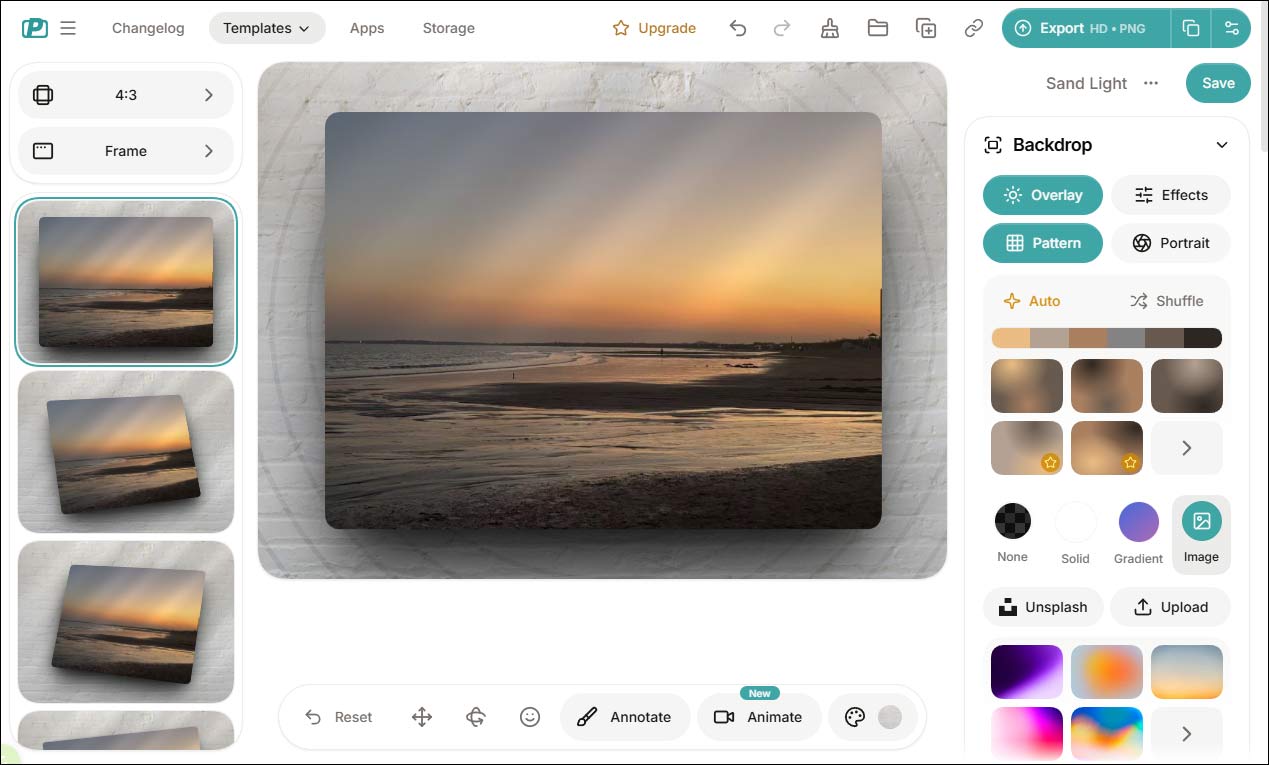
When it comes to decorating screenshots, PostSpark.app offers a comprehensive set of editing tools. I can choose aspect ratios suitable for different social media platforms to crop my screenshots easily. It also provides a variety of frames, including macOS, Safari, and Windows-style interfaces, which help present screenshots in a more realistic and professional way. In addition, I can adjust image properties by adding shadows, applying blur or noise effects, and customizing backgrounds.
Another advantage of PostSpark.app is its user-friendly interface. I can upload an image, customize its appearance, and preview the result in real time. This makes the entire editing process smooth and efficient, even for beginners.
However, some advanced features, such as portrait blurring, require a Pro subscription. Overall, PostSpark.app is a great option when I need a fast and straightforward way to beautify screenshots and improve their presentation without relying on complex software.
Screenshot Beautifier 2: Pixzens
Pixzens is a dedicated screenshot beautifier that offers a solid range of features for improving the overall look of images. It provides gradient backgrounds, stylish window frames, and shadow effects, which can instantly make screenshots appear more polished and professional. In addition, it includes built-in annotation tools such as a pen, text, arrows, and shapes, making it easy to add notes or highlights directly to the image.
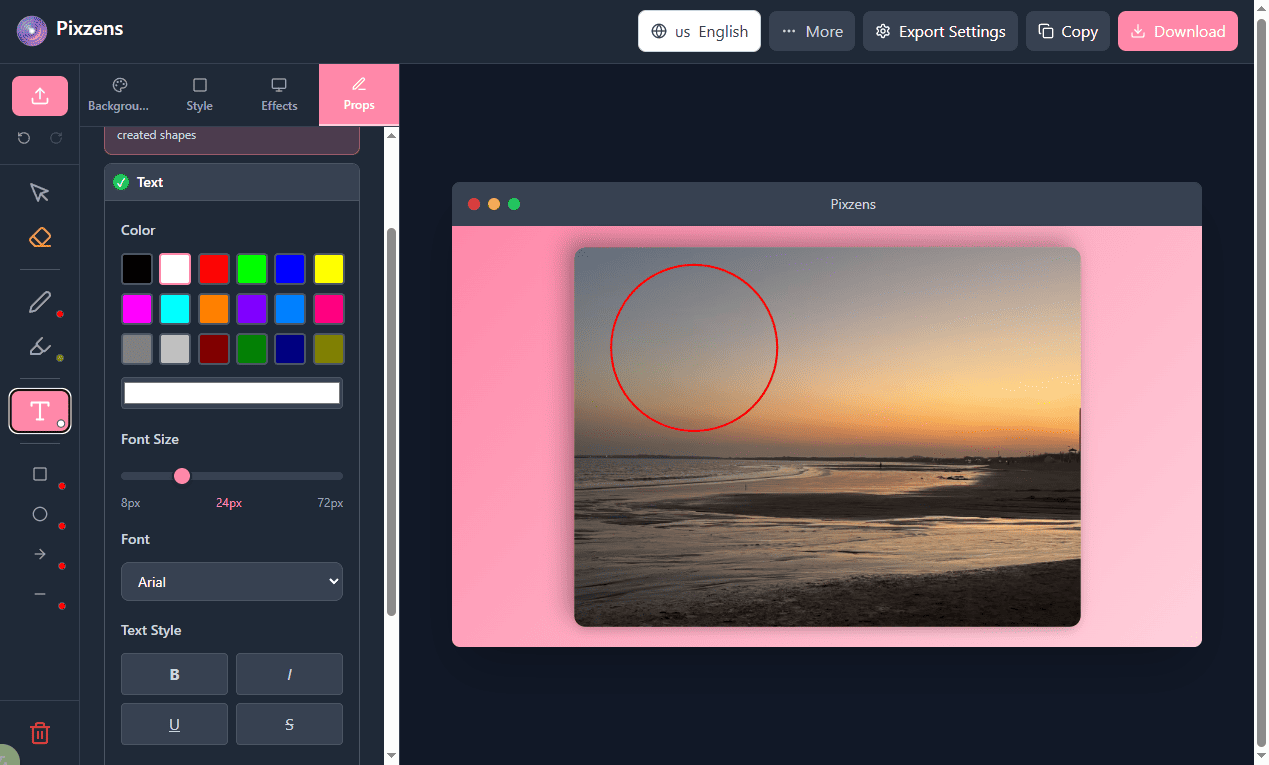
One aspect I appreciate is that Pixzens doesn’t require an account to get started. The interface is clean and intuitive, so I can simply upload a screenshot, apply backgrounds or effects, and export the final result without any complicated setup. It also supports multiple output formats, including PNG, JPG, and WebP.
However, the free version comes with certain limitations. Some advanced backgrounds and effects are restricted, and exported images include a watermark. Higher-resolution exports, such as up to 4K, are typically available with a Pro subscription.
Overall, Pixzens works well when I need a straightforward tool to enhance screenshots and add quick annotations while keeping the workflow simple and efficient.
Screenshot Beautifier 3: ImageOnline.co
ImageOnline.co is a simple web-based tool that focuses on basic screenshot adjustments rather than advanced design. Unlike more feature-rich platforms, it doesn’t aim to create stylish layouts or mockups. Instead, it offers a set of straightforward editing options that are ideal for quick fixes.
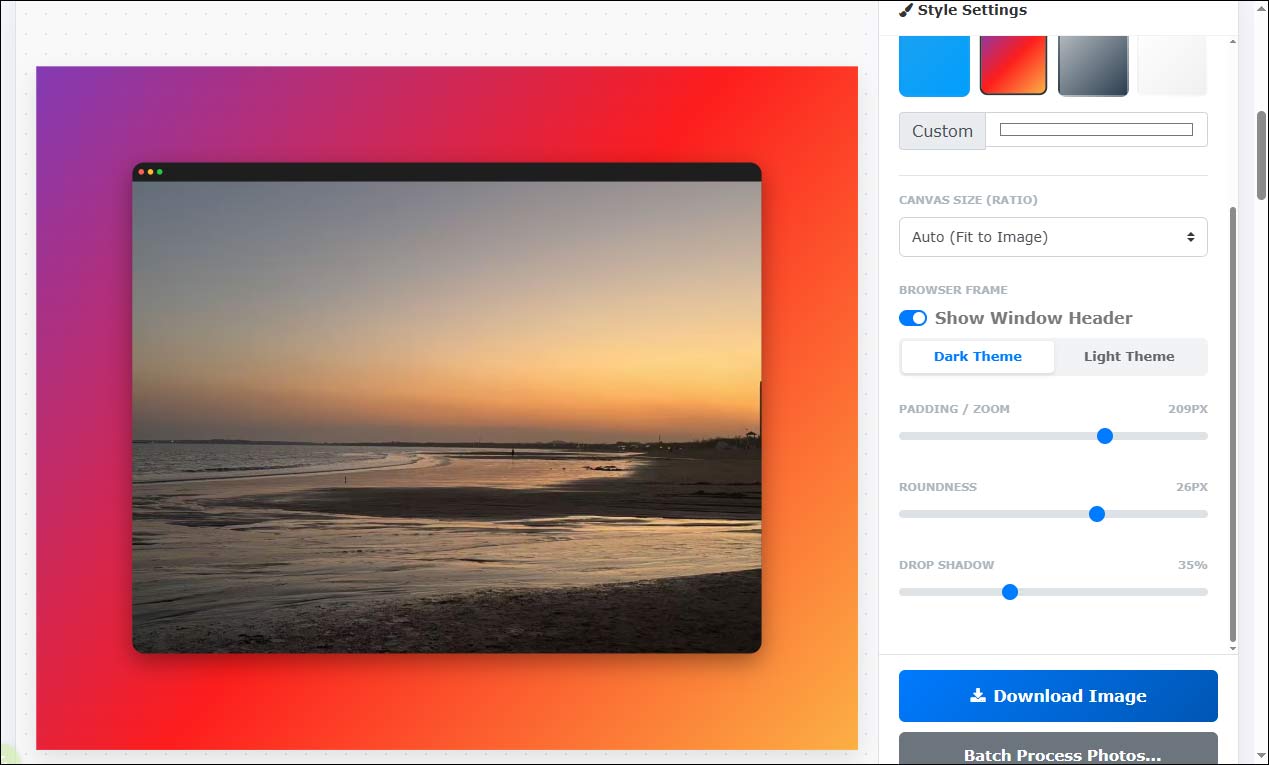
With this tool, I can adjust screenshot backgrounds, change the canvas size to fit different social media platforms, resize and reposition images, apply rounded corners, and control the intensity of drop shadows. These features are practical for improving the overall appearance of screenshots without adding unnecessary complexity.
One feature I find particularly useful is its support for batch editing. I can upload multiple screenshots at once, apply the same settings, and let the platform process them automatically within seconds. This greatly improves efficiency and helps speed up my workflow.
That said, the interface is more functional than visually appealing, and it lacks modern styling features like gradients, mockups, or advanced annotations. As a result, it may not be the best choice for creating presentation-ready visuals.
Overall, ImageOnline.co is a solid option for quick and basic screenshot editing tasks, especially when simplicity and speed matter more than design flexibility.
Conclusion
In this post, I explored three useful online screenshot beautifiers, including PostSpark.app, Pixzens, and ImageOnline.co. Each tool serves a different purpose, depending on how you want to enhance your screenshots. Hope this article helps you a lot!
User Comments :