

Creating a professional-looking magazine cover is easier than ever with the right tools. This post introduces three powerful magazine cover makers, including Canva, PosterMyWall, and YourCover.
What is the Standard Size of a Magazine Cover
The standard size of a magazine cover usually depends on the type of publication. The most common dimensions are 8.5 × 11 inches and 5.5 × 8.5 inches, which are widely used for both print and digital magazines. In addition to these, some magazines may use alternative formats such as portrait, landscape, or even square layouts to create a unique visual style.
When designing a magazine cover, I find that choosing the right size is only the first step. A great cover should also include a high-quality image, eye-catching headlines, and a clean layout to attract readers’ attention and convey the theme effectively.
The following section introduces three practical online magazine cover makers that can help speed up the workflow and create high-quality covers with ease.
Option 1: Canva
Canva is a powerful online magazine cover maker that is suitable for both beginners and experienced users. It offers a wide range of templates, including sports, fashion, and business themes, which can meet different design needs.
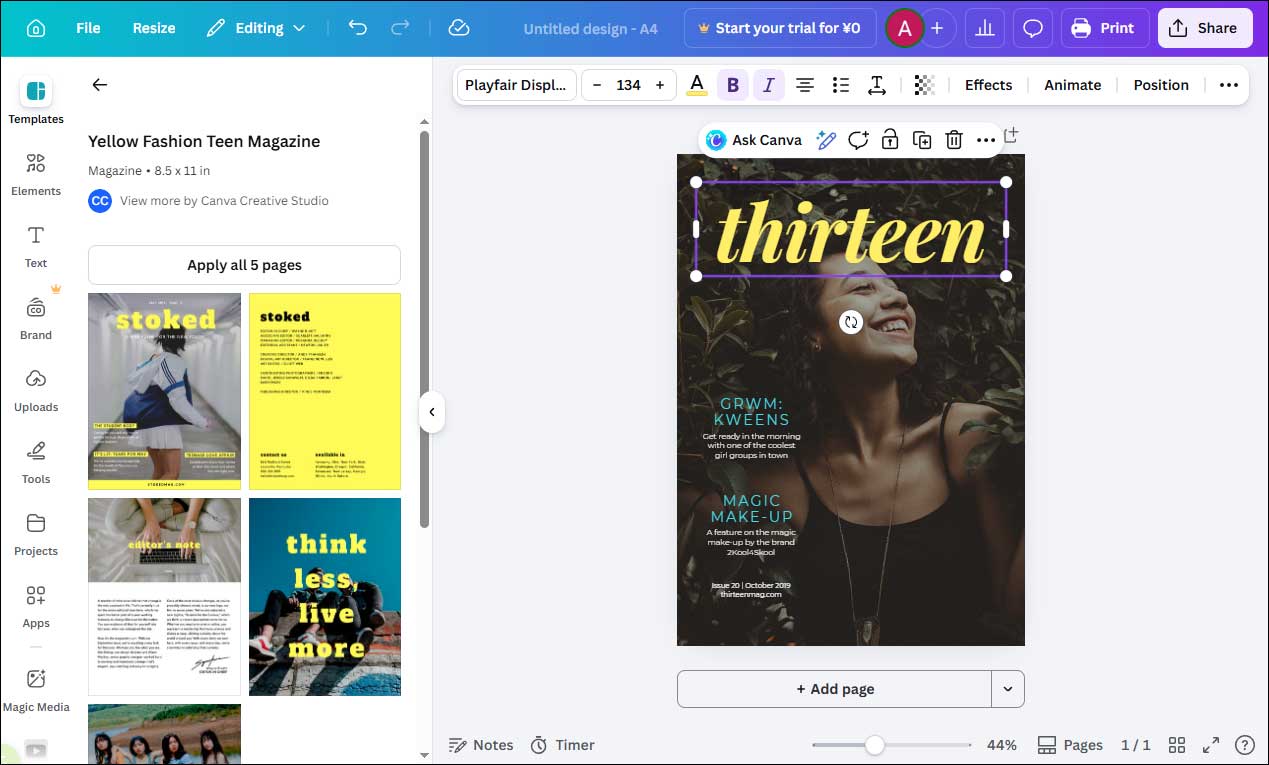
I can simply choose a preferred template and replace the images and text on the canvas to add a personal touch. With the platform’s rich collection of text styles, it is easy to pick a font that perfectly matches the overall theme. In addition, Canva provides a large library of stock images, graphics, and illustrations, making it easy to find suitable design elements.
Besides creating magazine covers, Canva can also be used to design eBook covers, Spotify playlist covers, and more. However, one thing to note is that some advanced templates and assets are only available with a paid subscription.
Option 2: PosterMyWall
PosterMyWall is an online platform that excels in creating visuals for marketing and promotion. When it comes to cover design, it provides a variety of pre-made templates for magazines, albums, Kindle books, and podcasts, making it a versatile online cover maker.
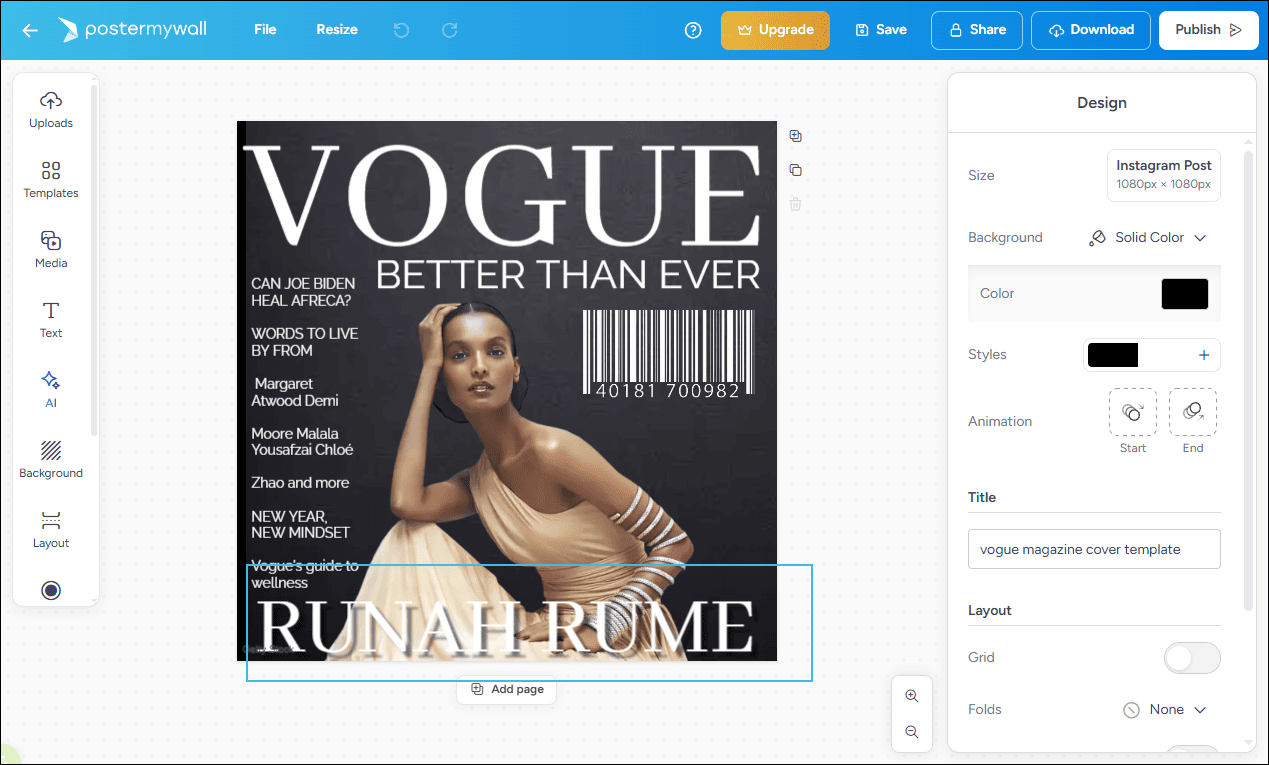
With its intuitive interface and easy-to-use editing tools, I find it simple to create a stylish, Vogue-inspired magazine cover. During the editing process, I can crop images, apply glow effects, and even remove backgrounds with just a few clicks. In addition, its AI-powered features allow me to generate images from text prompts, which adds more creative possibilities.
The platform also offers a rich library of text styles, enabling me to customize font, size, color, opacity, and other elements to match my design. From my perspective, PosterMyWall is a practical and efficient Vogue magazine cover maker. However, some advanced features, such as AI image generation and the brand kit, are only available in the paid version.
Option 3: YourCover
YourCover is a specialized online magazine cover maker that allows me to create personalized magazine covers in just a few minutes. It offers a wide range of themed templates, from birthdays to anniversaries, making it an ideal choice for creating unique and memorable gifts.
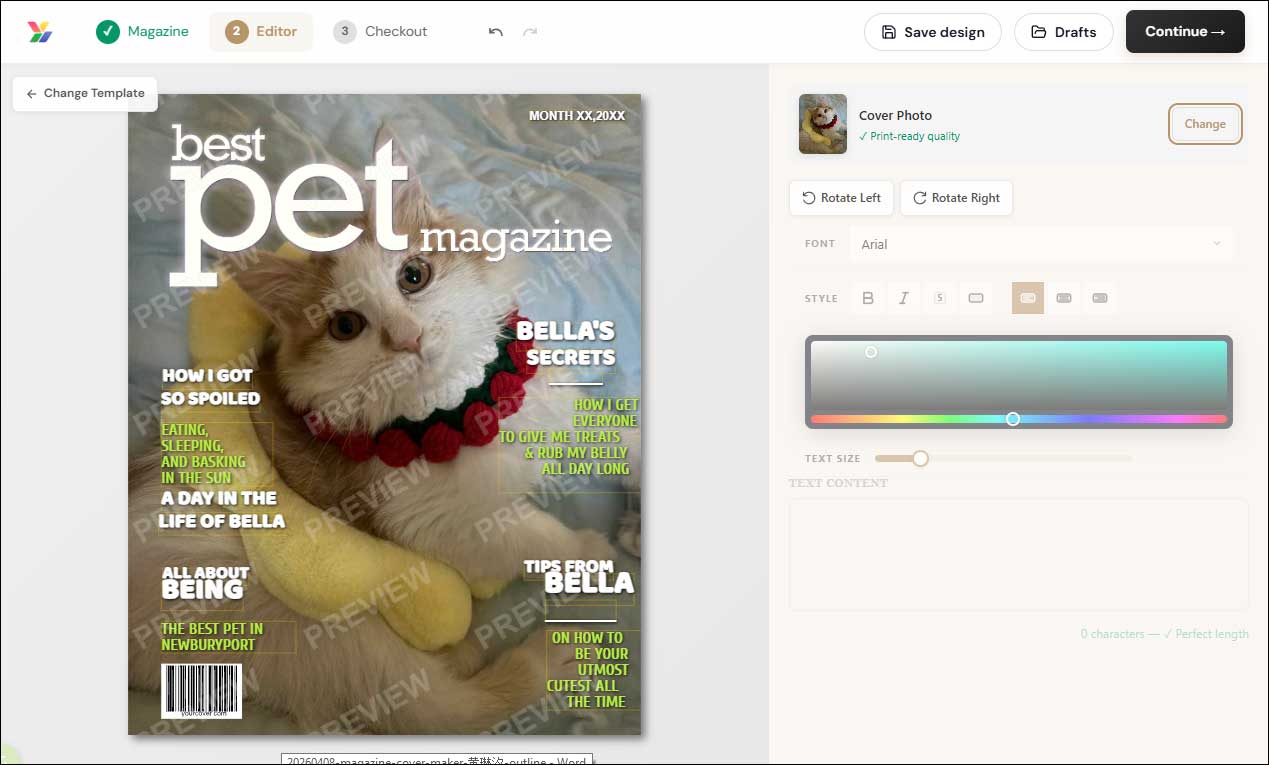
The process of designing a cover is very straightforward. I can simply browse and select a template, then replace the images with my own. It also lets me customize headlines, quotes, and layouts in real time, giving me full control over the final look.
Once the design is complete, YourCover provides instant digital download and professional print options. However, both of these services require payment.
Conclusion
In this post, I explored three practical magazine cover maker tools, including Canva, PosterMyWall, and YourCover. Whether I want to create a professional magazine cover or design a meaningful gift, these tools can meet different needs.
Choose the one that best suits your style and start creating a striking magazine cover right away.
User Comments :