

This post compiles 3 reliable avatar croppers, including Avatar, Fotor, and CapCut Online, to help you transform your images into perfect avatars. Explore these tools and easily enhance your online presence with personalized avatars.
An avatar cropper is a crucial tool for creating stunning profile pictures for social media. These tools can adjust, resize, and frame profile pictures to fit specific shapes (such as circles or squares) and dimensions required by various platforms. Therefore, this post introduces 5 excellent avatar croppers.
1. Avatar Cropper
It’s a free online Discord avatar cropper that supports most image formats, making it easy to handle various photos and turn them into eye-catching profile pictures. Whether you desire to crop a photo into a circle or a square, this platform can meet your needs. It also allows you to adjust the mask transparency of the entire image to make a difference between the selected area.
To cater to different needs, Avatar Cropper also lets you set the size of the crop area, making it a good option to create avatars for different platforms. This service also enables you to rotate and flip images to help you make unique profile pictures.
Additionally, Avatar Cropper allows you to add different styles of borders to the cropped image, so you can easily create personalized avatars.
Furthermore, Avatar Cropper is free to use and doesn’t require an account. It’s also a watermark-free avatar cropper, ensuring clean and high-quality results.
Here’s the quick guide.
Step 1: Upload Your Photo
Navigate to avatarcropper.com and click anywhere on the black area to open your photo.
Step 2: Crop the Avatar
Drag the four corners of the cropping area to move it and select the part you want to use as your profile picture. You can also resize the crop area to control the size of your avatar.
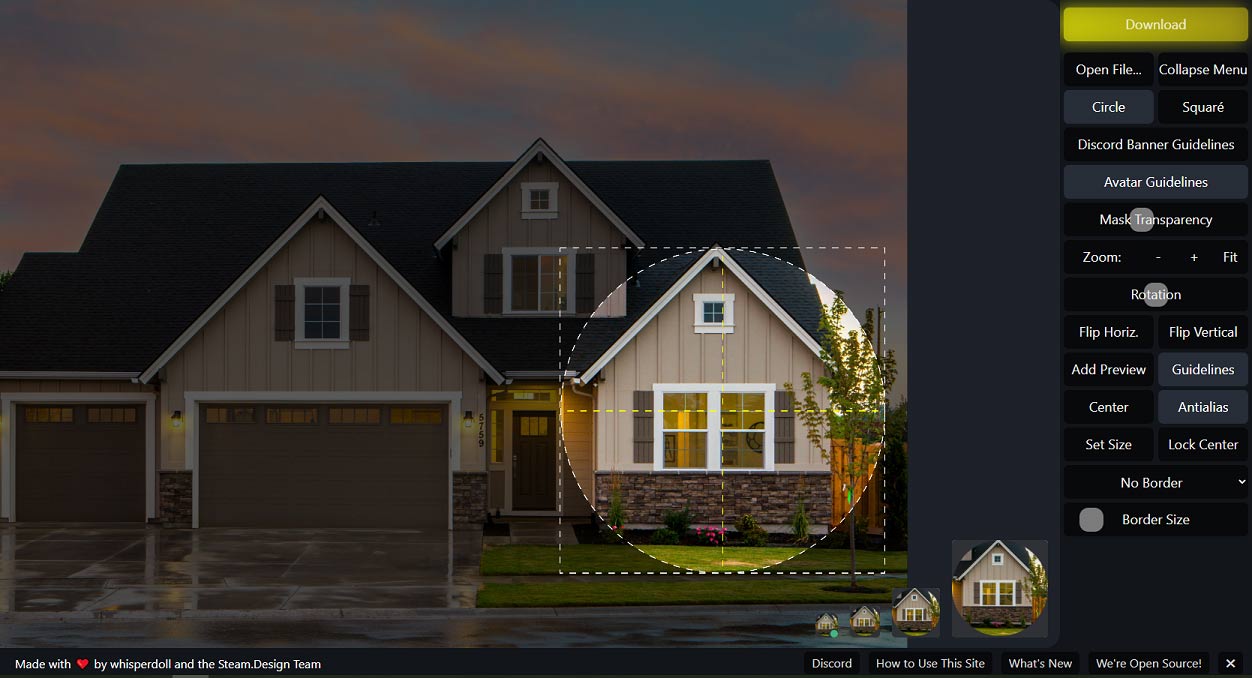
Next, make additional settings if necessary to customize your avatar.
Step 3: Save the Avatar
Click the Download icon, choose the shape of your avatar, and click Save.
2. Fotor
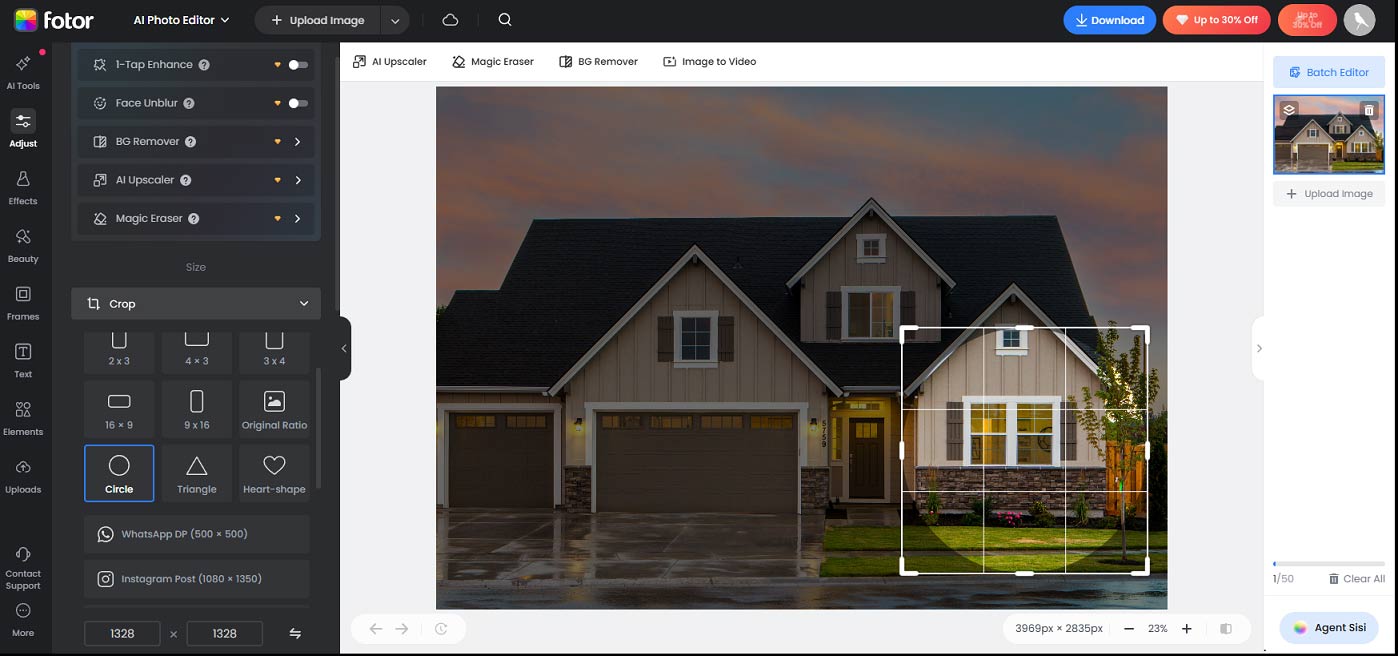
Fotor is a popular online photo editor and graphic design platform known for its ease of use, versatility, and AI features. Undoubtedly, it’s also a good avatar cropper for general use. It allows you to crop avatars freely or to a specific aspect ratio. Besides, this platform is capable of cropping your avatar into other shapes, including circles, triangles, and heart shapes. If you want a circle avatar cropper, don’t miss this option.
What’s more, Fotor provides some presets to help you easily crop photos for WhatsApp DP, Instagram posts, YouTube thumbnails, Facebook posts, etc.
Step 1: Upload Your Avatar
Navigate to Fotor.com and sign in with your account. Click AI Photo Editor on the homepage, then click Upload Image to add your photo.
Step 2: Crop the Avatar
Select Adjust on the left toolbar, then click Crop from the Adjust submenus. Then, choose a way to crop the image, and a cropping handle immediately appears on the image. Resize and position the handle to choose the section you want to preserve.
Step 3: Save Your Avatar
Click the Download button and choose the format, PNG or JPG, to save the photo.
3. CapCut Online
In addition to the desktop and mobile applications, CapCut also offers a robust web-based version for easy video creation and photo editing. As an online image editor, CapCut Online allows you to crop images to various aspect ratios. So, if you need an avatar cropper, it’s also a great option.
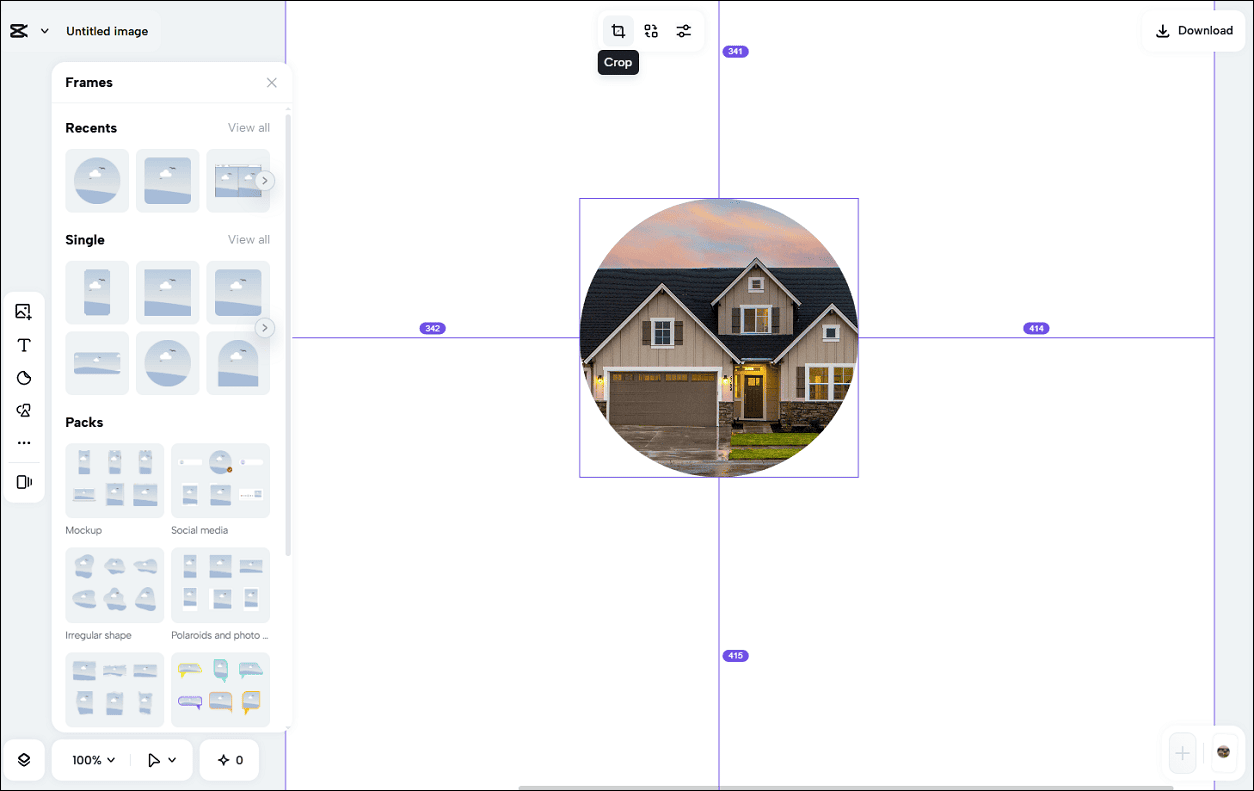
While CapCut Online does not provide a circle crop option, it still allows you to make circle avatars. This platform features a wide variety of frames that can turn your images into various shapes.
What’s more, CapCut Online allows you to adjust the avatar’s color and light, apply filters, effects, etc.
Step 1: Upload Your Image
Visit capcut.com and sign in with your account. Select Image and click New image to open the editing page. Click Upload (a photo icon above T on the left side) to open your image and drag it to the editing canvas.
Step 2: Crop the Image
Select the image and click the Crop icon in the top menu. Then, you can use the cropping handle to crop the avatar or choose a ratio to crop it. Next, you can use frames, shapes, and stickers to decorate your avatar.
Step 3: Save the Image
Click Download in the upper-right corner, choose the format and quality, and click Download.
Conclusion
This post reviews 3 reliable avatar croppers. All of them are easy to use and ensure eye-catching profile pictures. Choose your favorite one and enhance your online presence.
About The Author

Position: Columnist
Cora is a tech writer specializing in digital media workflows, with over six years of hands-on experience in video post-production, media transcoding, and screen capture. Her writing is always clear and practical. Cora also produces in-depth software reviews for users across skill levels to help them find the right tool and enjoy video editing.
User Comments :