

Why Convert a Photo to a Crayon Drawing
The crayon drawing filter is a digital effect that turns images into illustrations with the appearance and texture of hand-drawn crayon artwork. Converting your photos to crayon drawing style creates a warm, nostalgic, and uniquely personal aesthetic, adding a distinctive style to photographs. In addition, the crayon-drawn illustration style is perfect for creating invitations, greeting cards, social media avatars, and more.
Want to convert your photo to crayon drawing art? The content below provides three reliable and quick methods. Read on.
How to Transform Your Photo into Crayon Art
Here are three methods you can’t miss to turn a photo into crayon art.
Method 1. Use FlexClip
FlexClip is a versatile and robust online crayon art generator, transforming your picture into a crayon drawing in a flash. It is powered by AI, can accurately identify image elements, and recreate them in a hand-drawn crayon style. Whether it’s portraits, pet portraits, or landscape photos, they can all be transformed into high-quality crayon effects that faithfully reproduce the original image. Additionally, FlexClip supports high-resolution outputs and more trendy filters, such as Ghibli, cyberpunk, clay, and more.
Now, follow the guides below to generate your picture into crayon art.
1. Enter FlexClip’s Crayon Drawing Generator
Visit https://www.flexclip.com/tools/photo-to-crayon-drawing/.
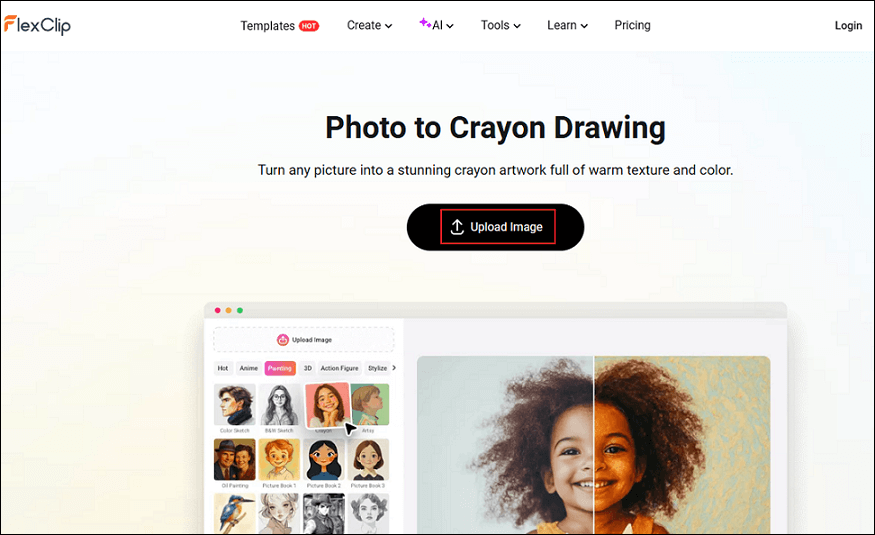
2. Upload Your Picture
Click the Upload Image button to add your photo to the tool.
3. Generate the Picture into a Crayon Drawing
The Crayon option is selected by default. Simply click the Generate button to convert the photo to crayon drawing.
4. Download the Picture
Click the Download option to save the photo.
Method 2. Use BeFunky
BeFunky is a powerful image editor that can turn your picture into crayon art efficiently. It offers a straightforward user interface, making it perfect for beginners. In addition, BeFunky also offers other image styles, like pencil sketches, watercolors, ink wash drawings, etc. All these effects can bring your ideas to life in a personalized and authentic way.
Here’s how to convert a photo to crayon drawing using BeFunky.
1. Go to BeFunky’s Photo Editor
Visit https://www.befunky.com/create/pastel/.
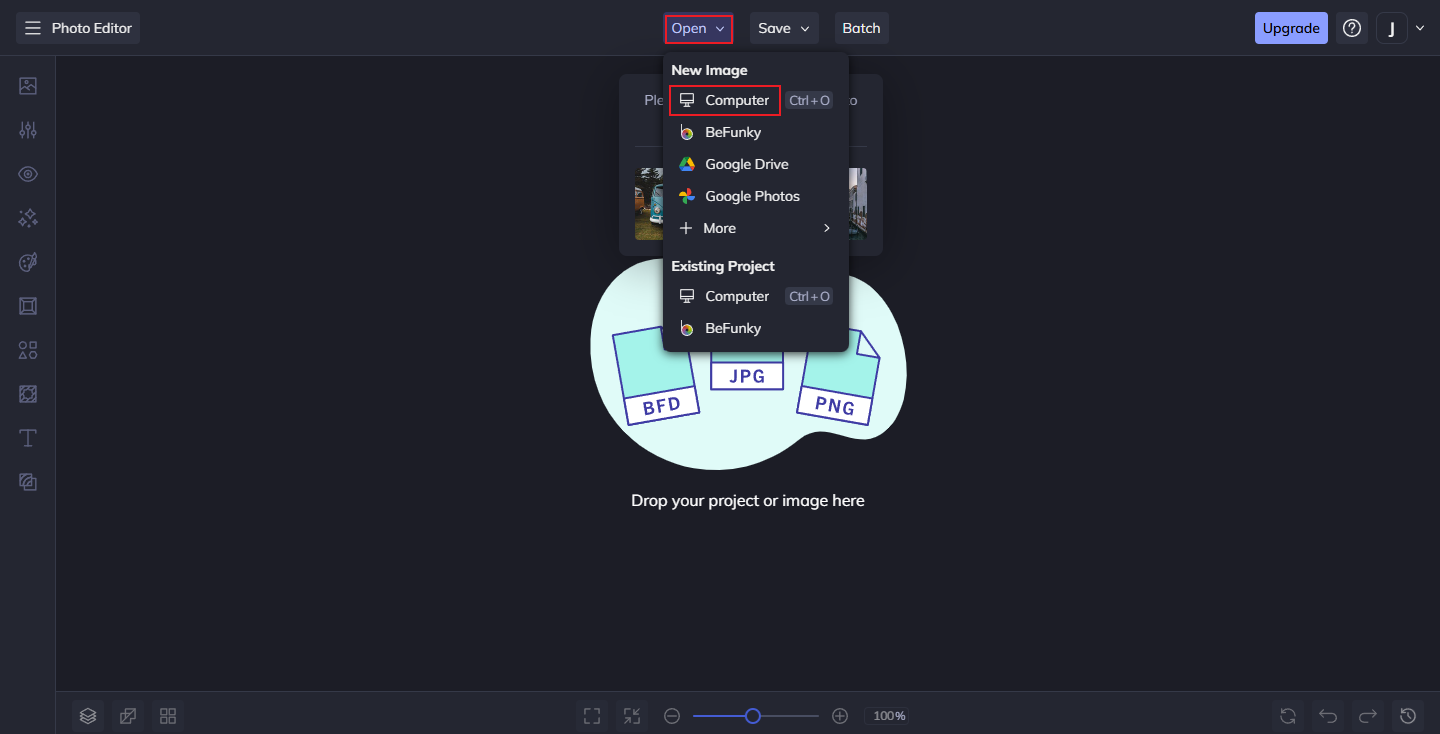
2. Upload Your Picture
Expand the Open option at the top and choose a way to upload your photo.
3. Choose a Crayon Style
In the left menu, choose the Crayon GFX option.
4. Save the Picture
Click the Save option at the top and choose an output destination.
Method 3. Use Media.io
Media.io is a professional and reliable photo editor that can convert photo to crayon drawing efficiently. It has an intuitive user interface, allowing everyone you easily navigate. In addition, Media.io offers a variety of filters, including felt art, melt filter, etc. Now, you can follow the instructions below to generate crayon drawing picture.
1. Access Media.io’s Crayon AI Drawing Generator
Visit https://www.media.io/ai/image-to-image/crayon-ai-drawing.
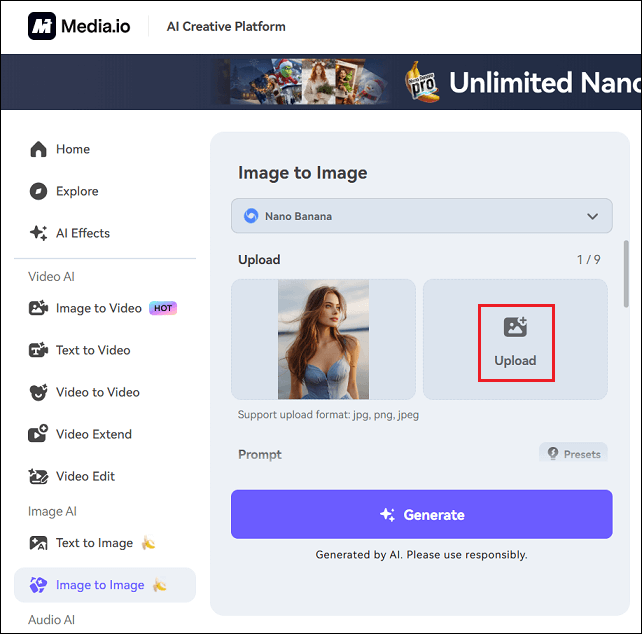
2. Upload Your Picture
Click the Upload option to add your picture.
3. Generate the Photo
Click the Generate button to convert your photo to crayon drawing.
4. Download the Photo
When the generating process completes, click the Download button to save the picture.
Bonus: How to Make a Video with Photos
How to turn your memorable pictures into a video? MiniTool MovieMaker can help you! It is a free and powerful video editor that features various editing functions. It supports converting photos to a video, editing a GIF, creating a photo collage, copying and pasting on the timeline, high-resolution editing, and more. Just click the download button below and give it a try!
MiniTool MovieMakerClick to Download100%Clean & Safe
In Summary
The crayon drawing filter has a high resolution and a simple and adorable style, perfect for portraits or pet photos. This post provides three easy and reliable methods to convert a photo to crayon drawing. Choose the one you prefer and start generating your pictures!
User Comments :