

Looking for an online audio normalizer? This guide introduces three of the best online audio normalizers, including Audio2Edit.com, Image Tool Hub, and MP3.to.
An audio normalizer helps adjust the volume level of audio files to ensure consistent loudness without distortion. Instead of manually editing audio in complex software, online audio normalizers offer a quick and convenient way to balance sound levels. In this post, I explore three reliable tools, including Audio2Edit.com, Image Tool Hub, and MP3.to, that make the process simple and efficient.
Option 1: Audio2Edit.com
Audio2Edit.com is a user-friendly online audio normalizer that makes it easy to adjust the volume of audio files without requiring a login. With its clean interface and straightforward workflow, I can quickly normalize audio online and achieve consistent sound levels.
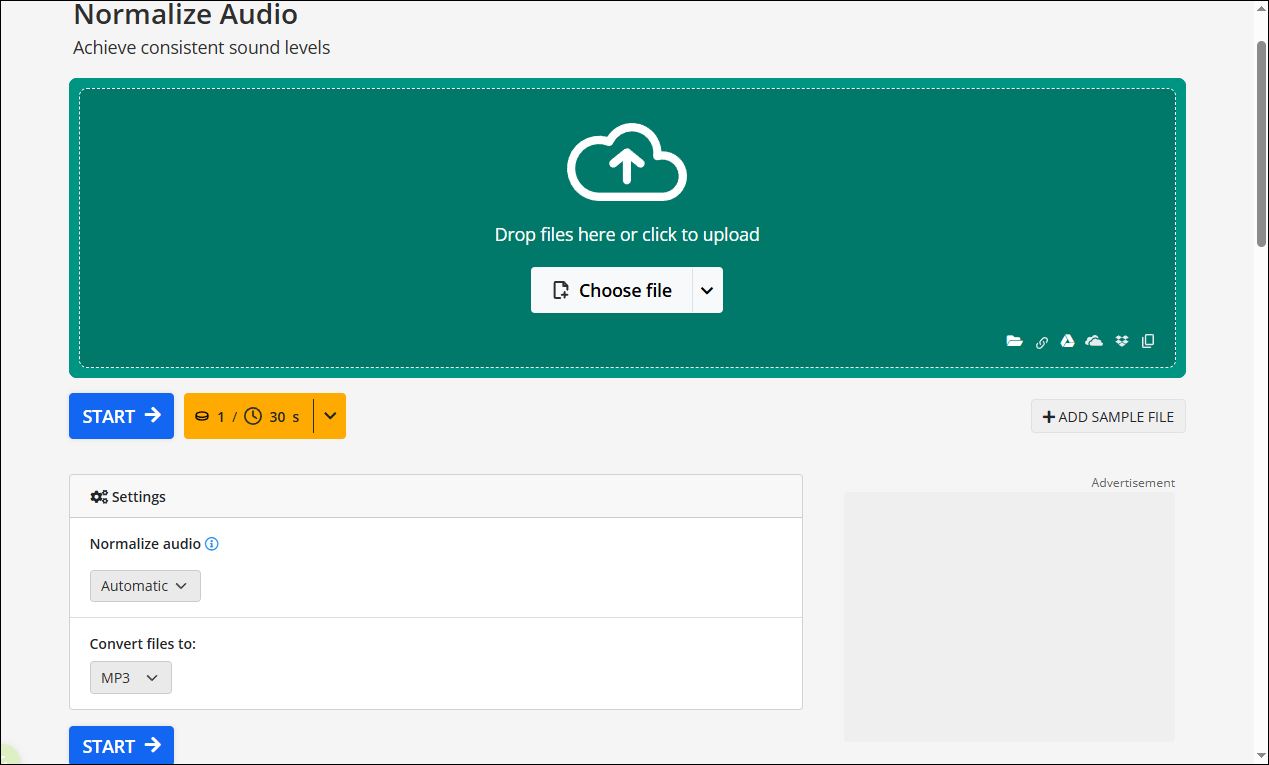
One of the key advantages of this tool is its support for multiple audio formats, including AAC, AIFF, FLAC, M4A, MP3, OGG, Opus, WAV, and WMA. It also allows me to choose different normalization methods, such as EBU, RMS, PEAK, and automatic normalization, depending on my needs. This flexibility makes it suitable for both simple adjustments and more precise audio editing tasks.
In addition, Audio2Edit.com offers other audio editing features, such as extracting audio from video, converting speech to text, boosting audio volume, and more. Overall, it is a reliable online audio normalizer for anyone who wants to improve audio consistency quickly, delivering solid results with minimal effort.
Option 2: Image Tool Hub
Image Tool Hub is another useful online audio normalizer. Compared with similar tools, it provides more flexible control over audio normalization settings. I can choose from various LUFS presets, including Spotify, YouTube, Apple Music, Amazon Music, Broadcast, Podcast, and Custom. It also offers multiple normalization types, such as Peak, RMS, and LUFS.
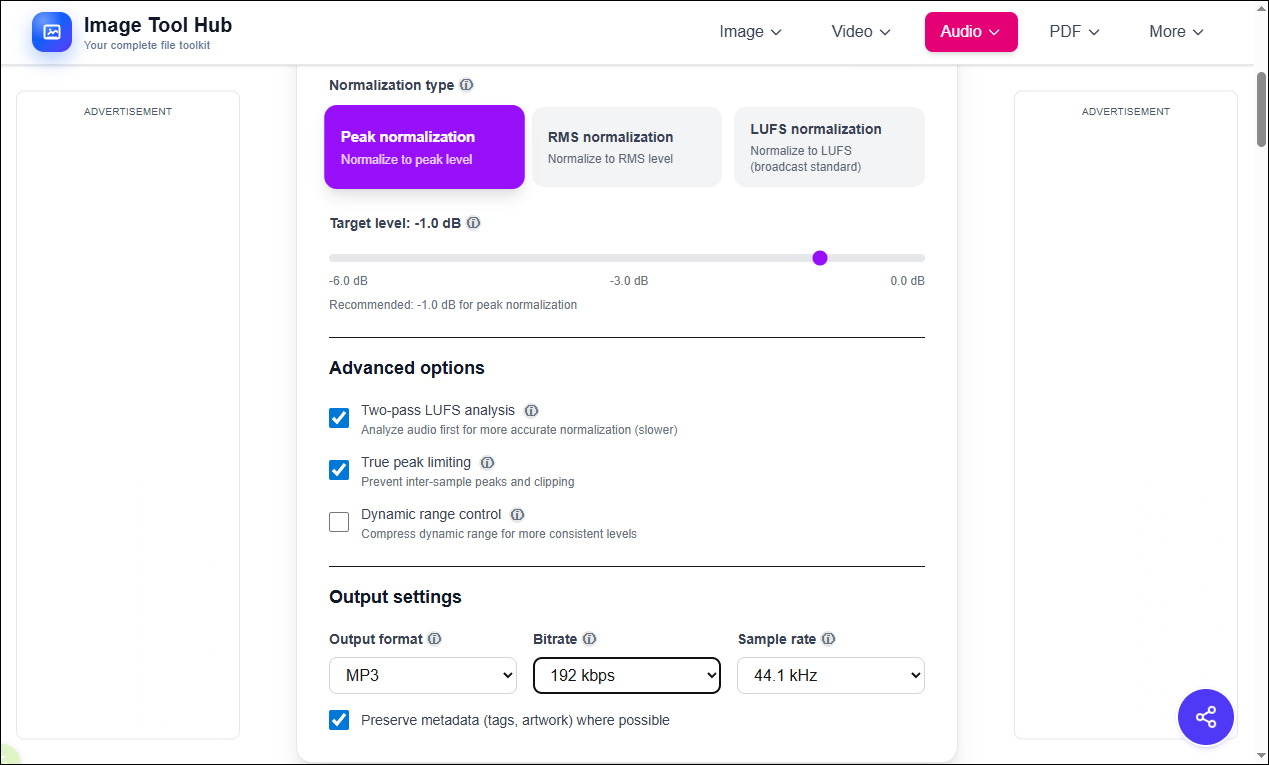
For advanced settings, Image Tool Hub includes features such as two-pass LUFS analysis, true peak limiting, and dynamic range control. Two-pass LUFS analysis improves precision by analyzing the audio twice before applying adjustments. True peak limiting helps prevent distortion during playback, while dynamic range control reduces the difference between loud and quiet parts, resulting in a more balanced listening experience.
When exporting the audio, I can select the desired output format, including MP3, WAV, FLAC, OGG, AAC, and M4A. In addition, it allows me to customize the bitrate and sample rate, offering a high level of flexibility.
What’s more, Image Tool Hub provides other related tools, such as an audio compressor, audio cutter, and podcast trimmer. Overall, it is a versatile and powerful online audio normalizer for users who need more advanced control over audio processing.
Option 3: MP3.to
MP3.to is a simple and efficient online audio normalizer that focuses on quick audio processing. With its clean and minimal interface, I can easily normalize audio online without dealing with complicated settings, making it a great choice for beginners or users who prefer a fast workflow.
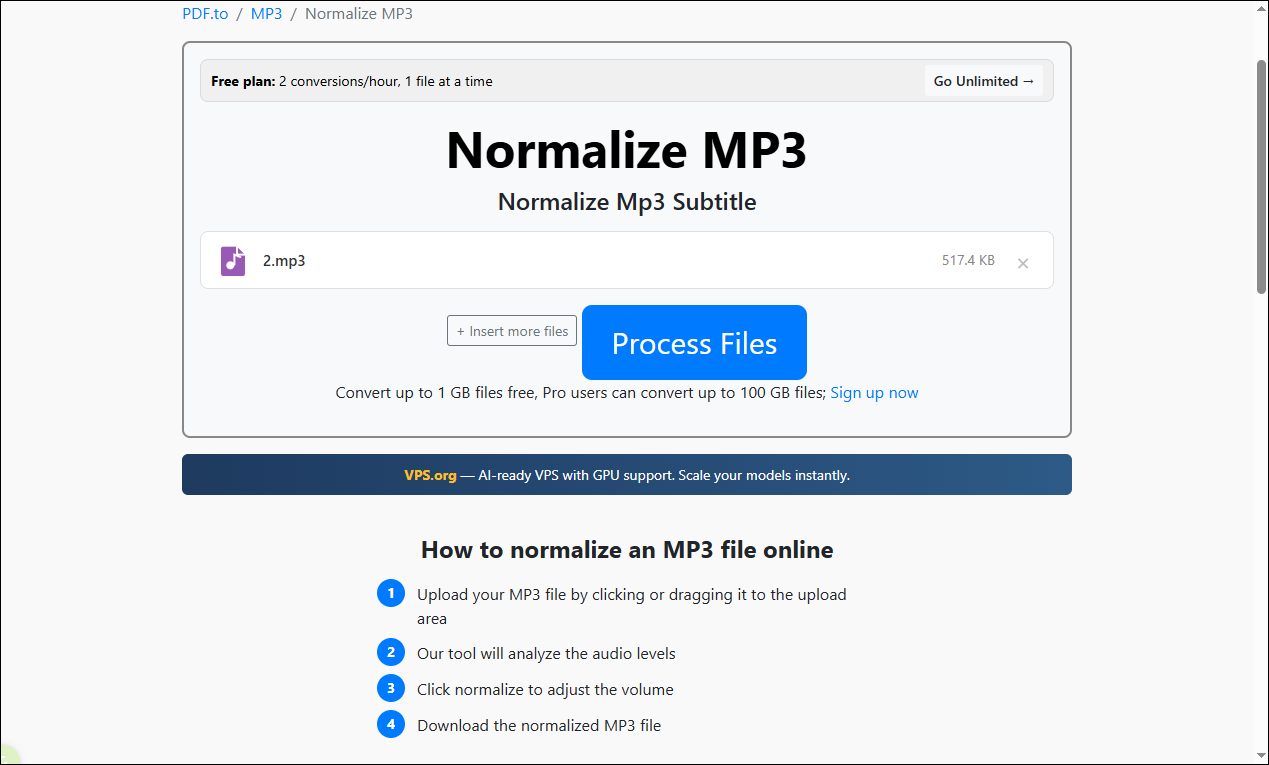
This tool supports common audio formats and delivers reliable normalization results with just a few clicks. Compared with more advanced platforms, MP3.to offers fewer customization options, but that also makes it easier to use for straightforward tasks. It is especially suitable when I only need to balance audio levels quickly without fine-tuning detailed parameters.
In addition to audio normalization, MP3.to provides basic audio-related tools, including compressing, trimming, merging, and adjusting MP3 volume. Overall, it is a practical online audio normalizer for quick and hassle-free audio processing.
Bonus: Discover the Windows Audio Editor
Want to edit audio in an all-in-one application? MiniTool MovieMaker is a Windows movie maker that is capable of editing video, audio, and images with ease.
With MiniTool MovieMaker, I can adjust audio volume, apply fade-in and fade-out effects, trim audio clips, and edit audio tracks with greater precision. Compared with online tools, it provides a more stable performance, making it suitable for larger files or more complex editing tasks. Just click the download button below to unlock endless possibilities!
MiniTool MovieMakerClick to Download100%Clean & Safe
Conclusion
Online audio normalizers provide a simple and efficient way to achieve consistent sound levels without using complex software. This post introduces three best online audio normalizers, including Audio2Edit.com, Image Tool Hub, and MP3.to. Choose the tool that best suits your tastes and give it a try!
User Comments :