

This post guides you through how to make Etsy banners using Adobe Express, Pixelixe, and Design.com. Effortlessly add a polished and personal touch to your Etsy banners with just a few clicks.
Etsy banners play an important role in shaping how shoppers perceive an Etsy store. An Etsy banner is not only a visual element that grabs attention but also an essential marketing asset for promoting a business. This post introduces three reliable ways to help you make Etsy banners, adding a professional touch to your Etsy banners with ease.
The Size of an Etsy Banner
Etsy offers two main banner sizes: big banners and mini banners. Etsy recommends big banners to be 3360 × 840 pixels for optimal performance. The mini banner is 1200 × 160 pixels for a focused look.
In addition to the standard size, a memorable Etsy banner should also showcase the shop’s name, introduce your products, use eye-catching images and graphics, and feature harmonious colors and fonts. The following section explains how to create Etsy banners with three online Etsy banner makers.
How to Make Etsy Banners: 3 Methods
This part focuses on three practical ways to make Etsy banners, including Adobe Express, Pixelixe, and Design.com. Let’s take a closer look at each of them.
Method 1: Make Etsy Banners with Adobe Express
Adobe Express is an all-in-one design platform. With a wide collection of professionally designed templates, Adobe Express makes it easy for beginners without advanced skills to create custom Etsy banners. What’s more, it includes an extensive library of design assets, including fonts, icons, and images, which is also suitable for experienced users to create unique Etsy banners from scratch.
In addition, Adobe Express comes equipped with background and object removal tools to edit images.
How to make Etsy banners using Adobe Express? Here is the step-by-step guide.
Step 1: Access Adobe Express’s Templates
Visit the official website of Adobe Express’s Etsy banners templates (https://www.adobe.com/express/create/banner/etsy) in your browser. Click Create now to enter the template library.
Step 2: Customize the Template
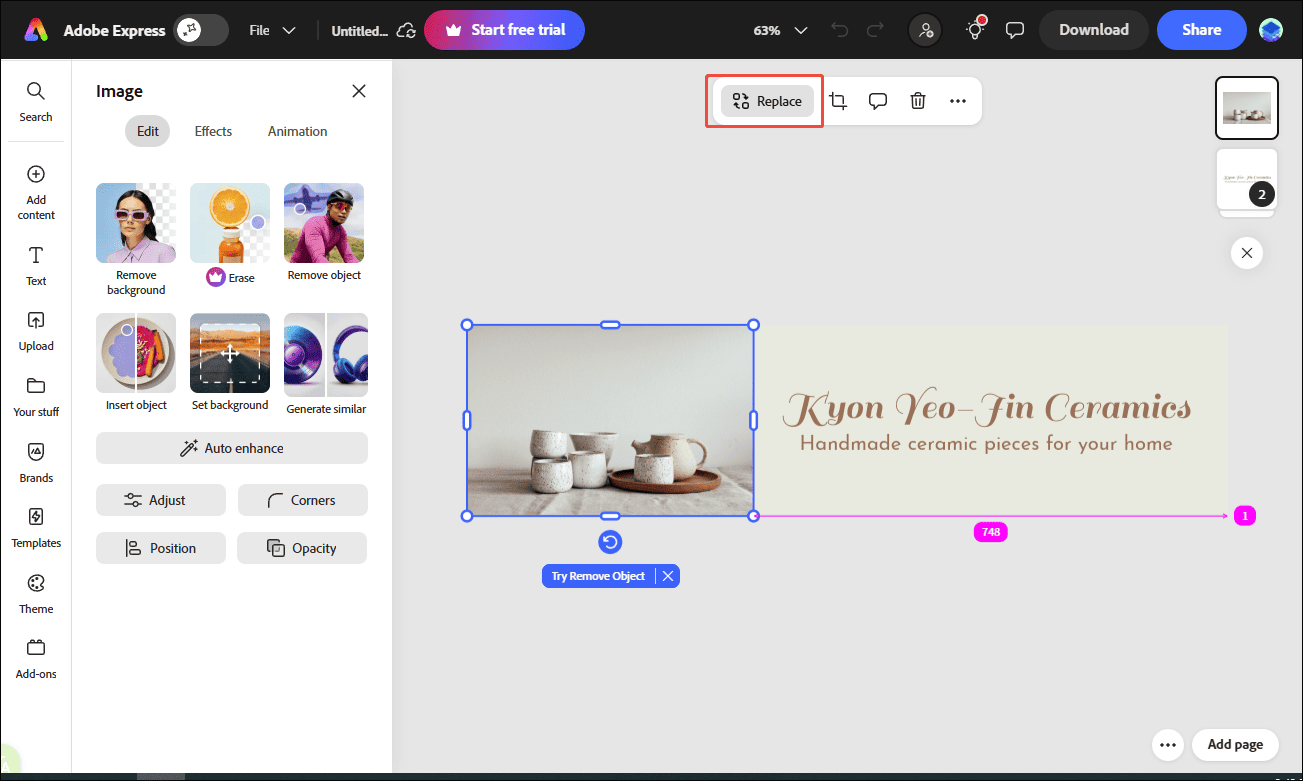
Select your desired template. Then, you can customize the template. Select the image and click Replace to change the image. You can upload your image or select photos from the media library. Enter your words and customize their style in the left text properties panel to make the key information stand out.
Step 3: Save the Banner
After editing, click the Download option to save the banner image to your computer.
Method 2: Make Etsy Banners with Pixelixe
Pixelixe is another design tool that enables users to create custom visuals such as banners, social media graphics, and ads with ease. It comes with a large variety of ready-made templates for social media, such as Instagram posts, YouTube thumbnails, and Etsy banners. With an intuitive interface and easy-to-use editor, Pixelixe is accessible for users to make Etsy banners in minutes.
Here are the concrete steps for creating Etsy banners using Pixelixe.
Step 1: Open Pixelixe Studio
Go to the official website of Pixelixe studio (https://studio.pixelixe.com/) in your browser.
Step 2: Select a Desired Template
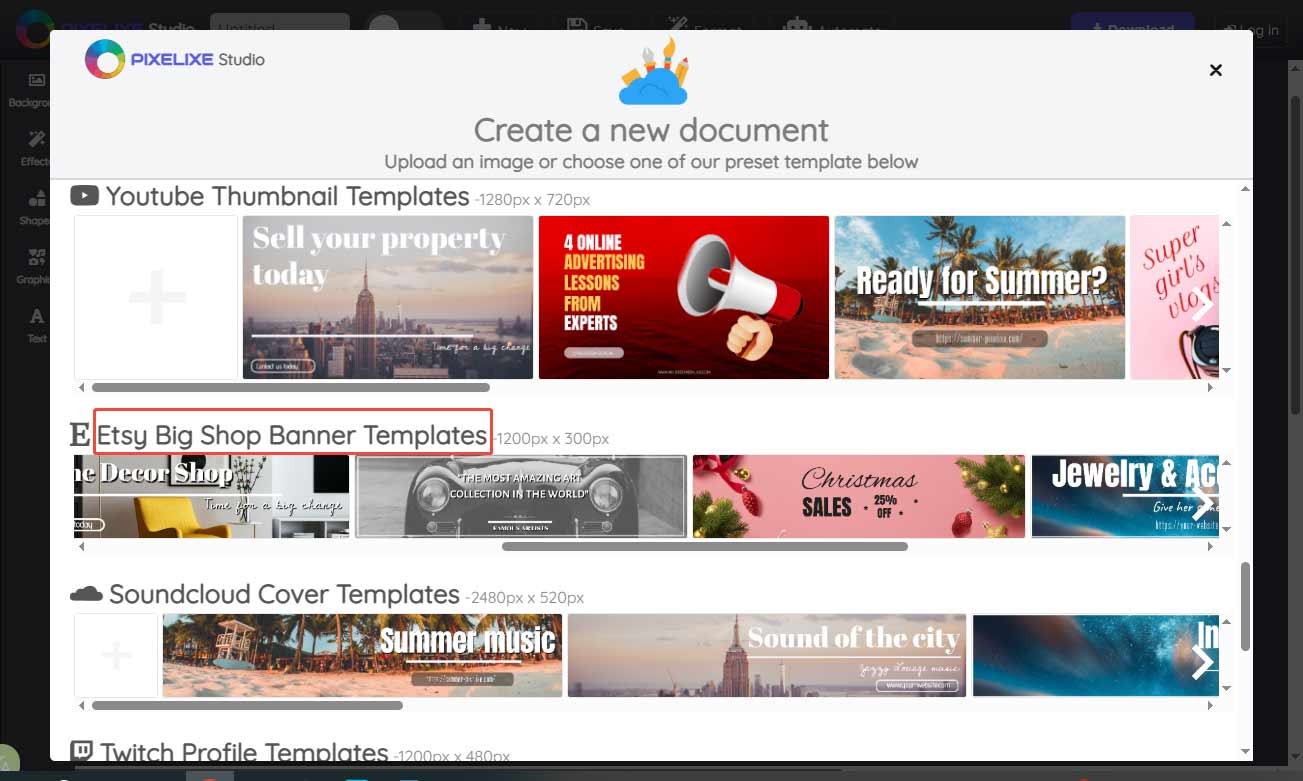
Scroll down to find your desired Etsy banner template for your store. Click it to enter the main editing interface.
Step 3: Fine-Tune the Banner
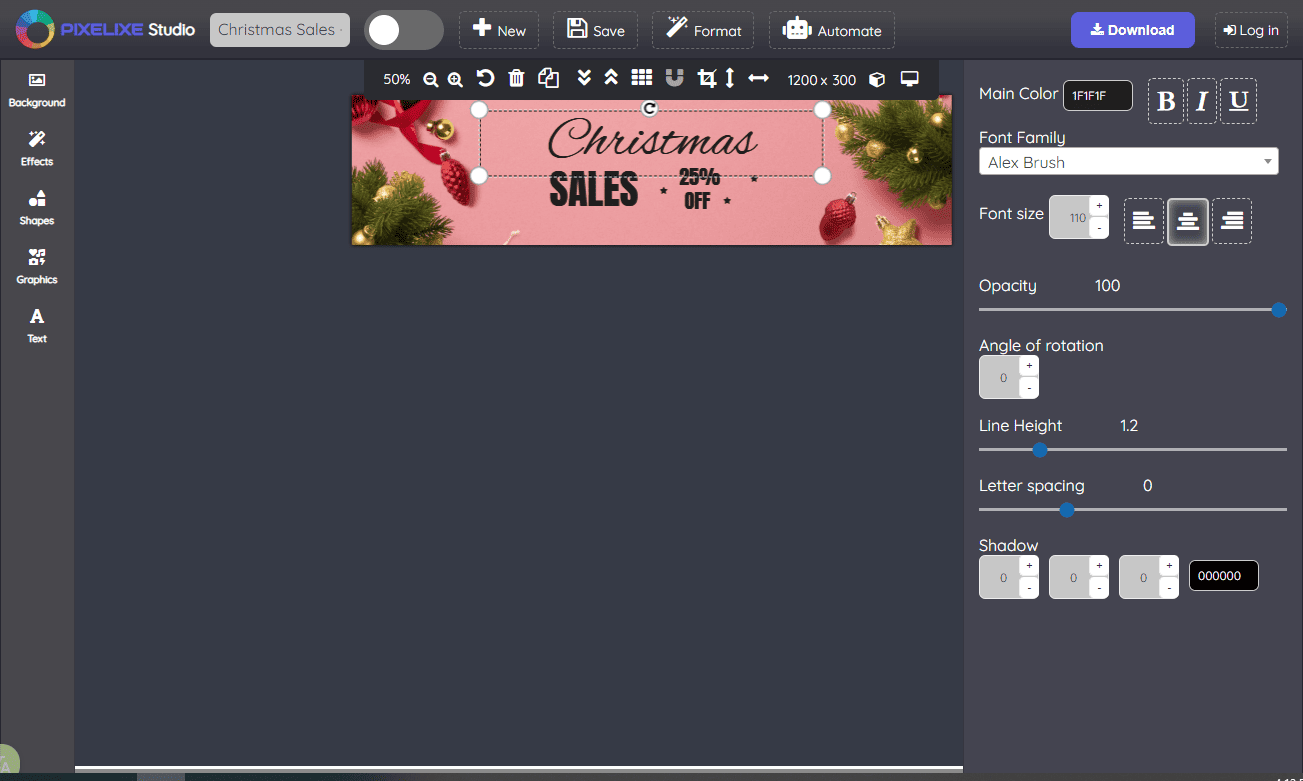
Click the Background tab in the sidebar to crop and resize the image. You can also add effects to the background to make it more engaging. To spice up the image, click Shapes to add the desired one to decorate the banner. Select the text and change its style, including fonts, size, opacity, rotation, spacing, and more options.
Step 4: Save the Image
Once the editing is finished, click Download to save the banner image to your computer.
Method 3: Make Etsy Banners with Design.com
Design.com is another perfect Etsy banner maker that includes thousands of pre-made templates. What’s more, the intuitive editing tools allow you to quickly customize colors, fonts, and images to match your brand. What makes Design.com unique is that it supports high-quality exports. You can share your banner in PNG and JPG formats or print it in SVG, EPS, and PDF formats, ensuring your banner remains sharp and professional. Follow the steps below to create stunning Etsy banners.
Step 1: Access Design.com’s Etsy Banners Templates
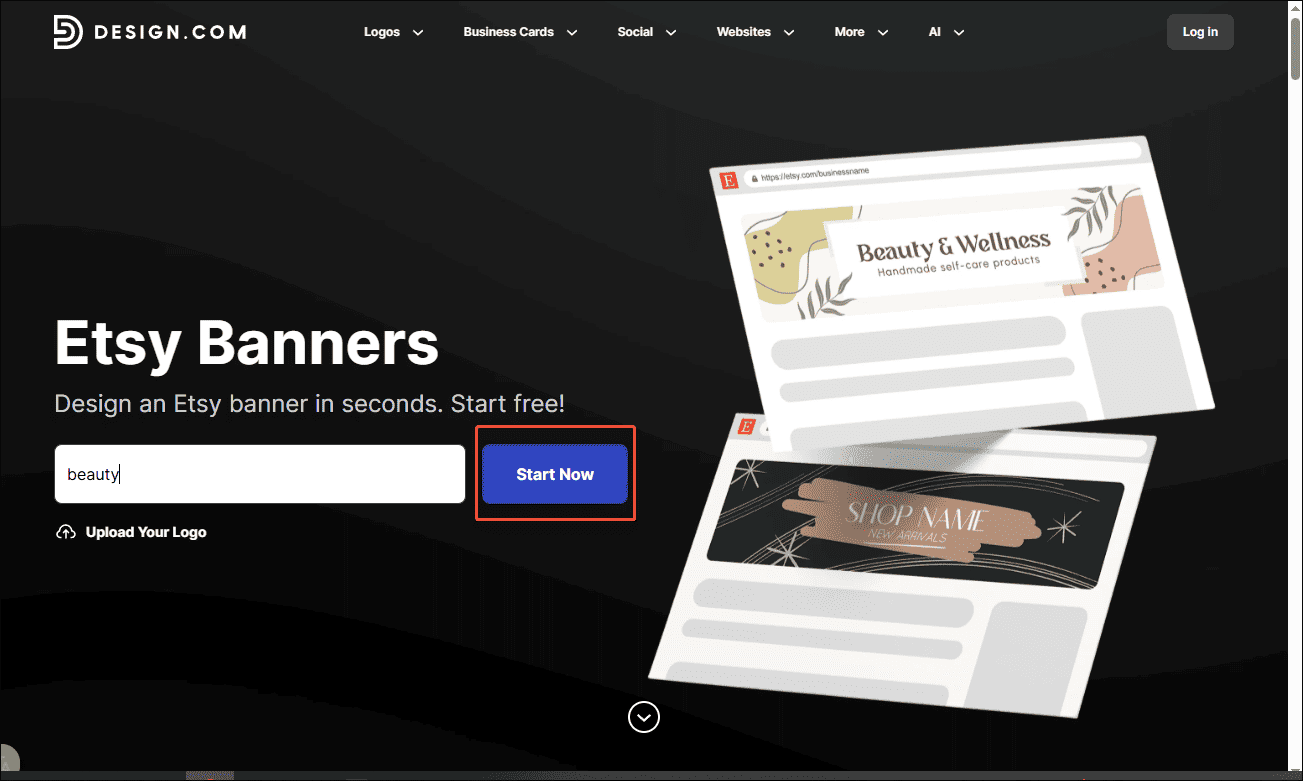
Go to the official website of Design.com’s Etsy banner templates (https://www.design.com/etsy-banners) in your browser. You can enter keywords in the search bar to find precise banner templates.
Step 2: Customize the Template
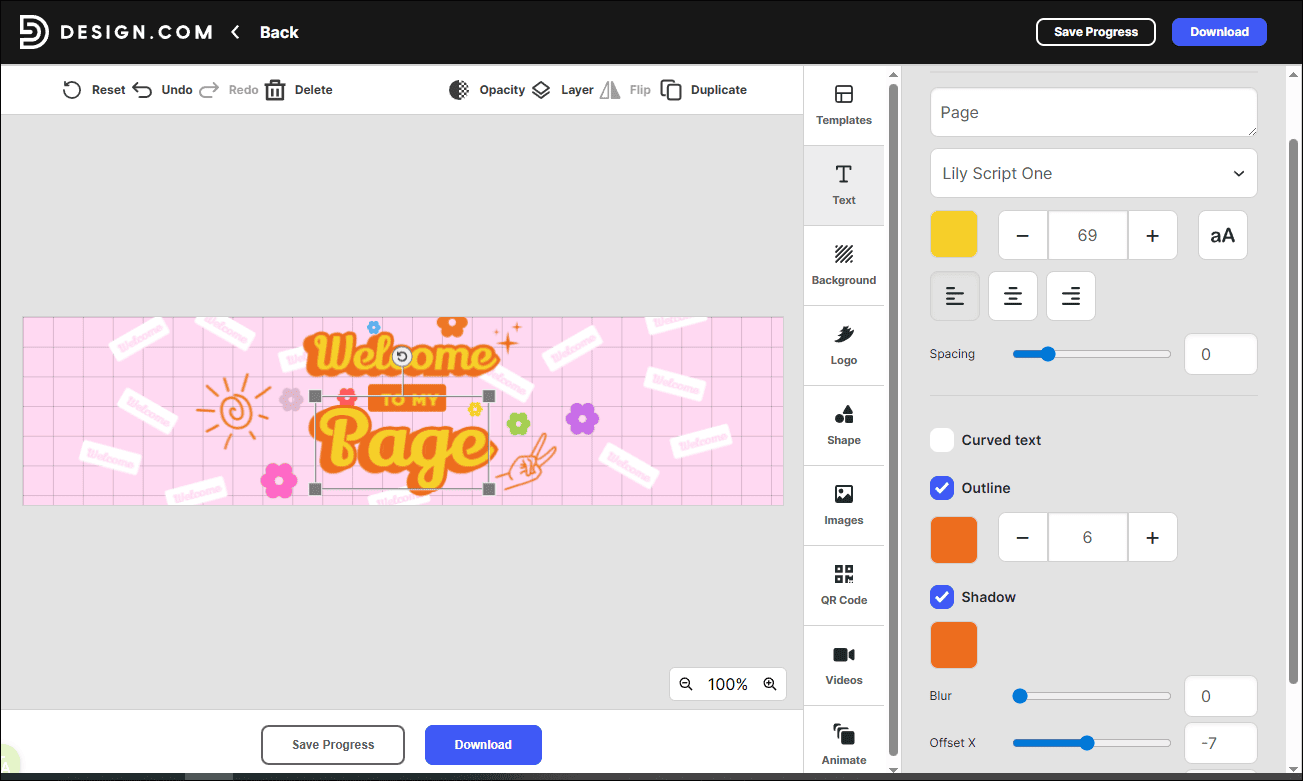
Select your desired template to enter the editing interface to customize it. Select the shape to change its color in the right panel. Click the text to adjust its properties, such as fonts, size, and you can also add outline and shadow to make the text more attractive. What’s more, Desigbn.com allows you to add a QR code to the banners directly.
Step 3: Save the Banner
Click the Download option to save the edited banner to your computer.
Conclusion
This post recommends three practical methods to make Etsy banners. Each of them is easy to use. With the powerful tool, you can create eye-catching and professional Etsy banners in minutes!
User Comments :