

Creating an eye-catching podcast cover is essential for attracting listeners and building a strong brand identity. When I browse platforms like Apple Podcasts or Spotify, the cover art is often the first thing that catches my attention and influences whether I click on a show.
In this post, I will explain how to create a podcast cover online using Canva, PosterMyWall, and Adobe Express. Before getting started, I will first introduce the standard dimensions and specifications for podcast cover art.
Dimensions of Podcast Cover Art
Before creating a podcast cover, I always make sure to follow the standard size and format requirements. Using the correct dimensions not only ensures better visual quality but also helps avoid upload issues on major platforms.
Most podcast platforms, including Apple Podcasts and Spotify, recommend the following specifications:
Recommended size: 3000 × 3000 pixels.
Minimum size: 1400 × 1400 pixels.
Aspect ratio: 1:1 (square).
File format: JPEG or PNG.
Color mode: RGB.
Maximum file size: Usually under 500 KB.
A high-resolution square image ensures that the podcast cover looks sharp across different devices, from mobile screens to desktops. I also try to keep the design simple and readable, as the cover is often displayed in smaller sizes.
Once I understand these requirements, I can start creating a podcast cover using the tools below.
How to Create a Podcast Cover Online
Below are three effective ways to create a podcast cover online using Canva, PosterMyWall, and Adobe Express.
Method 1: Use Canva
Canva is a popular online design tool that offers a wide range of editing tools, such as making a heart-shaped collage and creating a Spotify playlist cover. With a large collection of podcast cover templates and a drag-and-drop interface, I can create professional-looking artwork with just a few clicks.
Here is how to create a podcast cover using Canva.
Step 1: Open Canva and Choose a Template
Go to Canva’s official website (https://www.canva.com/) and sign in to my account. Click Templates in the left toolbar, enter podcast cover in the search bar, and browse through the available templates. Then, choose a template that fits my podcast theme.
Step 2: Customize the Design
After selecting a template, I can customize it by editing the text, changing fonts, and adjusting colors. Click Uploads in the left toolbar and click Upload files again to import my own images. Canva also allows me to use built-in elements like icons, shapes, and backgrounds to enhance the design.
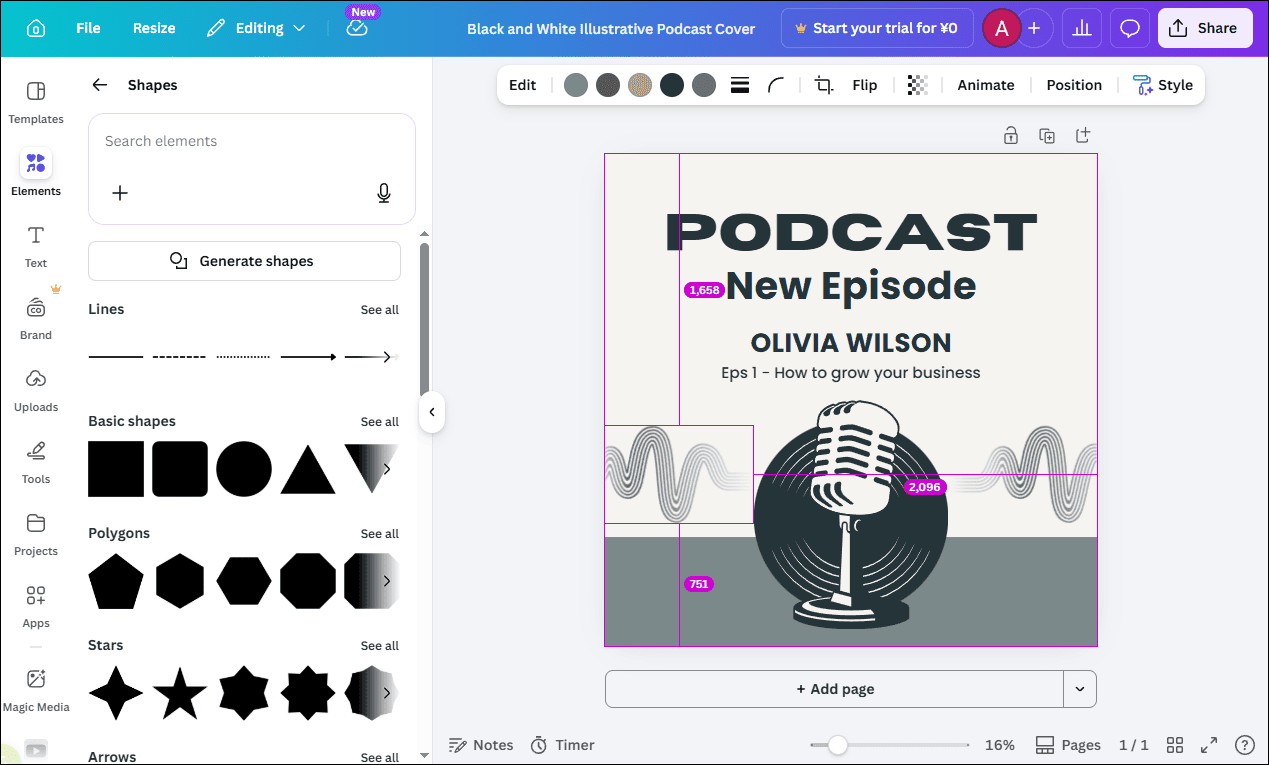
Step 3: Download the Podcast Cover
Click the Share button and choose Download. Select JPG or PNG to save the podcast cover to the computer.
Method 2: Use PosterMyWall
PosterMyWall is an easy-to-use online design platform that offers a variety of customizable templates, including magazine cover and podcast cover designs. It is a great choice when I want to quickly create visually appealing artwork without advanced design skills.
How to create a podcast cover using PosterMyWall? Here is the detailed guide.
Step 1: Visit PosterMyWall and Search for Templates
Go to PosterMyWall’s website (https://www.postermywall.com/) and type podcast cover in the search bar at the upper-right corner. Browse through the available templates and choose one that matches my podcast style.
Step 2: Customize the Template
After selecting a template, I can reposition elements, resize images, and refine the layout to make sure everything looks balanced. Click text and customize its fonts, colors, opacity, and more options. PosterMyWall also provides built-in graphics and stock images that I can use to enhance the overall design.
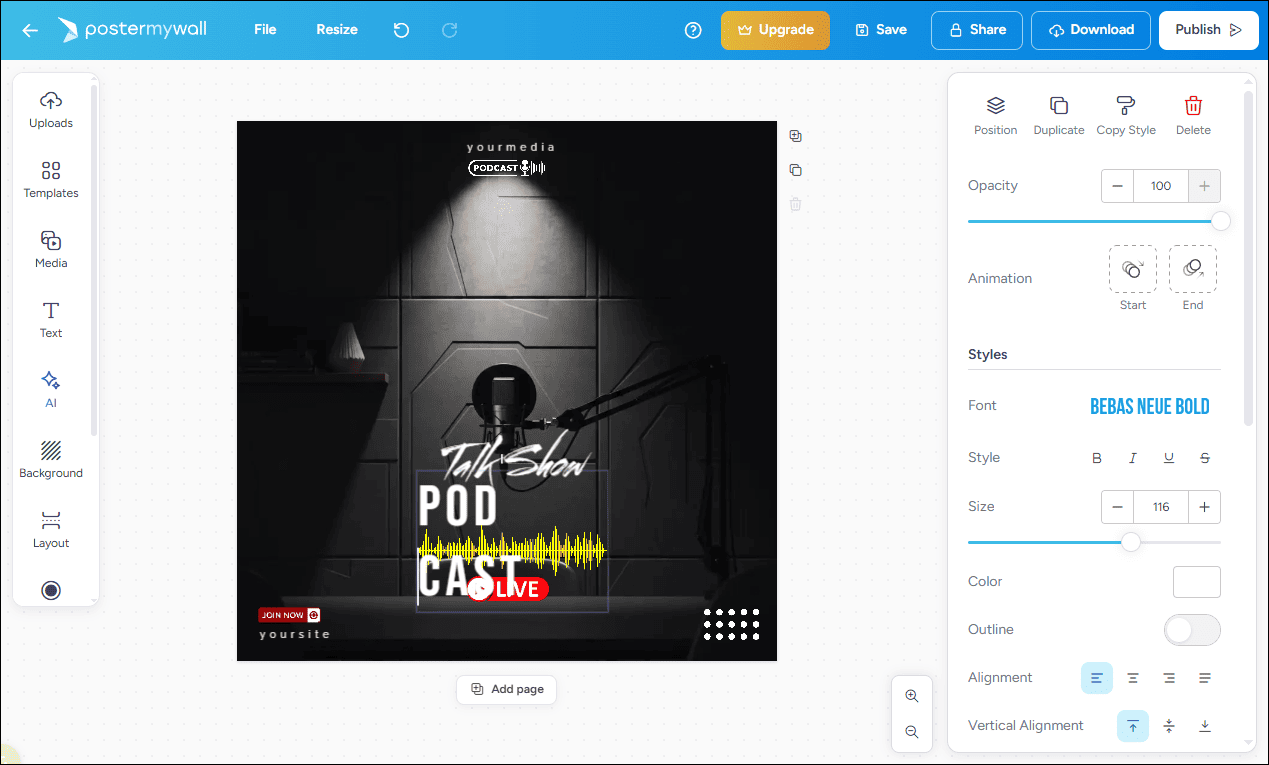
Step 3: Download the Podcast Cover
Once the design is complete, click the Download option and choose the desired format to save the podcast cover.
Method 3: Use Adobe Express
Adobe Express is a simple yet powerful online design tool. It includes social platform editing templates, such as Facebook cover photo collages. It also offers professionally designed podcast cover templates that allow me to create high-quality images quickly. Follow the guide below to start creating.
Step 1: Open Adobe Express and Choose a Template
Visit the podcast cover template page (https://www.adobe.com/express/templates/cover/podcast). Select an appropriate template.
Step 2: Customize the Design
Select the image and click Replace to change the image. Upload my image or select photos from the media library. Enter the text and customize its style in the left text properties panel to make the key information stand out.
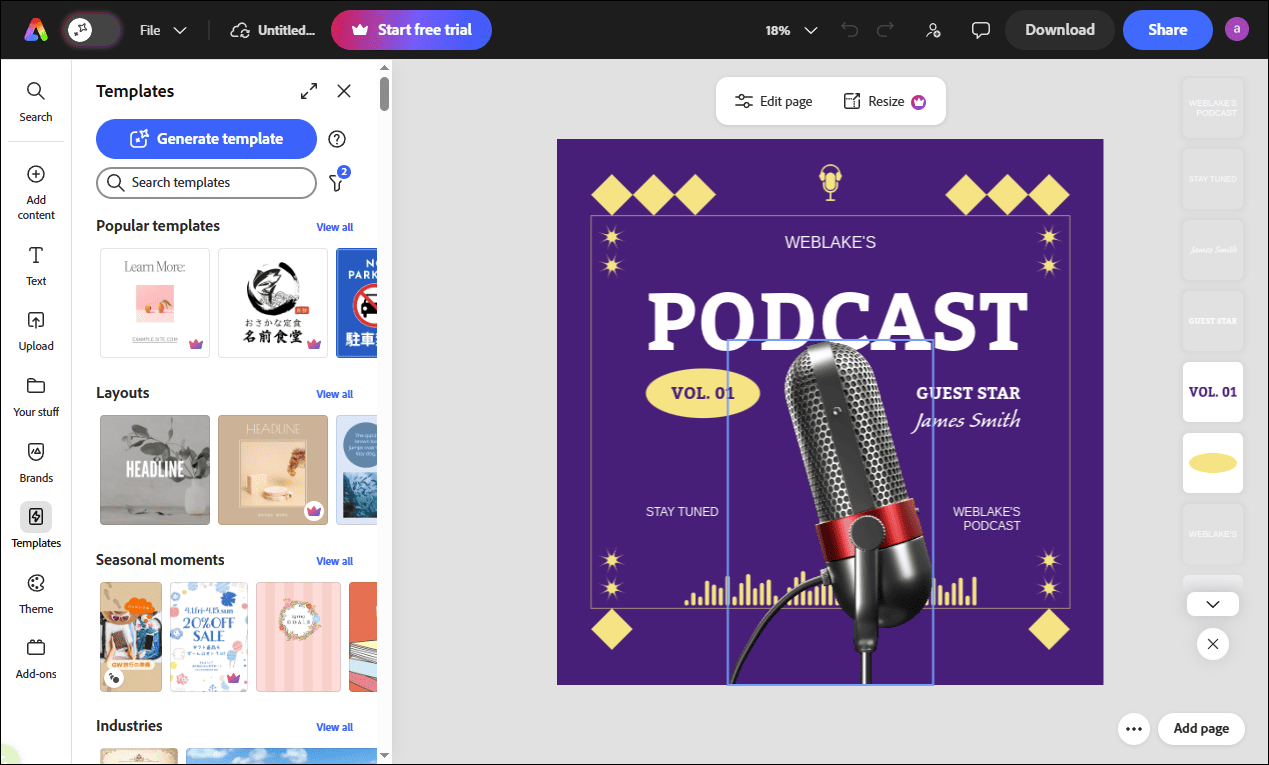
Step 3: Download the Final Cover
Click Download and choose a proper format to save the final cover to the computer.
Conclusion
This post explains how to create a podcast cover online using Canva, PosterMyWall, and Adobe Express. Each of them is easy to use. With the powerful tool, you can create an eye-catching and professional podcast cover in minutes!
User Comments :