

In order to make your video stand out among thousands of videos, let us take a look at the following four intro maker apps.
- MiniTool MovieMaker
- Intro Maker, Outro Maker, Intro Templates
- Into Maker – Game Intro, Outro, Video Templates
- IntroTube: Intro Video Maker
MiniTool MovieMaker
It is a free intro maker app for PC, without watermarks and ads. The software offers a variety of title card text templates. Just select a template, add it to the timeline, and edit the text to customize the intro. You can edit the text color, size, font, and more. You can also change the duration of the intro by dragging the right edge of the track on the timeline.
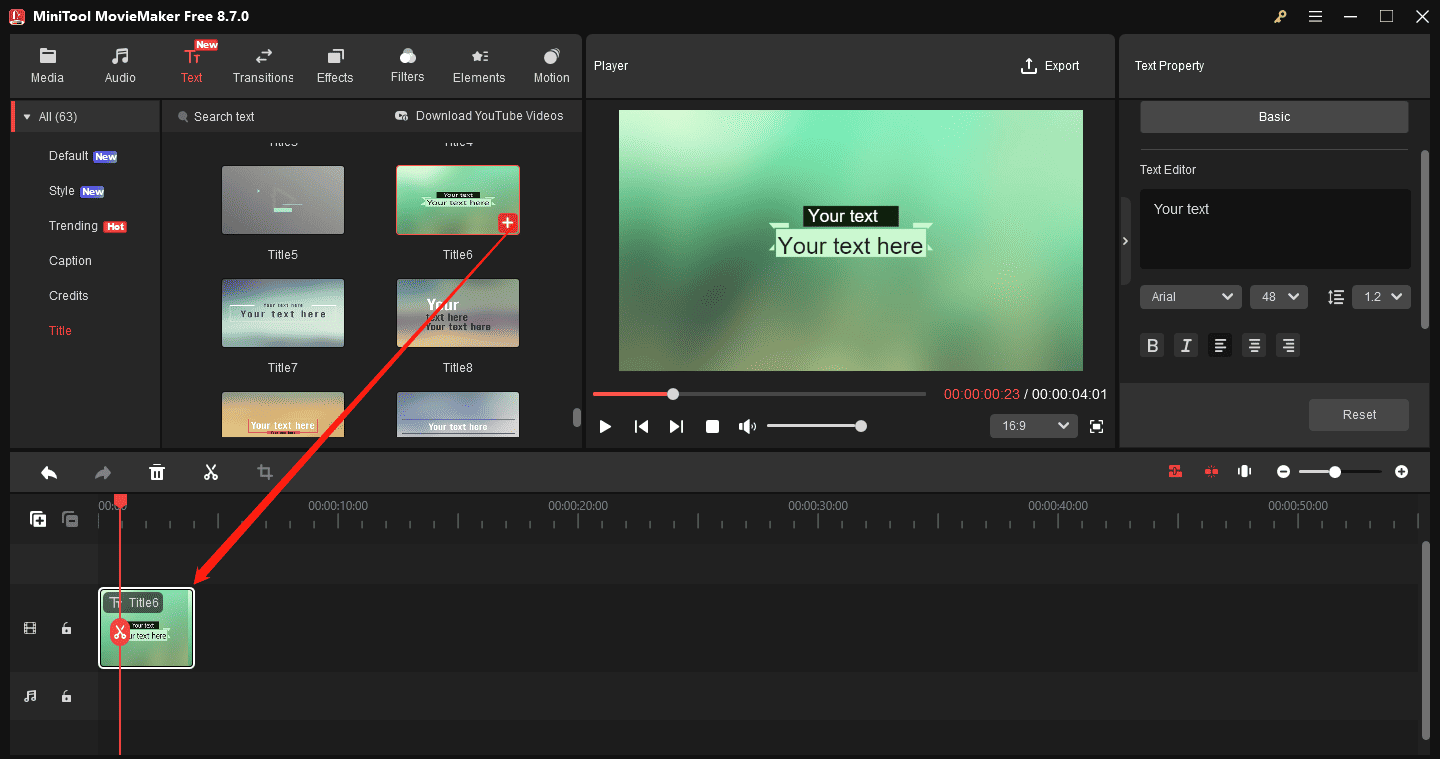
Besides, you can also create an intro by using an existing video and adding captions. This intro maker offers rich caption templates. Also, you can add stickers, overlays, frames, and music to enhance your intro.
MiniTool MovieMakerClick to Download100%Clean & Safe
MovieMaker by MiniTool is an inexpensive, easy-to-use video editing program. It includes a fair number of effects and gives you easy ways to join your clips, add transitions, and overlay objects and text.https://www.pcmag.com/reviews/minitool-moviemaker
Intro Maker, Outro Maker, Intro Templates
This is a professional intro maker app for Android. You only need to spend a few minutes to quickly complete your video opening by using this video intro maker.
It designs recognizable opening introductions for people of different occupations, such as game intro maker, 3D intro maker, Vlog intro maker, news intro maker, movie intro maker, channel intro maker and so on.
Additionally, it has a huge template library for you to choose any template you like. This helps you save a lot of time finding and making intro templates.
The downside of this intro maker app is that it has some ads and a limited selection of video editing tools.

Into Maker – Game Intro, Outro, Video Templates
Into Maker – Game Intro, Outro, Video Templates is one of the best intro maker apps for Android.
It has more than 4000 free intro templates, including YouTube video intro templates, 3D game intro templates, intro templates for aesthetics video blogs or cooking videos, business and logo intro templates and cartoon style intro templates.
Moreover, you can add animated text, emoticons, stickers and music that match the content in your opening video.
Its only drawback is that all the intros it produced are watermarked.
IntroTube: Intro Video Maker
IntroTube is an intro maker app that can help you create a professional intro in a few minutes. It has more than one thousand kinds of intro templates and more than seven hundred stickers for you to select, so you can make an intro that perfectly matches your video.
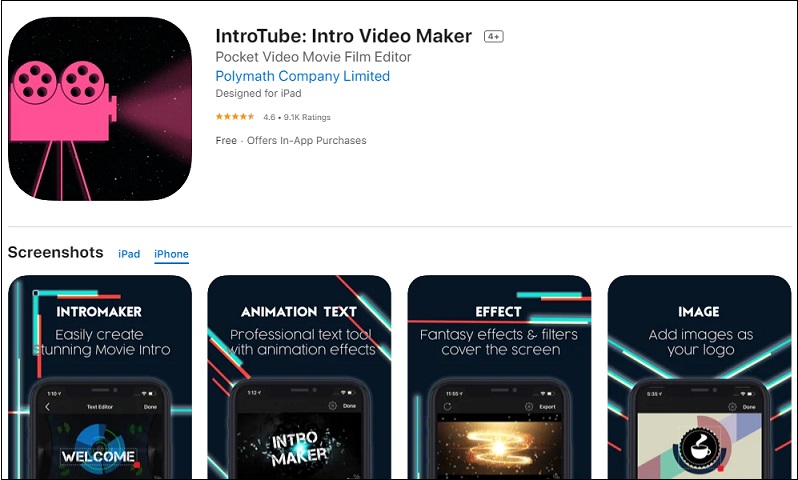
You can add transitions and set the start time and duration for each text title. Adding unlimited titles and adjusting the size, shadow and stroke of the title according to your needs are also allowed.
However, the downside of this intro maker app is that it has no social media sharing options.
Conclusion
After reading this post, I believe you have a general understanding of these intro maker apps. If you’re interested, choose an app you like to make an amazing opening intro.
People Also Ask
2. Search for intro-related keywords, such as YouTube intro, Vlog intro, or Gaming intro.
3. Choose a template that catches your eye.
4. Tap Use template and upload your media files when prompted.
5. Customize any on-screen text, titles, or fonts via the Text option.
6. Finally, export your finished project.
About The Author

Position: Columnist
Cora is a tech writer specializing in digital media workflows, with over six years of hands-on experience in video post-production, media transcoding, and screen capture. Her writing is always clear and practical. Cora also produces in-depth software reviews for users across skill levels to help them find the right tool and enjoy video editing.
User Comments :