

Part 1. Understand the Two Formats
WebP and SVG are both image formats. In this section, let’s have a further understanding of these two formats and why to convert.
What Is WebP
WebP is a highly efficient image format developed by Google, which can deliver smaller file sizes without compromising image quality, making it perfect for websites. In addition, WebP delivers exceptional compression performance, supporting both lossy and lossless compression. It significantly reduces file sizes while preserving image quality, thereby accelerating webpage loading speeds.
What Is SVG
SVG, also known as Scalable Vector Graphics, is an image format that uses XML to describe two-dimensional graphics, suitable for web pages. SVG files can be read by text and support search engine indexing, which is beneficial for SEO. Additionally, SVG images are perfect for producing clear logos, icons, and animations since they can be scaled indefinitely without sacrificing quality.
Why Convert WebP to SVG
WebP is a raster format ideal for photos, which appear pixelated when enlarged. In contrast, SVG uses mathematical equations to define shapes, ensuring your images remain crisp at any size and display perfectly on any device. It’s exceptionally well-suited for web design and complex graphics. Plus, SVG runs seamlessly across different browsers and operating systems.
Part 2. How to Convert WebP to SVG
Here are three reliable and quick methods to convert WebP and SVG.
Method 1. Use Convertio
Convertio is a browser-based and professional image converter that offers a quick and effortless WebP to SVG conversion. It features an intuitive user interface, allowing for easy navigation. Plus, this tool supports a wide range of image formats, like PNG, JPG, BMP, ICO, and more, empowering you to seamlessly convert between different formats.
Here’s a step-by-step conversion guide.
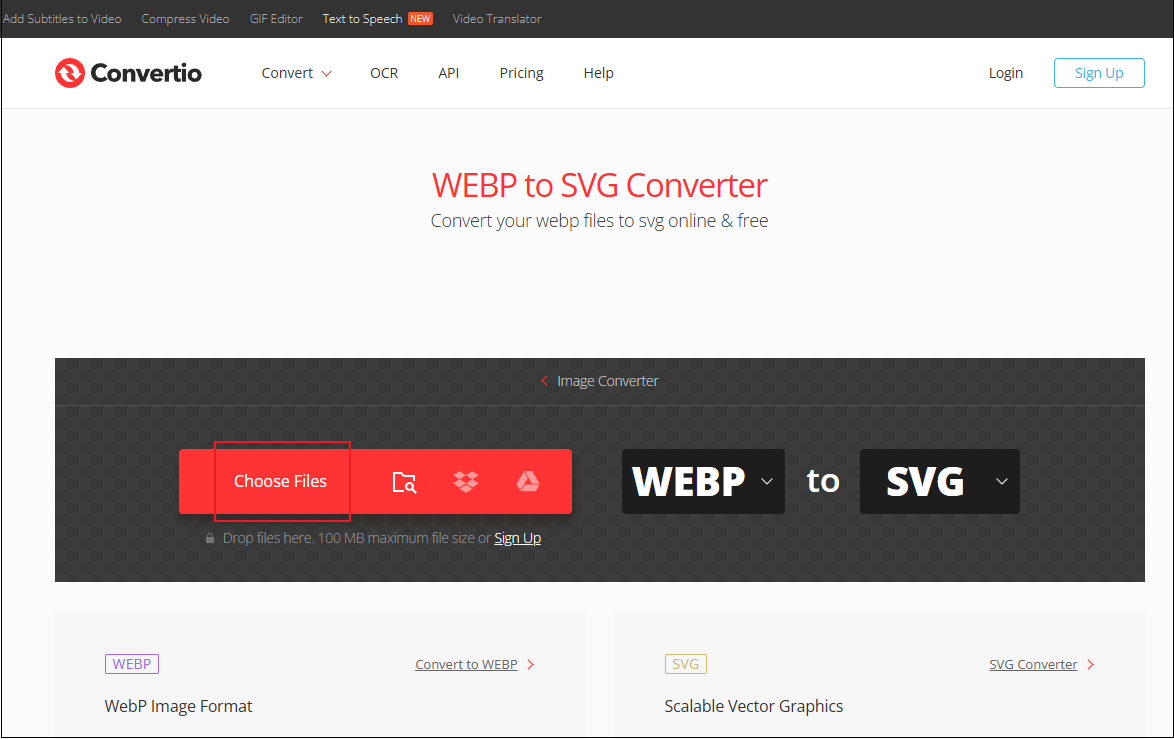
1. Go to Convertio
Access Convertio’s file converter (https://convertio.co/webp-svg/).
2. Upload Your File
Click the Choose Files option to add the target image.
3. Start Conversion
Click the Convert button to convert WebP to SVG.
4. Download the Converted Image
Click the Download button to save the image.
Method 2. Use FreeConvert
FreeConvert is an easy-to-use online converter that can convert WebP and SVG quickly. It offers batch conversion, saving you a lot of time and work. Additionally, FreeConvert can handle other file types, like video, audio, etc. With this great tool, you can accomplish your conversion task in a flash. Just follow the instructions below.
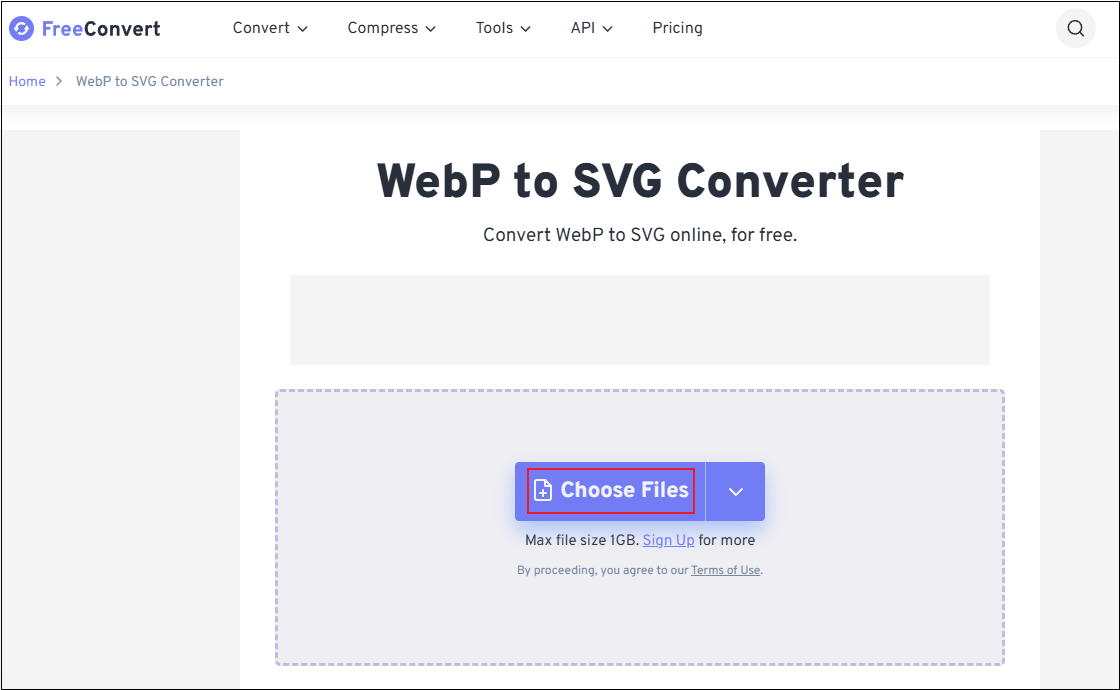
1. Access FreeConvert
Go to FreeConvert’s file converter (https://www.freeconvert.com/webp-to-svg).
2. Upload Your Image
Click the Choose Files option to import the image you want to convert.
3. Choose the Output Format
Open the Output option and choose SVG.
4. Start the Conversion
Click the Convert button to start the conversion.
5. Download the Image
When the conversion process is done, click the Download option to save the image.
Method 3. Use Shutterstock
Shutterstock is a feature-rich file converter that can convert your WebP files to SVG in seconds. Except for that, Shutterstock also serves as an image resizer, image cropper, image compressor, and more. Follow the guides below to convert WebP to SVG.
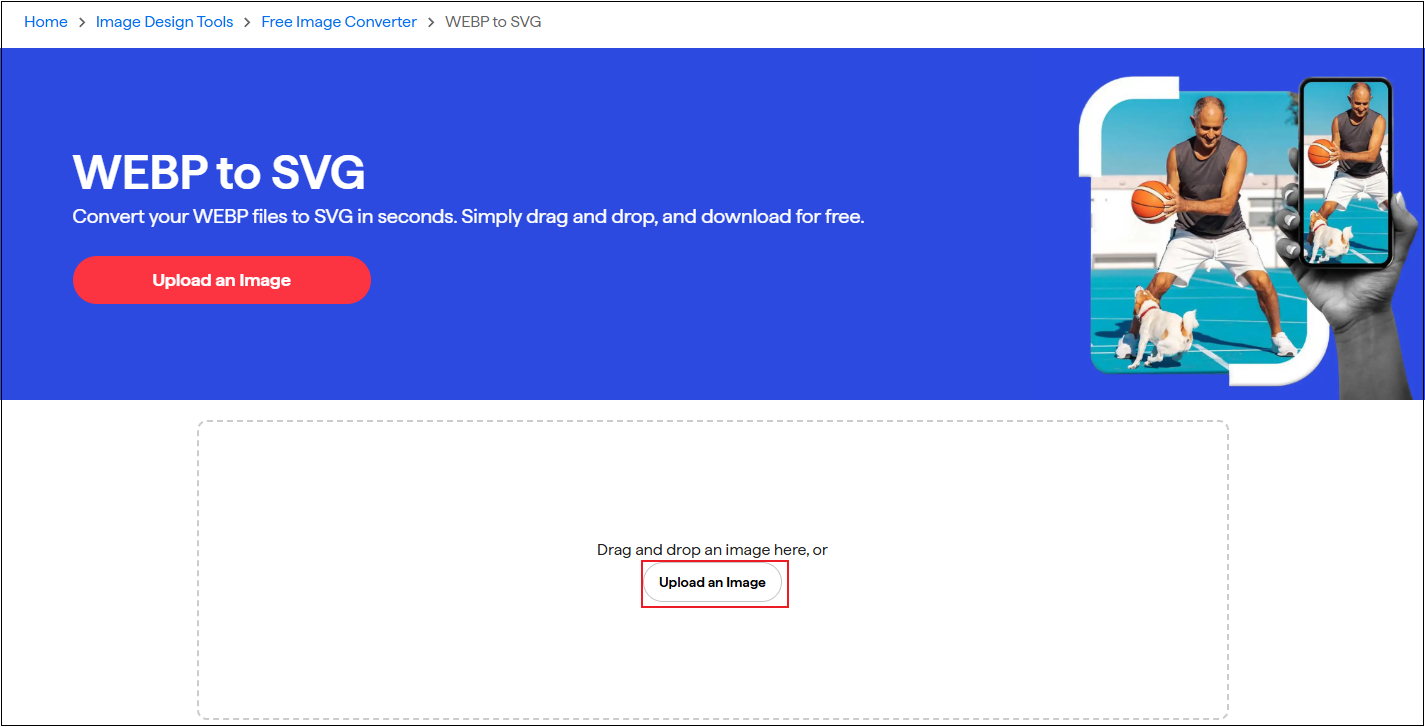
1. Access Shutterstock’s WebP to SVG Converter
Visit https://www.shutterstock.com/image-converter/webp-to-svg.
2. Upload Your Image
Click the Upload an Image option to add your image.
3. Start the Conversion
Select the Convert to SVG option to start the conversion.
4. Download the Image
When the process completes, click the Download Converted Image button to save the SVG.
MiniTool MovieMakerClick to Download100%Clean & Safe
In Summary
Converting WebP to SVG enhances the scalability of images. This post provides three effective methods to help you complete the conversion. Feel free to pick one and start your conversion
User Comments :