

This post introduces three of the best Perler beads makers, including Pixel Beads, PhotoPearls, and Pixel-Beads, making it easy to convert your photos into eye-catching Perler bead patterns.
Whether you are a beginner or an experienced DIY lover, designing Perler bead patterns is not an easy task. To help you save time and cost, this post introduces three simple Perler beads makers to convert photos to patterns. Let’s get started.
What Is Perler Bead
Perler Bead is an enjoyable activity that involves placing small, colorful plastic beads onto a pegboard to form a design. Once the pattern is complete, use an iron and parchment paper to fuse the beads, creating a solid and durable craft piece.
Perler beads come in several different types, and each is designed for specific uses and skill levels. It includes Standard Perler beads, Mini Perler beads, Jumbo Perler beads, Glow-in-the-Dark Perler beads, Metallic and Glitter Perler beads, and more.
Before making stunning Perler bead artwork, it is essential to prepare in advance. Perler Beads in different colors, a pegboard, a proper pattern, iron, parchment paper, a flat surface, and tweezers are essential tools. Among them, the Perler bead pattern forms the foundation of the final results. Turning photos into Perler bead patterns is a great way to achieve accurate and visually appealing designs.
How to Convert Photos to Perler Beads
Converting photos into Perler bead patterns can not only help you turn memories into physical art but also simplify the design process. With the help of the Perler beads maker, you can enjoy this creative activity in a faster and more efficient way. There are three best Perler bead makers recommended.
Perler Beads Maker 1: Pixel Beads
Pixel Beads is a free online Perler bead maker designed for crafters, artists, and hobbyists to transform their images into beautiful patterns. Through imaging processing and color matching, this platform converts an image into a grid-based pattern that matches your chosen bead palette, making it simple and accessible to start creation.
Here are the detailed steps for converting images into Perler bead patterns.
Step 1: Navigate to the Official Website
Visit the official website of Pixel Beads (https://pixelbeads.pics/) in your browser.
Step 2: Import Your Image
Select Click to upload to import your desired image. Then, the platform will automatically convert the image into a Perler bead pattern.
Step 3: Adjust the Pattern
Move sliders to adjust the Grid Width and Color Merge values to customize the pattern.
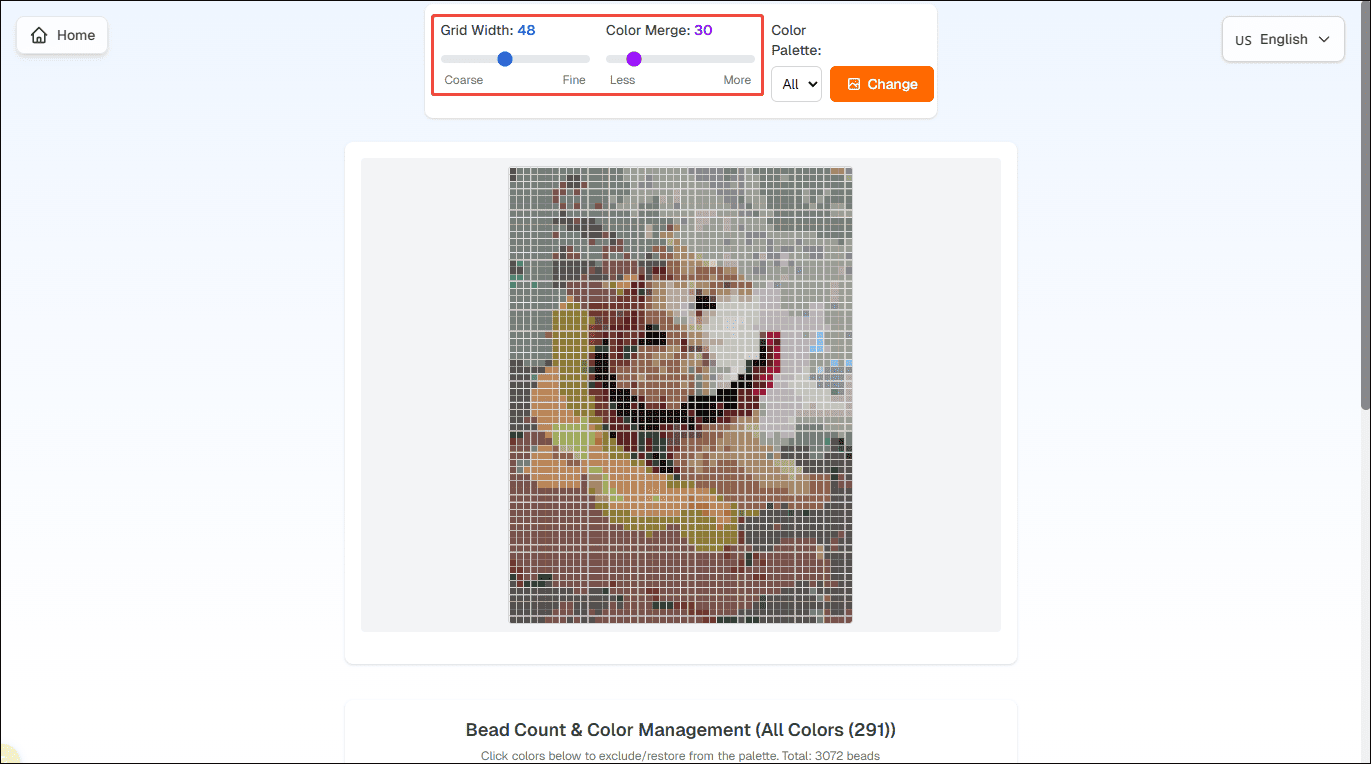
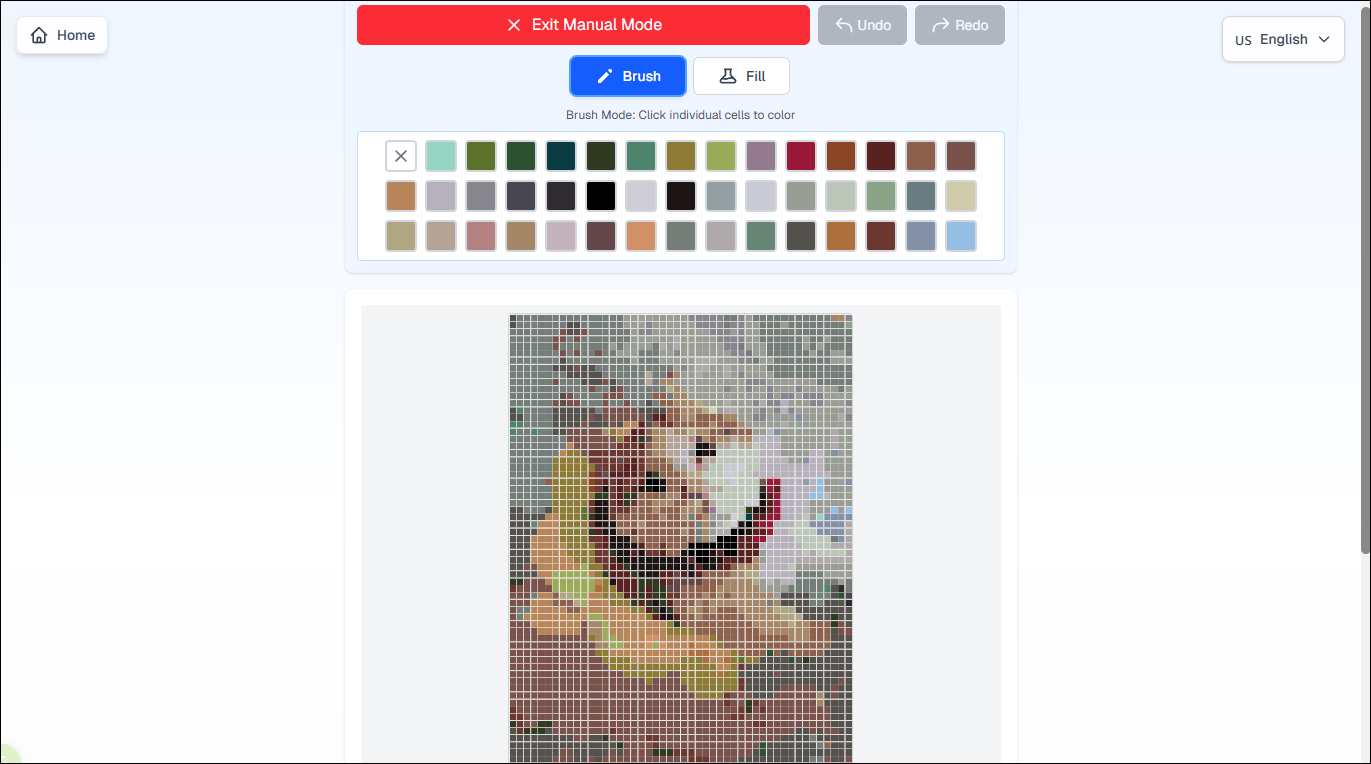
Scroll down to see the detailed color arrangement and number. If you need to refine the pattern, click Manual Editing Mode to make some adjustments.
Step 4: Save the Pattern
After editing the pattern, click Download Complete Pattern to save it to your computer.
Perler Beads Maker 2: PhotoPearls
PhotoPearls is also a great option for creation beads designs from digital photos. It offers a downloadable software with advanced editing options and a web application you can use directly in your browser. You can upload any digital image and automatically convert it to a design that shows each bead color, making it easy to follow when crafting.
Step 1: Go to the Official Website
Head to the official website of PhotoPearls (https://www.photopearls.com/) in your browser.
Step 2: Upload Your Image
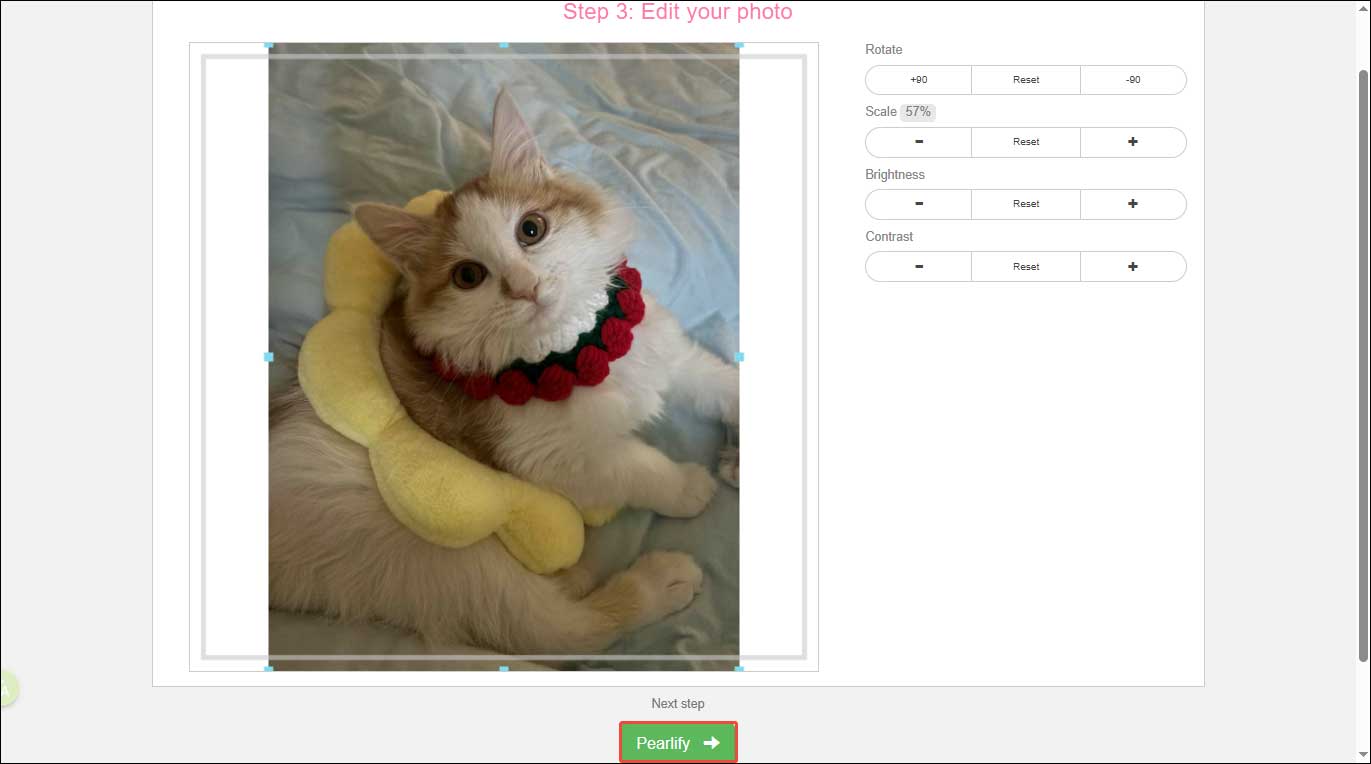
After logging in, click New project to start creation. Click Browse to upload your image, and choose Select Size pick a desired size. Customize the image rotation, scale, brightness, and contrast to fit the size you choose. Then, click Pearlify.
Step 3: Save the Pattern
After generating, click Save your project to save it to your computer.
Perler Beads Maker 3: Pixel-Beads
Pixel-Beads is another free Perler bead pattern generator that converts your photos into printable bead patterns, including Perler, Hama, Artkal, and Nabbi bead brands. Pixel-Beads stand out as this platform allows you to export PDF format with placement guides and color information for easy printing and crafting.
Here is how to convert photos into Perler bead patterns using Pixel-Beads.
Step 1: Visit the Official Website
Go to the official website of Perler-Beads (https://www.pixel-beads.net/) on your computer.
Step 2: Upload Your Image
Click Get started and select a picture to import your image.
Step 3: Customize Settings
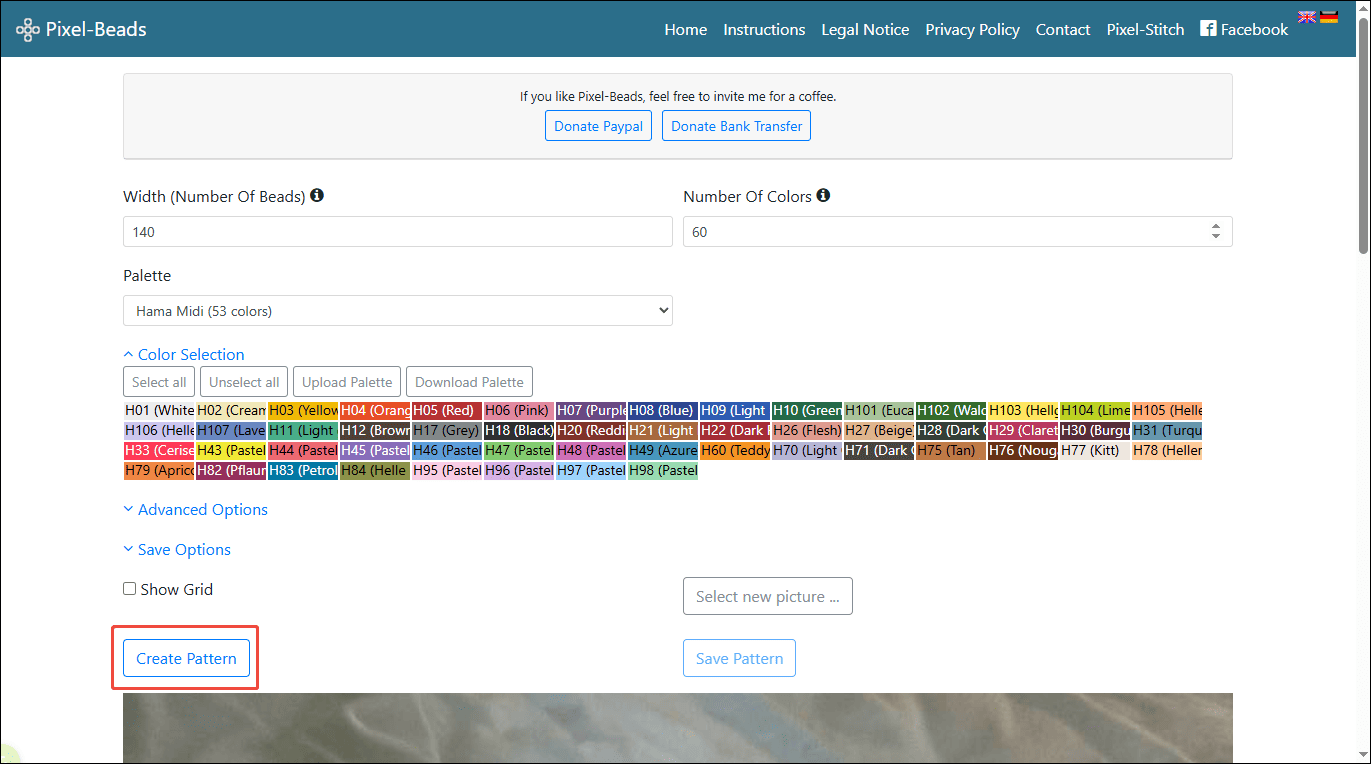
Before converting images, you need to customize the basic settings, including bead width, numbers, palette, file format, and other options. Then, click Create Pattern to generate your design.
Step 4: Save the Design
If you are satisfied with the design, click Save Pattern to save it to your computer.
Conclusion
With the help of the Perler beads makers mentioned above, converting photos into Perler beads patterns is simple. These easy-to-use tools not only provide accurate bead counts to minimize material waste but also help you save time on manual pattern creation. Select the tool that best suits your preference and give it a try!
User Comments :