

Big Head effects add fun and exaggeration to your photos, making them perfect for all kinds of creative uses. How can you add a big head effect to a photo/video? This post provides a comprehensive guide. Read on.
Add a Big Head Effect to a Photo
Here are two workable and easy methods to add a big head effect to a picture.
Method 1. FlexClip
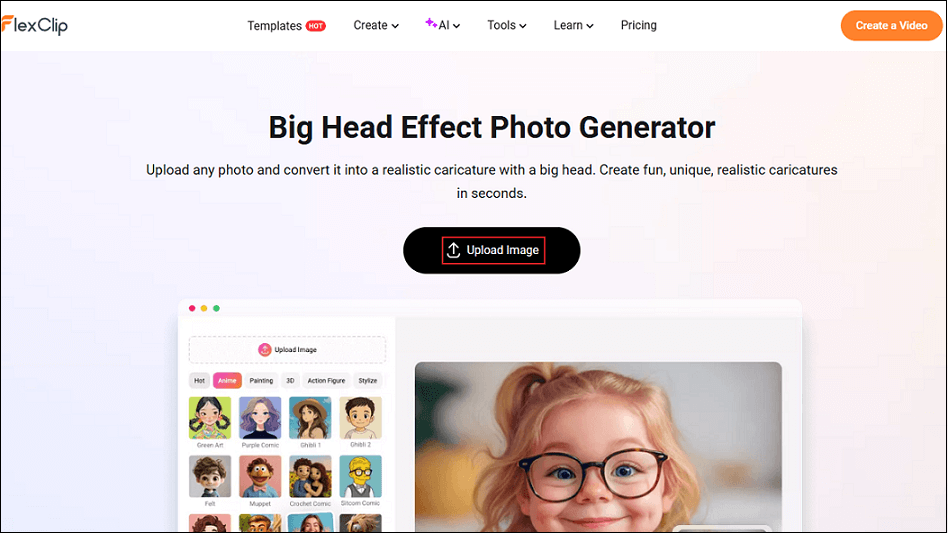
FlexClip is a professional online image generator that can convert your pictures into a realistic caricature with a big head in no time. It is powered by AI, preserving every detail of the image to achieve precise, creative results. Additionally, this image generator features an intuitive interface, making it suitable for both beginners and professionals. It is compatible with various platforms, including Windows, Mac, and Android. You can generate pictures anytime, anywhere.
Follow the step-by-step guides below to add a big head effect to a photo.
Step 1. Access FlexClip’s Big Head Effect Photo Generator
Visit https://www.flexclip.com/tools/big-head-effect/.
Step 2. Upload Your Photo
Click the Upload Image button to upload your picture.
Step 3. Apply a Big Head to the Photo
The big head effect is selected by default. Click the Generate button to start generating the photo.
Step 4. Download the Picture
Click the Download option to save the photo with a big head effect to your local folder.
Method 2. insMind
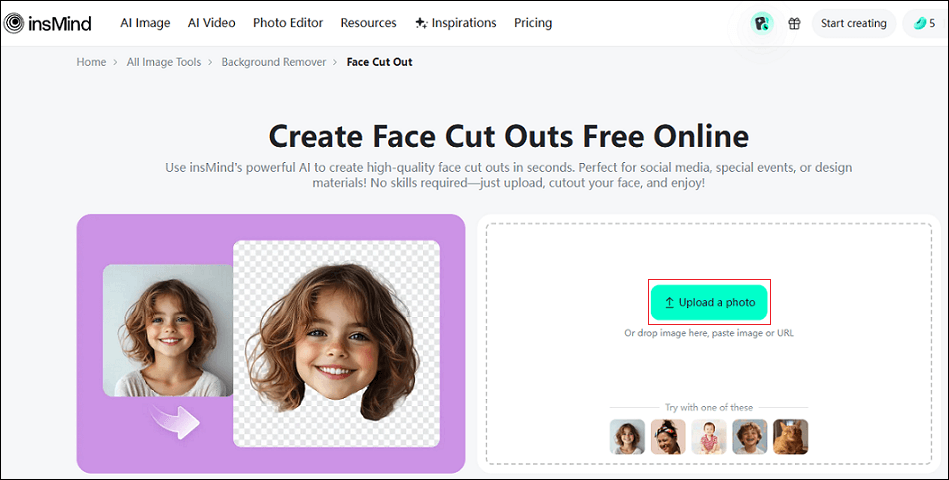
insMind is an AI-powered and browser-based image processing tool that can help you add a big head effect to a picture. It offers a face-cutting feature, allowing you to easily create fun big head pictures, avatars, or memes. In addition, insMind supports personalizing your facial cutouts by adding fun elements, making your photos more creative.
Moreover, insMind can enhance image resolution, eliminate blurriness, and restore sharpness, while boosting image detail and color saturation. It can also process multiple images at once, allowing you to efficiently complete your image editing tasks.
Now, you can follow the detailed instructions below to create a big head photo.
Step 1. Go to insMind’s Face Cut Out Tool
Open your browser and visit https://www.insmind.com/face-cut-out/.
Step 2. Upload Your Photo
Click the Upload a photo option to add the target picture.
Step 3. Remove the Background
insMind will remove the background automatically and set it as transparent.
Step 4. Edit the Cutout
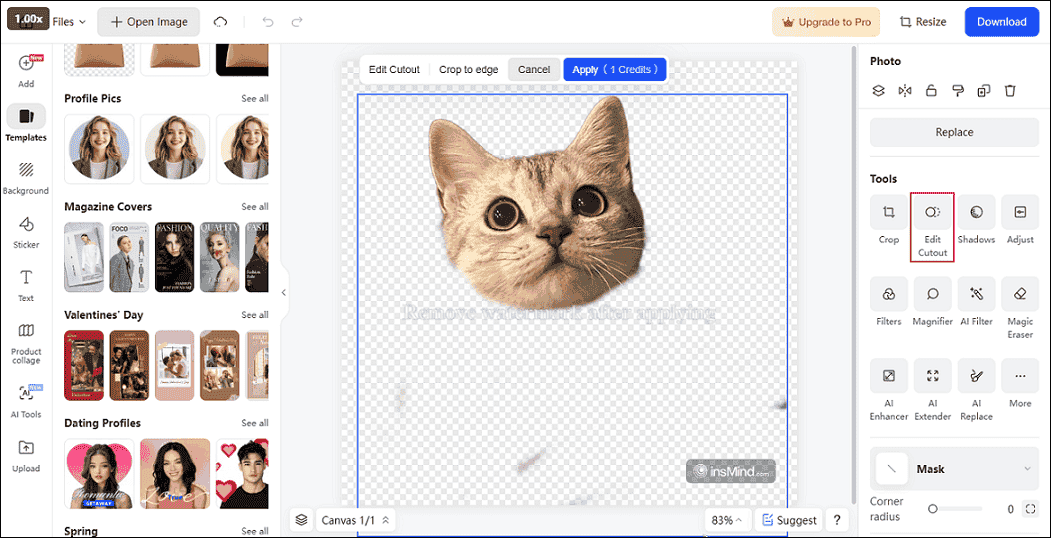
Click the Edit Cutout option, use the eraser tool to remove the body part and only leave the headshot.
Step 5. Upload the Original Picture
Go to the Add section and click the Upload option to upload the original picture again.
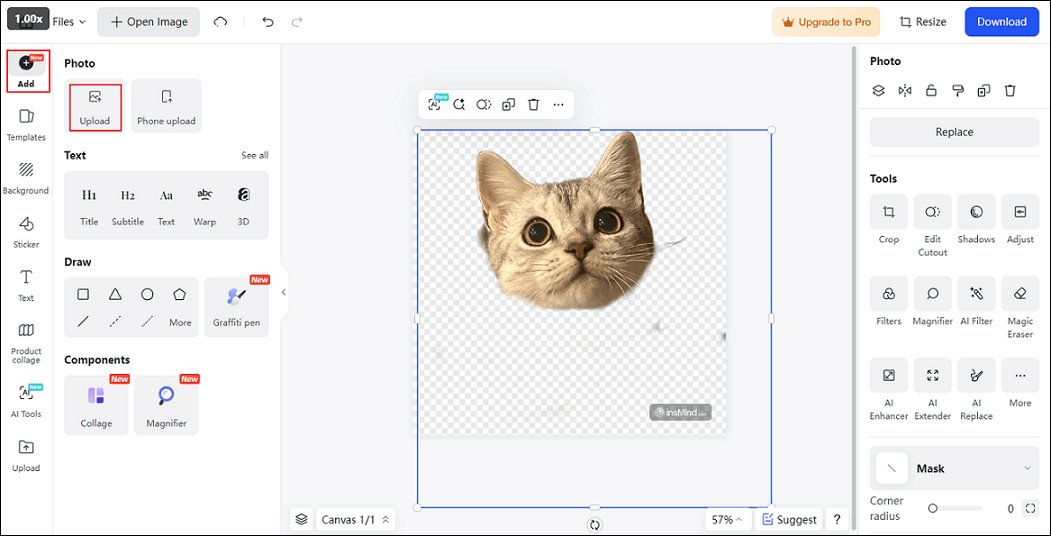
Step 6. Set the Second Picture as the Background
Right-click the second picture you added and click Set as background.
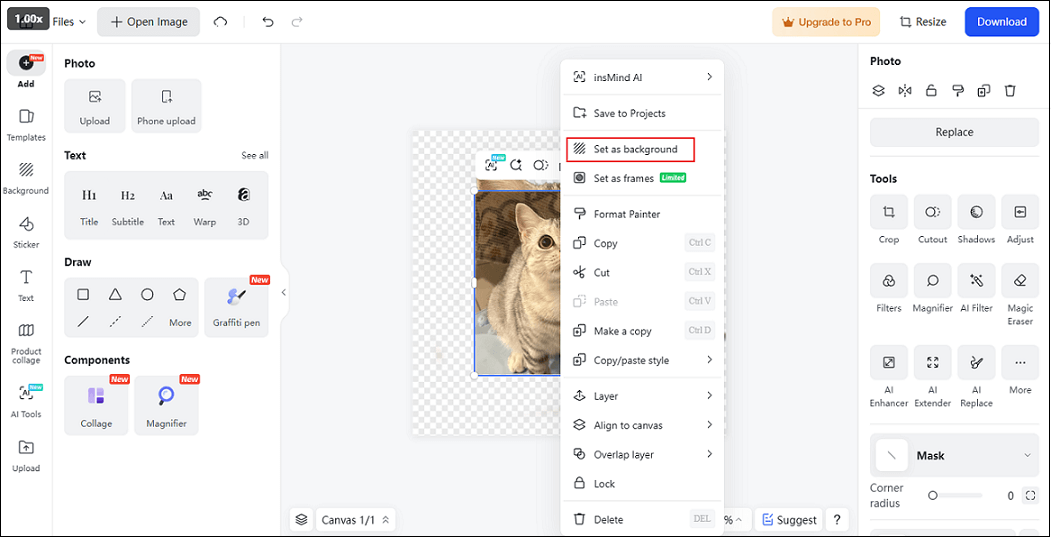
Step 7. Make the Cutout Match the Background
Enlarge and adjust the cutout by dragging its edges to make it blend more harmoniously with the background image.
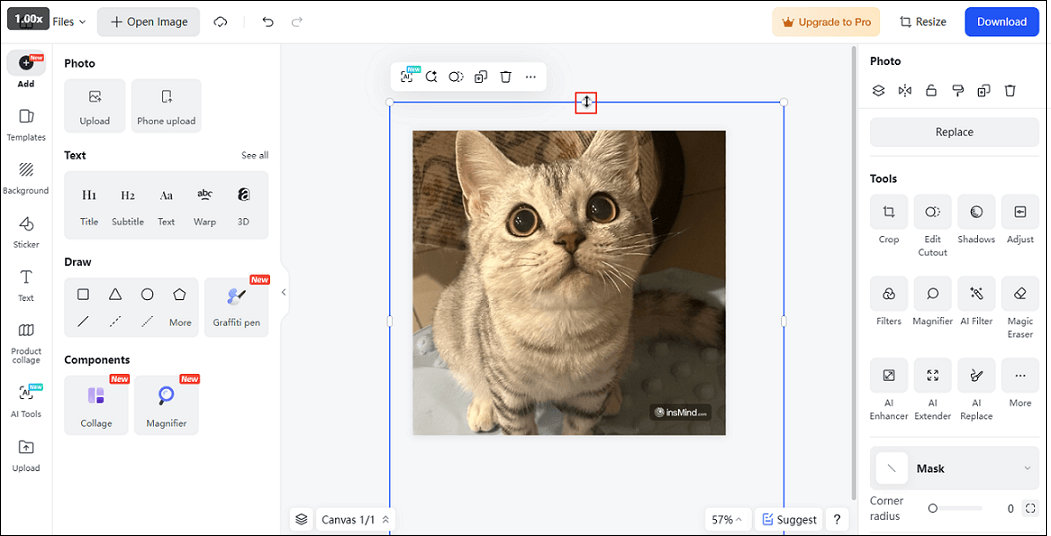
Step 8. Download the Picture
Click the Download button at the top right, choose the desired format and resolution, and click Download again to save the image.
Add a Big Head Effect to a Video
How to add a big head to a video? CapCut can help! It is a popular video editing tool that comes with various advanced features. Its Effects library provides a wide range of resources, such as big head, big mouth, love eyes, and so on. CapCut features a straightforward user interface, allowing you to complete the task with no effort. Follow the details below.
Step 1. Download and Install CapCut
Go to CapCut’s official website to download and install it on your PC. Then, launch it.
Step 2. Import Your Video
Click the Import option to add the target video. Then, drag it to the timeline.
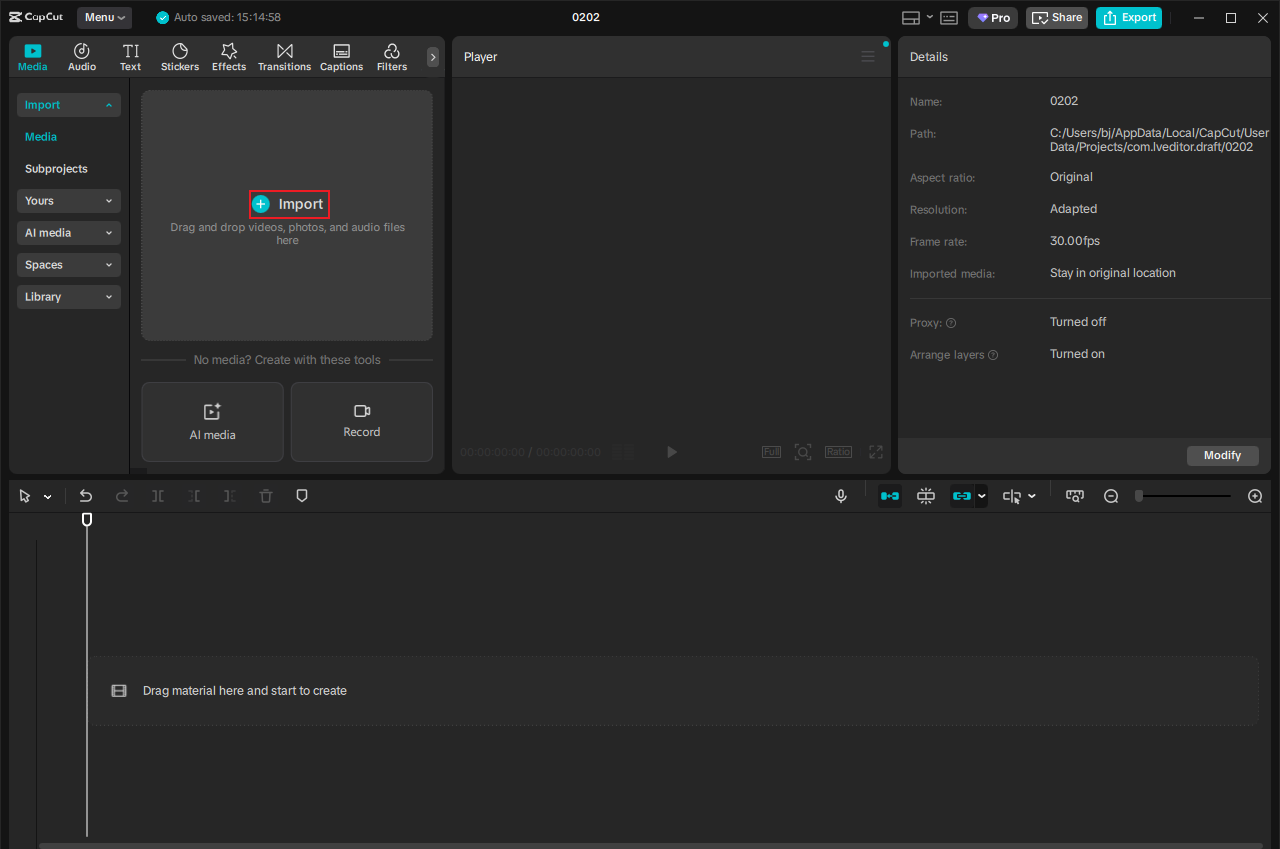
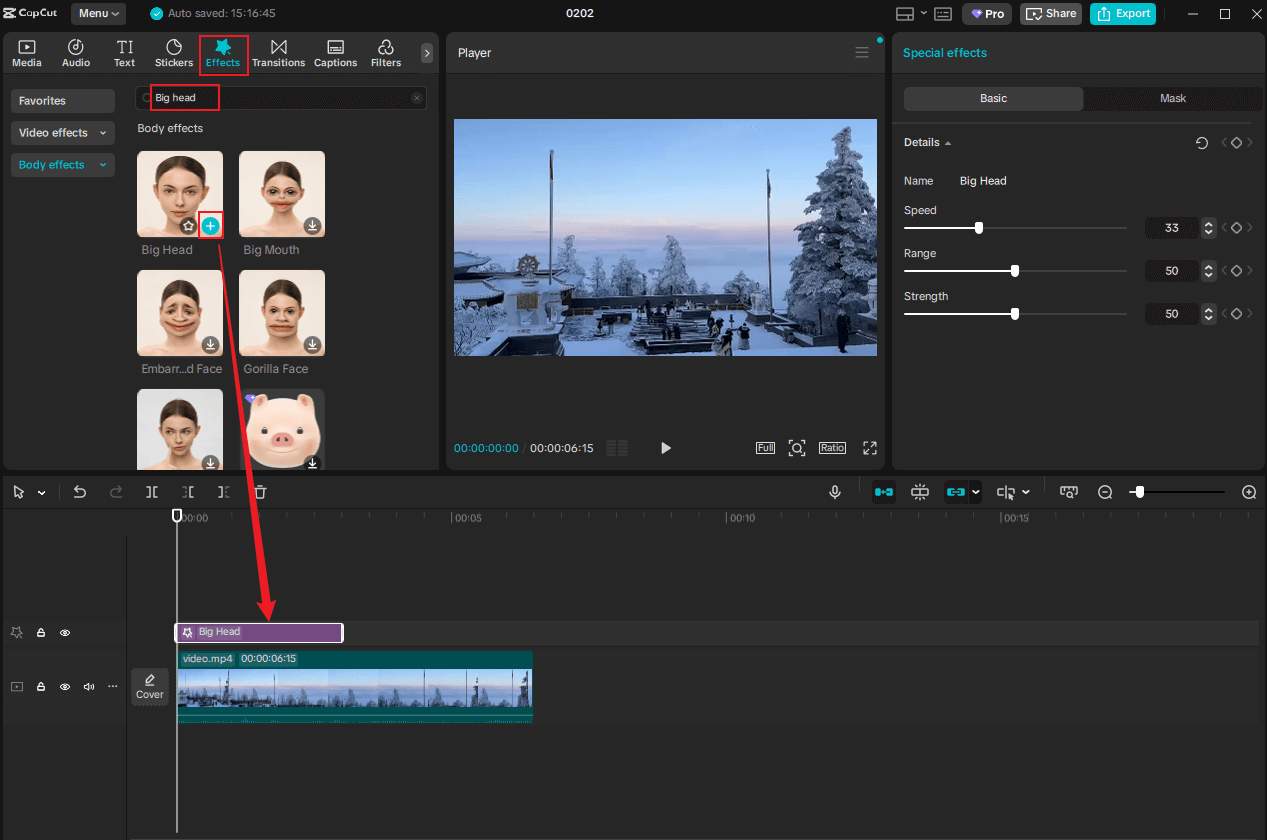
Step 3. Add a Big Head to the Video
Go to the Effects section and search for big head in the search box. Then, download the Big Head effect and add it to the video.
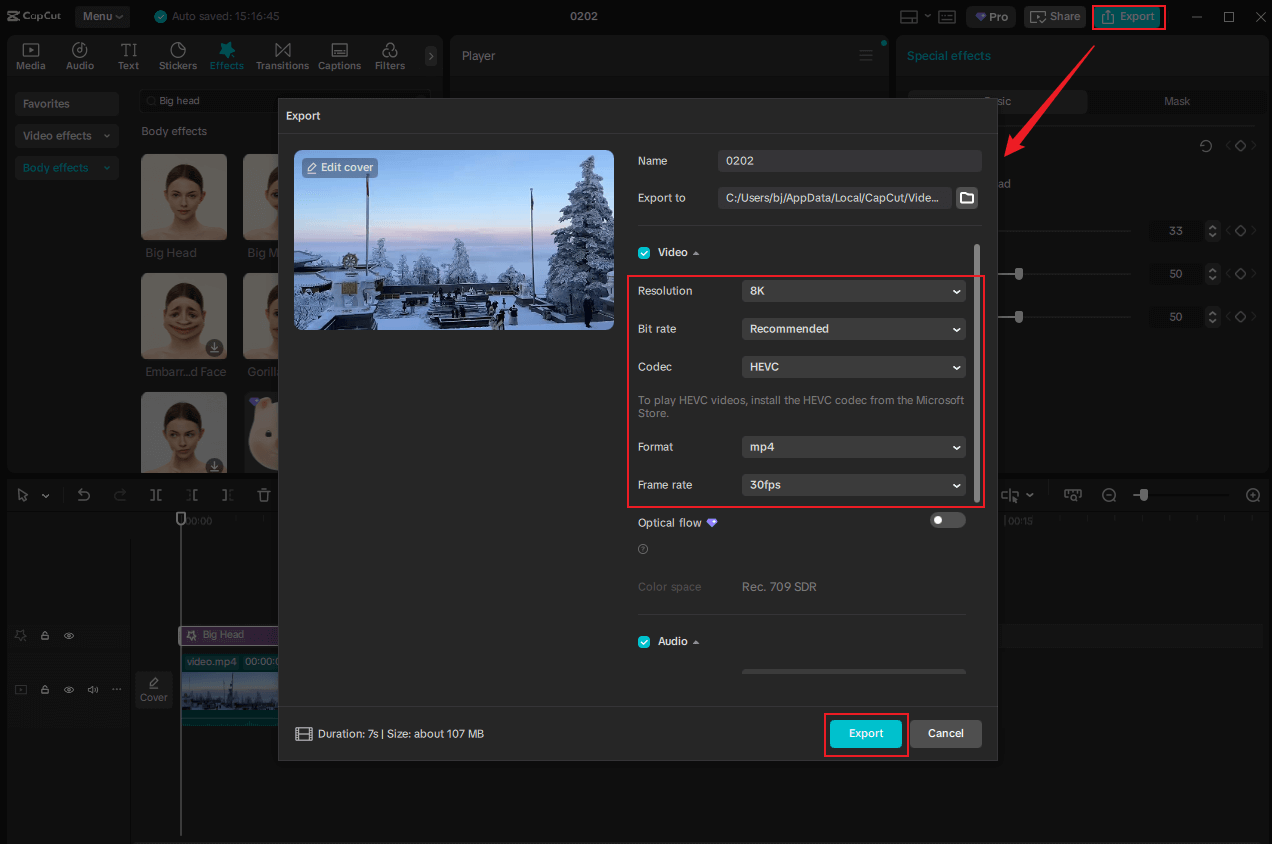
Step 4. Export the Video
Click the Export button at the top right to access the Export window. Then, you can adjust the video parameters and click Export again to save the video.

In Summary
To add a big head effect to a picture/video, this article offers three expert and reliable tools. With them, you can effortlessly create engaging and captivating visual content. Choose your favorite tool and start your creative journey!
User Comments :