

This post demonstrates how to turn photos into ink wash using BeFunky, Portrait Art, and a1.art. Explore these reliable tools and transform ordinary photos into stunning ink wash paintings.
Traditional Chinese ink wash painting stands out for its distinctive cultural depth and timeless aesthetic. Converting photos into ink wash not only allows you to enjoy the original landscape from a unique perspective but also adds an artistic touch to the image. This post introduces three practical tools to turn photos into ink wash.
Why Turn Photos into Ink Wash
Before delving into the concrete methods, it is essential to understand the reasons for turning photos into ink wash.
Ink wash painting using black ink and water captures the essence of the subject rather than its exact appearance. It is an art that emphasizes simplicity. Compared with the original digital images, turning photos into ink wash combines modern photography with classical artistic expression, enhancing the refined and cultural charm of the artwork.
Now it is easy and efficient to turn photos into ink wash with the help of online powerful tools, helping you achieve a visually striking image with a few clicks.
How to Turn Photos into Ink Wash
This section explains how to turn photos into ink wash online using BeFunky, Portrait Art, and a1.art.
Method 1: Turn Photos into Ink Wash Using BeFunky
BeFunky is a powerful photo editing platform. Powered by AI technology, BeFunky offers photo-to-art effects that enable you to transform your photos into artworks such as watercolor paintings, sketches, and cartoons. Besides, after automatically converting your photo, it gives you the flexibility to adjust the image amount, fidelity, and variation to achieve a hand-drawn look.
How to turn photos into ink wash using BeFunky? Follow the guide below.
Step 1: Navigate to the Official Website
Visit the official website of BeFunky’s ink wash sketch tool (https://www.befunky.com/learn/ink-wash-sketch/) in your browser.
Step 2: Upload Your Image
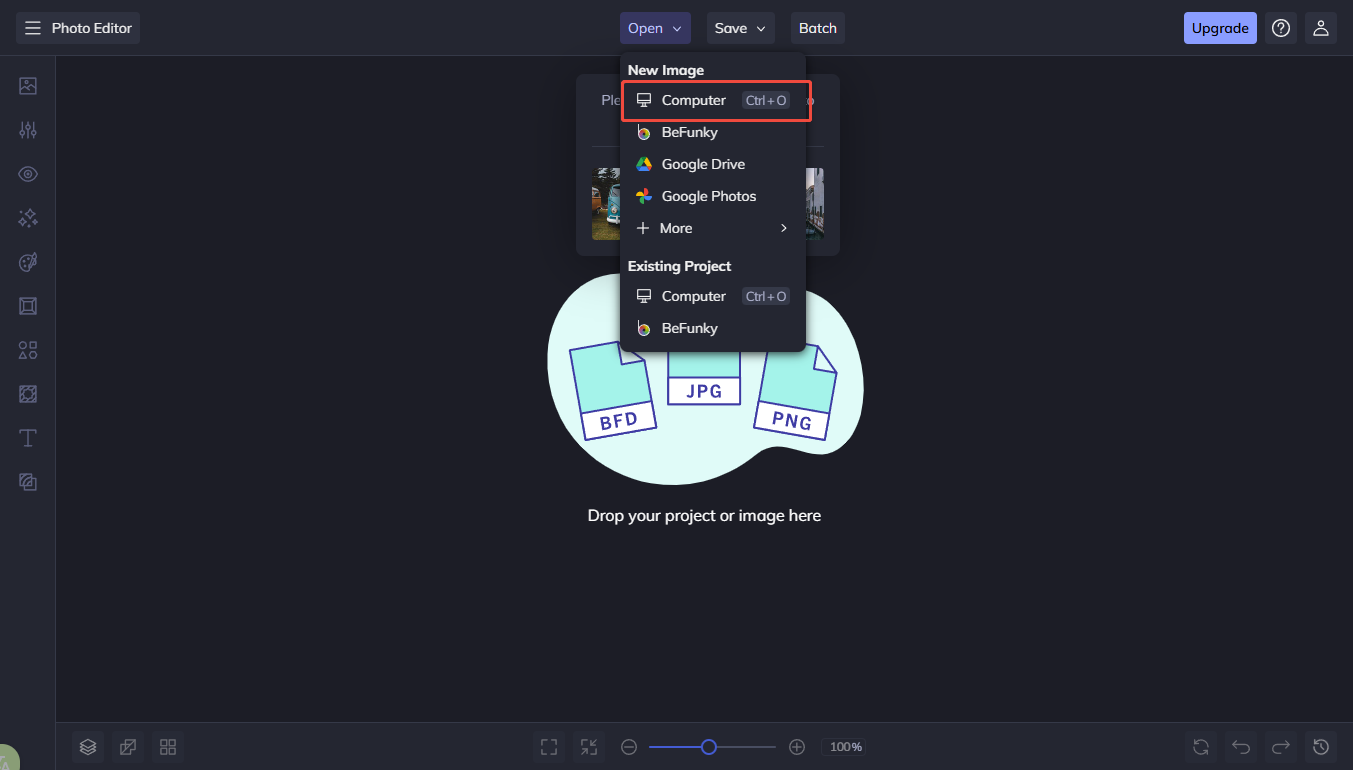
Click Get Started to access the editing interface. Then, click Open and select Computer to import your image.
Step 3: Edit the Image
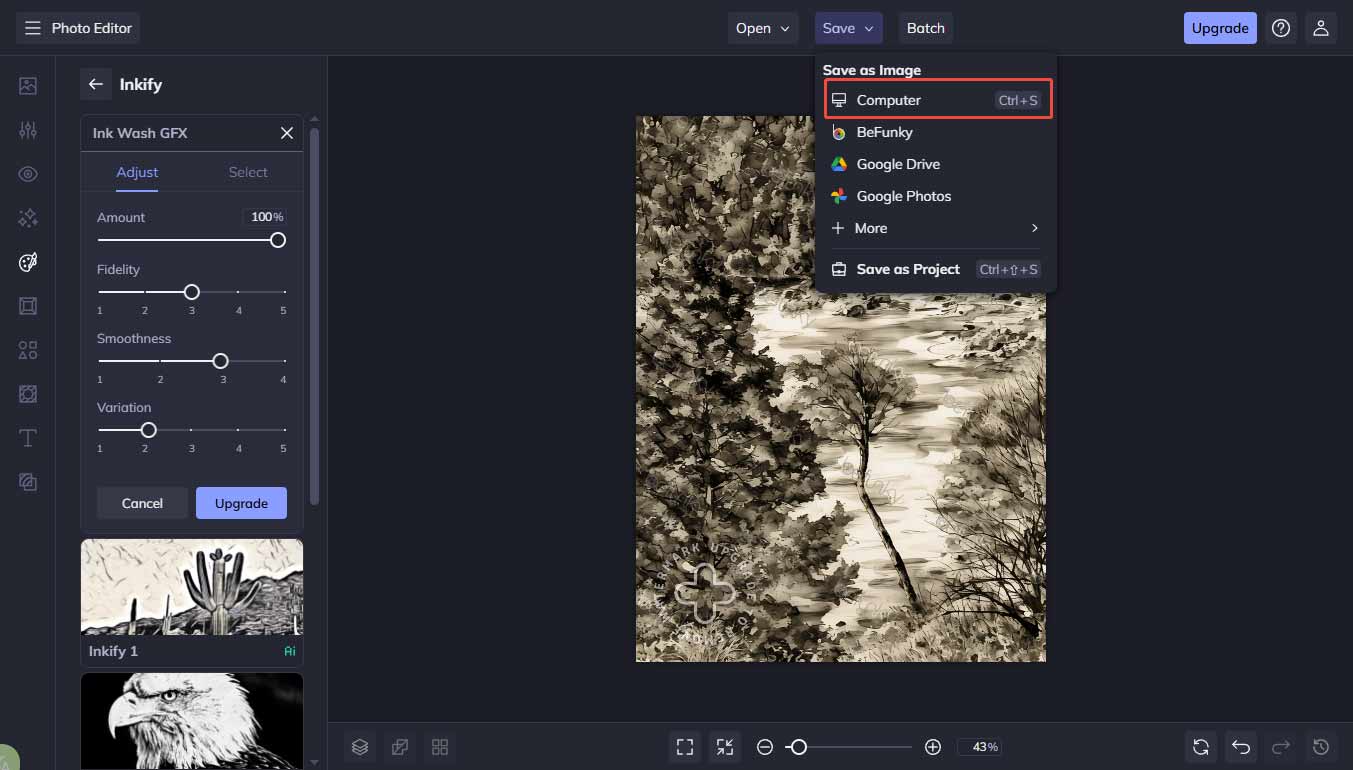
Select Ink Wash GFX from the Artsy tab in the sidebar. The platform will automatically transform your photo into an ink wash on the canvas.

Then, click the Settings icon to adjust the image. By moving the sliders of amount, fidelity, smoothness, and variation, and customizing brush properties, including size, hardness, and strength, you can create a more natural result.
Step 4: Save the Ink Wash Painting
Click Save and choose Computer to save the ink wash painting to your computer.
Method 2: Turn Photos into Ink Wash Using PortraitArt
PortraitArt is an exclusive online platform for transforming photos into stunning artworks. With the powerful AI technology, PortraitArt offers a variety of transformation styles, including pencil sketches, 3D cartoons, sculptures, and more. If you are not satisfied with the generated result, you can use the tool again to generate a new version to meet your needs. Moreover, it supports exporting images in up to 4K HD resolution.
Here are the detailed steps for transforming photos into ink wash.
Step 1: Visit the Official Website
Go to the official website of PortraitArt (https://portraitart.app/) in your browser.
Step 2: Upload your Image
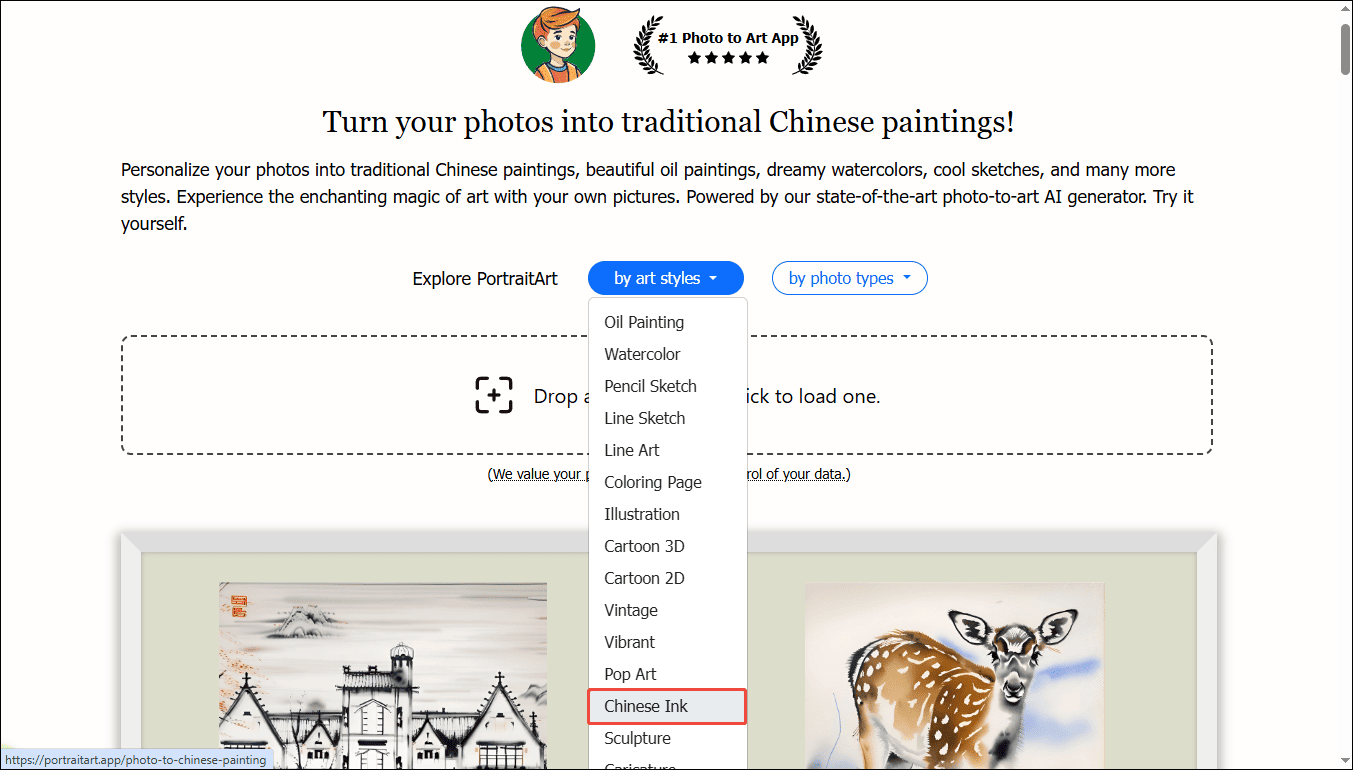
After logging in to your account, click the by art styles icon to select Chinese Ink and choose photo types based on the uploaded image.
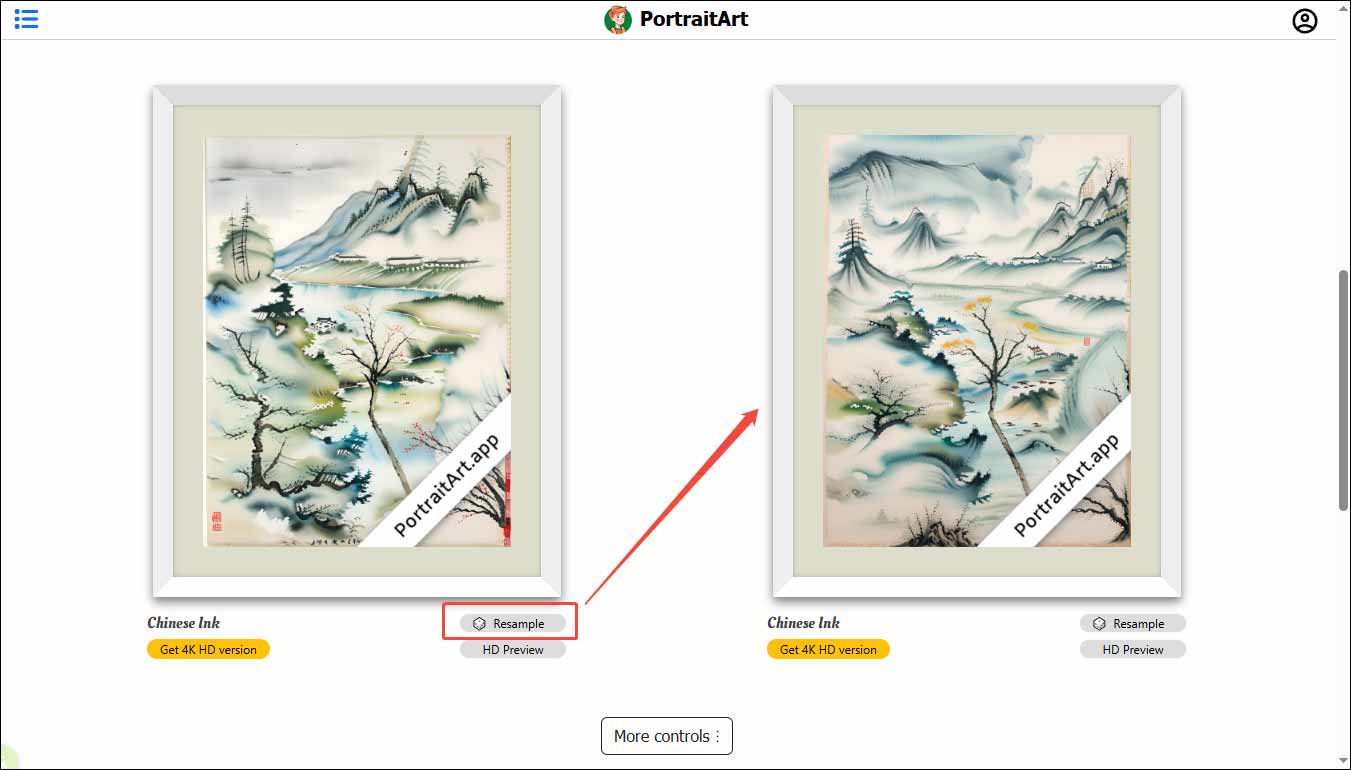
Then, click the Upload icon to import your image. The platform will automatically generate an ink wash painting according to your picture. Click Resample to generate a new version if the initial result doesn’t meet your satisfaction.
Step 3: Save the Ink Wash Painting
Click the generated image and right-click it to select Save image as to save it to your computer.
Method 3: Turn Photos into Ink Wash Using a1.art
A1.art is a powerful AI image generator. It allows users to transform photos into unique artistic images with ease. The user-friendly interface and streamlined generation process make it suitable for users without advanced editing experience. Follow the instructions below to turn photos into ink wash paintings.
Step 1: Open the a1.art Ink Painting Generator
Visit the official website of a1.art’s ink wash filter (https://a1.art/s4dz) in your browser.
Step 2: Import Your Image
After logging in to your account, click the Upload icon to import your image. Then, click Generate to add the ink wash filter. You can preview the result in the panel.

Step 3: Save the Ink Wash
Click the generated ink wash painting and select Download to save the image to your computer.

Conclusion
This post showcases three useful ways to turn photos into ink wash paintings. Each of them is easy to use and helps you create stunning ink wash paintings. Select the one that best suits your preferences and needs. Hope this post helps you a lot.
User Comments :