

Are you a big fan of the Squid Game TV series and want to create your own Squid Game character? This post provides three reliable and easy methods to do so: use MyShell, GoEnhance AI, and DreamFace.
What is Squid Game
Squid Game is a globally popular South Korean survival drama. In the series, hundreds of participants compete in a series of brutal traditional Korean children’s games for a massive cash prize, with losers facing death while the elite spectate for entertainment. This drama explores themes such as capitalism, inequality, and human nature. Moreover, Squid Game shattered multiple streaming records with its gripping plot, brutal realism, and profound reflection on social issues. In the following content, I’d like to recommend three Squid Game image generators and show you how to apply Squid Game filter to photo. Read on.
Add Squid Game Filter to Photo with MyShell
MyShell is a reliable and AI-powered image-generating tool that offers various filters, including Squid Game filter, Wednesday filter, buzz cut filter, and more. For a smooth, realistic integration, its AI technologies accurately map your transformations to each scene, matching perspective and lighting.
In addition, MyShell employs advanced deep learning algorithms to ensure accurate facial mapping while keeping each character’s distinct features, producing realistic, high-quality results.
Here’s how to add Squid Game filter to your photo with MyShell.
1. Access MyShell’s Squid Game Filter
Visit https://art.myshell.ai/cosplay/squid-game-filter?utm_channel=organic&utm_source=google&utm_campaign=squid.
2. Upload Your Picture
Click the UPLOAD IMAGE OR DRAG & DROP option to upload your image.
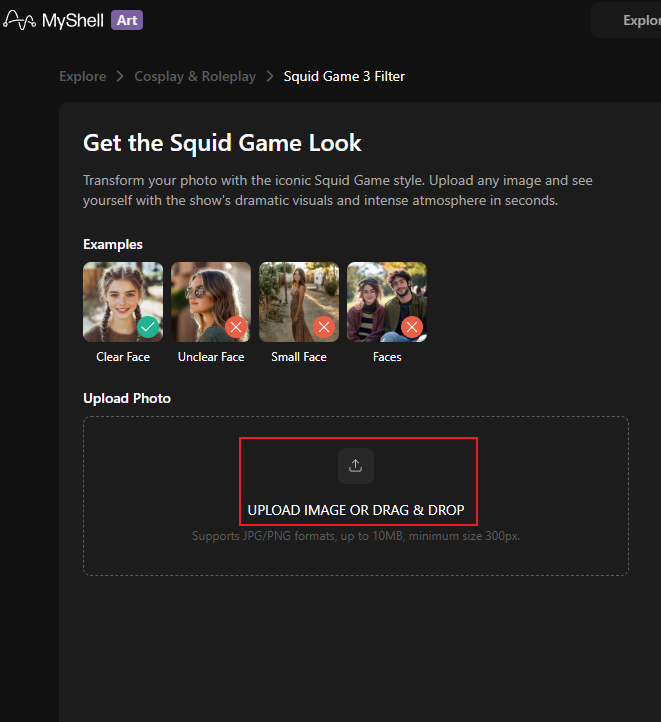
3. Apply the Filter to Photo
Click the Generate option to convert your photo to a Squid Game image.
4. Download the Photo
When the generating process completes, click the Download button to save the Squid Game-style picture.
Add Squid Game Filter to Photo with GoEnhance AI
GoEnhance AI is an all-in-one and browser-based AI tool that offers a Squid Game filter, empowering you to generate images in a flash. Except for Squid Game, this tool provides other filters, such as Ghibli, Polaroid, etc. In addition, GoEnhance AI can process videos. It supports transforming video into animation and creating videos from text, images, and more.
Moreover, GoEnhance AI features an intuitive interface that’s easy for beginners to pick up. It integrates multiple AI models, delivers fast results with GPU acceleration, and supports 4K output. Follow the guides below to create your Squid Game images.
1. Enter GoEnhance AI’s Squid Game Generator
Visit https://app.goenhance.ai/ai-video-effects?effect=squid_game.
2. Upload Your Image
Click the Please upload an image option to import the target image.
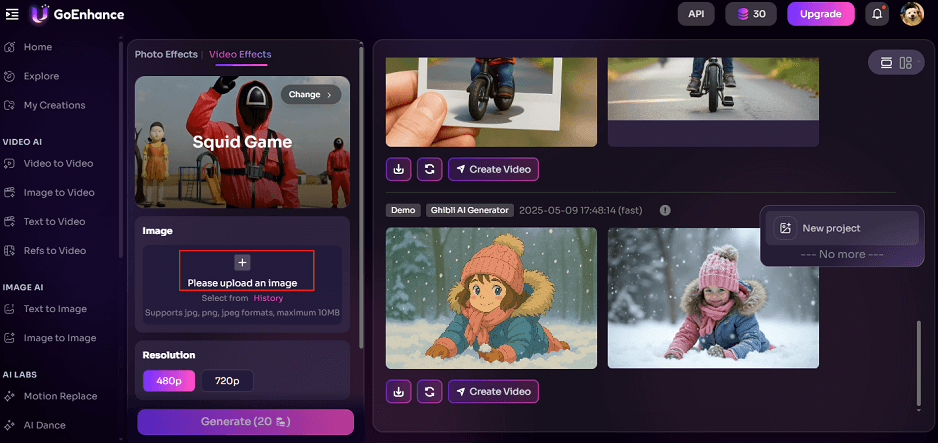
3. Generate Squid Game-style Image
Choose an output resolution based on your needs. Then, click the Generate option to transform the photo into Squid Game style.
4. Download the Picture
When the generating process finishes, download the picture to the local folder.
Add Squid Game Filter to Photo with DreamFace
DreamFace is an online image/video generator that can convert your photo to a Squid Game-style picture in no time. It is powered by AI and produces high-quality outputs. Plus, DreamFace has an intuitive user interface, making its functions easy to navigate. More than that, DreamFace supports text-to-video, image-to-video, text-to-image, and image-to-image conversion, unlocking endless possibilities.
1. Access DreamFace’s Squid Game Generator
Visit https://www.dreamfaceapp.com/ai-filter/squid-game.
2. Upload Your Picture
Click the Click to upload an image option to import your picture.
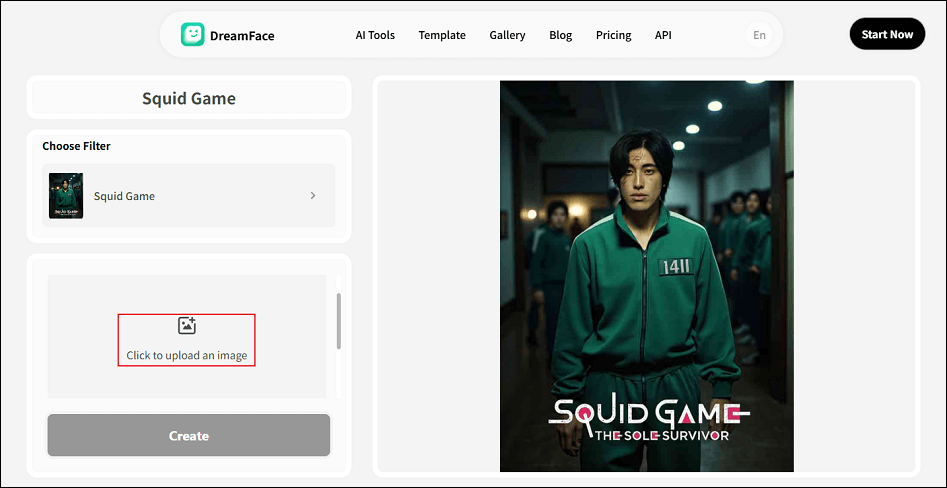
3. Add the Filter to Photo
Click the Create button, which will bring you to a new tab. There, click Generate to create a Squid Game-style image.
4. Download the Picture
Click the Download icon to save the photo.
That’s all! These three image generators can help you create Squid Game characters with ease.
MiniTool MovieMakerClick to Download100%Clean & Safe
In Summary
This post provides three AI-powered and easy-to-use online image generators to help you apply the Squid Game filter to your photos. Pick your preferred one and start creating your Squid Game image right now!
User Comments :