

Before we dive into how to convert MPG to JPG, let’s understand these two formats first.
What Is MPG
MPG is a video file format developed by the Moving Picture Experts Group that can store compressed video, audio, and metadata. Its lossy compression can significantly reduce the file size, making MPG perfect for online streaming or storing. Plus, MPG has wide compatibility, supported by many devices and platforms.
What Is JPG
JPG is a well-known image file format mainly used to store digital photographs. It employs a lossy compression method, resulting in a small file size, which makes JPG files efficient for sharing and storage. Additionally, JPG is compatible with a wide range of software and devices.
Want to convert MPG to JPG without any effort? Here are three free and professional MPG to JPG converters. With them, you can extract an image from your MPG videos and save it as a JPG easily. Read on for more.
Convert MPG to JPG with AnyConv
AnyConv is a professional file converter that supports online conversion. It supports a wide range of formats, including JPG, PNG, GIF, MPG, MOV, MP4, and more. Plus, this tool has a straightforward user interface, allowing both beginners and experienced users to complete their conversion tasks with ease.
Here’s how to convert MPG to JPG with AnyConv:
1. Access AnyConv’s MPG to JPG Converter
Visit https://anyconv.com/mpg-to-jpg-converter/.
2. Upload Your File
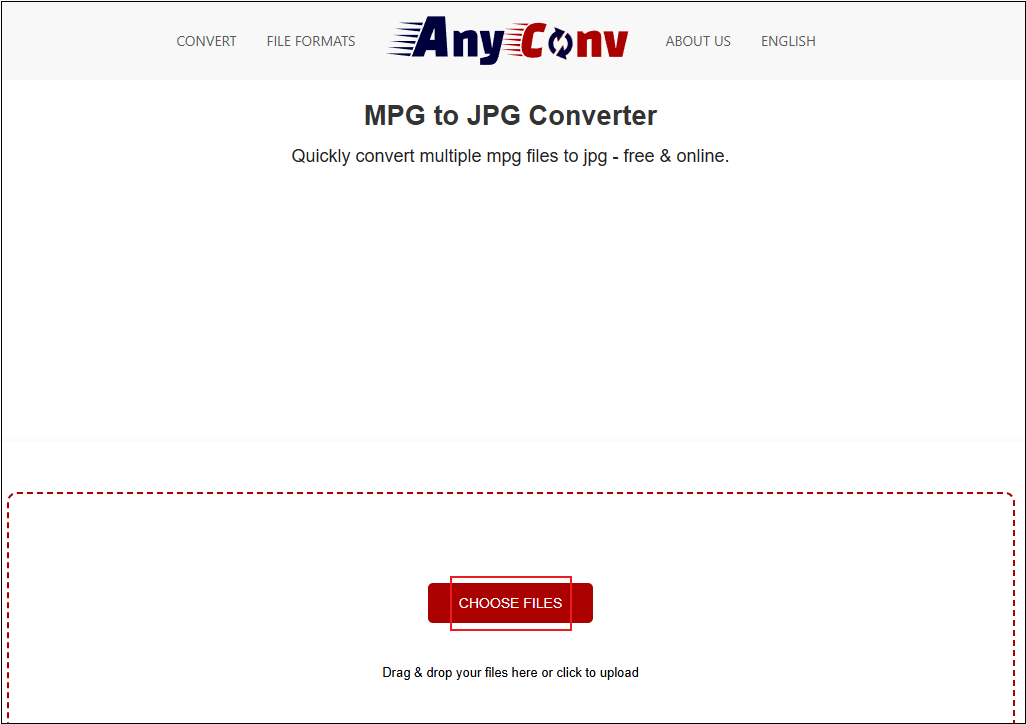
Click the CHOOSE FILES button to upload your MPG file.
3. Start Converting MPG to JPG
The output format will be selected as JPG by default. Click the CONVERT button to start the conversion.
4. Download the Converted File
Click the green download button to save the JPG file to your local folder.
Convert MPG to JPG with MConverter
MConverter is also a free online file conversion tool that supports a wide range of format conversions, including but not limited to MPG to JPG, PNG to BMP, 3G2 to 3GP, AVI to MKV, AAC to AC3, M4A to MP3, WAV to WMA, and AIFF to FLAC. Besides, MConverter supports batch conversion, which saves you a lot of time. Now, follow the instructions below to convert MPG to JPG.
1. Go to MConverter’s MPG to JPG Converter
Launch your browser and visit https://mconverter.eu/convert/mpg/jpg/.
2. Import Your File
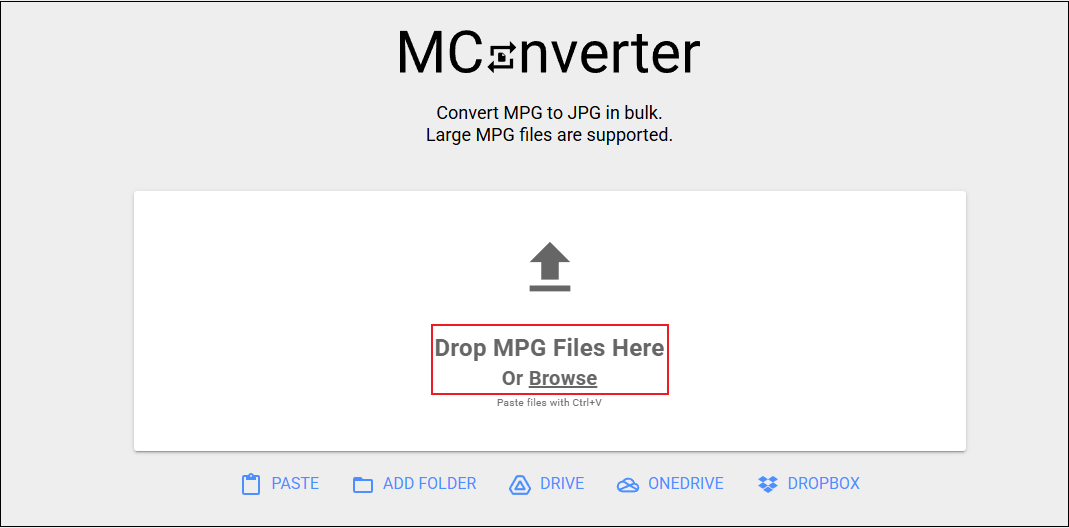
Click the Drop MPG Files Here Or Browse area to add your file.
3. Start the Conversion
Choose the JPG option in the Image section, and then the conversion will start instantly.
4. Download the Converted File
Download the preferred frame by clicking the download icon next to the image, or download all the frames by clicking DOWNLOAD ALL TO FOLDER.
Convert MPG to JPG with OnlineConvertFree
OnlineConvertFree is an all-in-one browser-based file converter. It can serve as an image converter, audio converter, video converter, document converter, and more. Without any installation, you can convert MPG to JPG quickly and easily. In addition, OnlineConvertFree offers data encryption, protecting your privacy during the conversion process.
1. Head to OnlineConvertFree
Go to OnlineConvertFree’s MPG to JPG converter.
2. Upload Your File
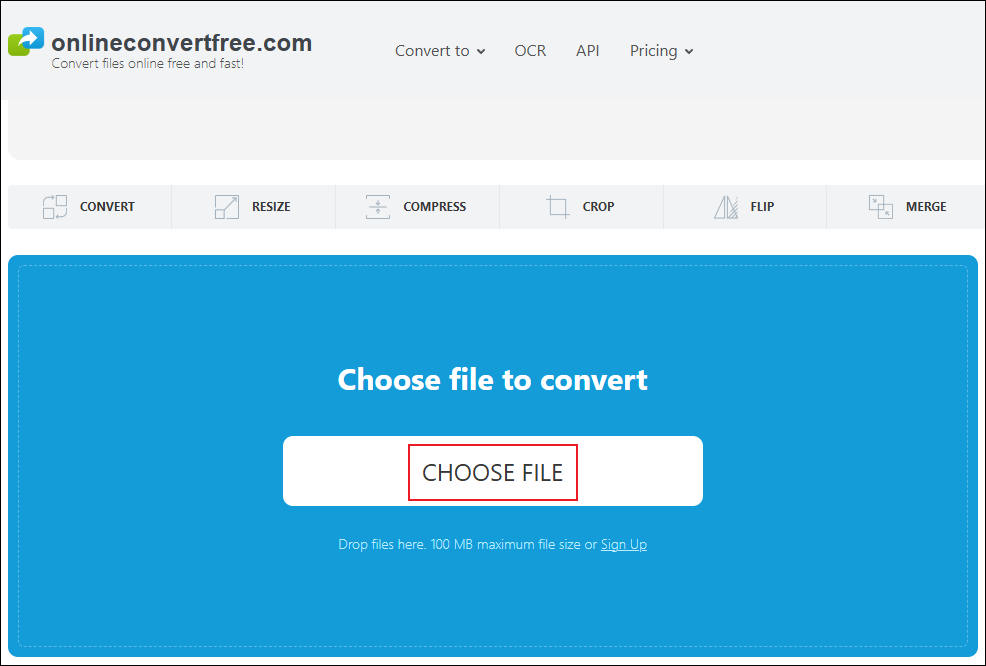
Click the CHOOSE FILE option to add your file.
3. Start the Conversion
The JPG format is selected automatically. Click the Convert button to start the conversion.
4. Download the JPG File
Click the blue Download button to save the image file to your local folder.
MiniTool MovieMakerClick to Download100%Clean & Safe
In Summary
This post provides three free and expert MPG to JPG converters and shows you how to complete the conversion task step by step. Feel free to choose the one you prefer. I hope this article can help you a lot!
User Comments :